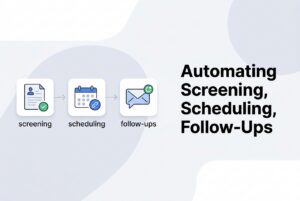
Most SMB hiring teams do not need a new hiring process. They need recruiting automation that removes the same three bottlenecks every week: screening, scheduling, and feedback chasing. If you already have an ATS, the fastest path to saving time is to turn automatic hiring stage changes into a few high-signal rules that do the boring work for you.
The playbook below is built for a 50–200 employee company with a lean recruiting function. It gives you three copy-pasteable workflow automations that can reclaim at least 10 hours a week when manual email chains and calendar ping-pong are the norm. More importantly, these rules fit into an existing ATS instead of asking you to rebuild hiring from scratch.
What is broken in SMB hiring today?
The short version: volume is higher than human bandwidth, scheduling takes longer than it should, and feedback arrives late enough to damage the candidate experience. A single popular job post can bring in 200–500 applications in a few days, while manual resume review still happens in seconds per resume. That is not a process. That is a fire drill.
The same thing happens after screening. Recruiters can lose 8–10 hours a week to scheduling, with a large chunk wasted on back-and-forth over calendar availability. Then interview feedback stalls, scorecards go missing, and the recruiter becomes the person chasing everyone else for answers.
This is why so many SMBs feel stuck even after they adopt an ATS. The system may store candidates, but the work around the edges still lives in email, Slack, and spreadsheets. The fix is not more hustle. It is a better rules engine.
Why manual hiring workflows fail
Manual workflows fail because they make every step dependent on a person remembering to do the next thing. That works fine at five hires a year. It breaks fast when hiring gets real.
Here is the pattern:
- Screening takes too long because every resume gets a human review.
- Scheduling drags because every interview time needs coordination.
- Feedback slips because interviewers are busy and nobody owns the nudge.
Once those delays stack up, time-to-hire stretches from a manageable 10–14 days into the 25–35 day range common in overloaded SMBs. That is how strong candidates disappear. They are not waiting forever. They are taking other offers.
The other failure is visibility. If a recruiter cannot answer where a candidate is without opening multiple records, the process is already too manual. A decent ATS should hold the data. A better one should also move the work forward when the right event happens.
The SMB Recruiting Automation Maturity Model
The easiest way to think about this is the SMB Recruiting Automation Maturity Model. It is a four-stage ladder that shows how hiring teams move from admin overload to real workflow control.
Most 50–200 employee companies sit in Stage 2. They have an ATS, but the actual motion of hiring still depends on humans sending the right email at the right time. The goal is to reach Stage 3 quickly and borrow enough of Stage 4 to feel sane again.
The four stages
| Stage | What the team does manually | What the system does | Time-to-value |
|---|---|---|---|
| 1. Spreadsheet chaos | Track candidates, send every email, schedule every interview | Stores a database, sometimes | None |
| 2. Basic ATS | Track candidates in a system; emails still manual | Pipeline views, stage labels, basic templates | Weeks |
| 3. Triggered automation | Stage changes happen; some emails fire on stage change | Rules engine: when X, do Y | Days |
| 4. End-to-end orchestration | Stage changes cascade across email, calendar, video, scorecards, sourcing | Orchestration across email, calendar, video, scorecards, sourcing | 1–2 weeks to design |
The three rules below are the bridge from Stage 2 to Stage 4. They are deliberately simple. That is the point. In recruiting, complicated automation usually just creates more work.
The visual model
Spreadsheet Chaos
        ↓
Basic ATS
        ↓
Triggered Automation
   ↙      ↓      ↘
Rule 1   Rule 2   Rule 3
        ↓
End-to-End Orchestration
The bridge works because each rule maps to a common hiring event: a candidate is disqualified, moved to interview, or interviewed. That is where recruiting automation pays off fastest.
Rule 1: Auto-rejection on a defined disqualifier
This rule handles the easiest decision in the funnel: a candidate does not meet the minimum requirements. Use it when the stage changes to Rejected and the rejection reason is a documented disqualifier.
IF / THEN rule
IF
- Candidate stage moves to “Rejected”
- Rejection reason = “Does not meet minimum requirements”
- Candidate has not received a rejection email in the prior 30 days
- Source is not internal employee referral
- Job is still open or candidate is being added to a future-consideration talent pool
THEN
- Send the “Minimum Requirements Rejection” template.
- Add the candidate to the “Future Consideration” talent pool with a job-title tag.
- Log the action in the candidate activity timeline.
- Notify the hiring manager in Slack or Teams.
This is not about being cold. It is about being consistent. A clean rejection flow prevents duplicate emails, keeps referrals personal, and makes sure borderline candidates can still be routed to a future pool.
Copy-paste email template
Subject: Update on your application for [Job Title] at [Company]
Hi [First Name],
Thank you for applying for the [Job Title] role at [Company]. After reviewing your application against the core requirements for this position, we have decided not to move forward at this time.
This decision is based on the minimum qualifications listed in the job posting. It does not reflect on your overall experience or abilities — many strong candidates simply don’t match the specific criteria for a given role.
We have added you to our talent network, so if a more suitable opening becomes available we may reach out again. We genuinely appreciate the time you invested in applying and wish you the best in your search.
Best,
[Recruiter Name]
[Company] Talent Team
Why this rule matters
Auto-rejection is the fastest way to stop application queues from piling up. It also protects recruiter attention for the candidates worth a closer look. In a busy SMB, that is where the time savings start.
A note on compliance: rejection criteria should be role-specific, documented, and reviewed. Keep the logic neutral, offer a human contact, and do not reference protected characteristics. If you recruit in multiple jurisdictions, map the local rules before turning this on.
Where it fits in an ATS
This is standard automatic stage changes territory. Most SMB-tier ATSs expose some version of trigger + condition + action. This generally sits under Settings → Automation → New Rule.
Rule 2: Self-service interview scheduling triggered by stage change
This is the biggest time saver for most teams. When a candidate moves into Interview – Round 1 and an interviewer is assigned, the system should send a scheduling link automatically.
IF / THEN rule
IF
- Candidate stage moves to “Interview — Round 1”
- An interviewer is assigned
- Candidate email and phone are present
- Candidate has not already received a scheduling link for this stage
- At least one interviewer slot is open in the next 10 business days
THEN
- Send the scheduling email with a unique link.
- Place a tentative hold on the interviewer calendar when a slot is selected.
- Generate the video meeting link and add it to the calendar event.
- Push the interview into the ATS candidate profile with a deep link.
- Send an automated interview reminder to both parties and a 1-hour reminder to the candidate.
- If the candidate no-shows, trigger one reschedule offer.
That is the cleanest form of automated scheduling: the candidate picks a slot, the calendar updates, and the ATS stays current without a human triaging every message.
Copy-paste scheduling email
Subject: Schedule your interview for [Job Title] — [Company]
Hi [First Name],
Great news — we’d like to set up an interview for the [Job Title] role. Please pick a 45-minute slot that works for you over the next 10 business days using the link below:
[Unique Scheduling Link]
You’ll see real-time availability for [Interviewer Name]. Once you confirm, you’ll receive a calendar invite with a video meeting link and a short prep note.
If none of the times work, reply to this email with a few windows that suit you and we’ll find an alternative.
Looking forward to it.
Best,
[Recruiter Name]
[Company] Talent Team
What good scheduling looks like
Good scheduling is not “send a calendar link and hope for the best.” It means:
- 5–10 slots, not the full calendar
- candidate time zone first
- a manual fallback if the slots do not work
- bidirectional sync between ATS and your calendar so OOO blocks disappear in real time
- a 15-minute buffer around a 45-minute interview
That is the difference between a tool that reduces work and one that just shifts the work around.
The practical payoff
Teams that replace manual coordination with self-scheduling typically reclaim 8–10 hours a week per recruiter. That is the closest thing to free headcount you will get without adding a person.
Rule 3: Feedback and scorecard reminders triggered by interview end
Once the interview ends, the next job is not “wait and hope.” It is to collect feedback before the trail goes cold. This rule fires when the interview is marked complete or the end time passes, and the scorecard is still open.
IF / THEN rule
IF
- Interview calendar event ends, or end time + 15 minutes passes
- Scorecard has not been submitted
- Interviewer is assigned
- Candidate is still active in the pipeline
- Less than 72 hours have passed since the interview ended
THEN
- Send a scorecard request email or Slack/Teams ping.
- If no submission at 24 hours, send a nudge and CC the hiring manager.
- If no submission at 48 hours, escalate to the hiring manager and TA lead.
- Log submission or non-submission against the interviewer record.
This rule matters because feedback lag is not harmless. It slows decisions, creates candidate drift, and turns the recruiter into the only person who remembers what happened in the room.
Copy-paste first reminder
Subject: Quick scorecard for [Candidate First Name] — [Round]
Hi [Interviewer Name],
Thanks for interviewing [Candidate First Name] yesterday for the [Job Title] role. To keep [Candidate First Name]’s candidacy moving, could you spend ~5 minutes on the scorecard?
[One-click Scorecard Link]
The scorecard is structured against the rubric the team agreed on — no narrative essay required. The whole thing usually takes 3–5 minutes.
If something is blocking you, like a broken link or profile access issue, just reply here and I’ll sort it.
Thanks,
[Recruiter Name]
24-hour nudge
Subject: Reminder: scorecard needed for [Candidate First Name] (24h)
Hi [Interviewer Name],
Bumping this — we still need your scorecard for [Candidate First Name] so the candidate gets a timely decision. The interview was [Day] at [Time].
[One-click Scorecard Link]
Let me know if I can help.
Thanks,
[Recruiter Name]
48-hour escalation
Subject: Blocked — scorecard overdue for [Candidate First Name] (48h)
Hi [Hiring Manager Name] and [TA Lead],
[Interviewer Name]’s scorecard for [Candidate First Name] (interviewed [Day] at [Time]) is now 48 hours overdue. This is blocking [Job Title] pipeline progression.
Options:
- A direct nudge from [Hiring Manager] to [Interviewer]
- Reassign feedback to a backup interviewer
- Pause [Candidate First Name]’s progression in the pipeline until feedback lands
Default action: I’ll pause progression by EOD unless you redirect.
Best,
[Recruiter Name]
Why this rule works
This is one of the best uses of email templates in hiring. The message is short, specific, and attached to a real event instead of a vague reminder list. It respects interviewer time while still keeping the process moving.
Keep the scorecard tight. Five to seven competencies is the sweet spot. Long forms get ignored, and “just write your thoughts” is how structured interviewing quietly dies.
Which ATSs can run these rules?
You do not need a giant enterprise stack to make these workflows real. Any mainstream SMB-tier ATS with rules, calendar integration, and scorecards can handle them. The field names differ, but the logic is the same.
| ATS | Workflow rules engine | Calendar integration | Scorecard module | Two-way calendar sync | API/webhooks | Approx. starting price |
|---|---|---|---|---|---|---|
| CVViZ | Yes | Google, Microsoft 365 | Yes | Yes | Yes | $99/month starter |
| Workable | Yes | Google, Outlook | Yes | Yes | Yes | $169/month starter |
| Greenhouse | Yes | Google, Outlook | Yes | Yes | Yes | Custom quote |
| Lever | Yes | Google, Outlook | Yes | Yes | Yes | Quote-based |
| Breezy HR | Yes | Google, Outlook | Yes | Yes | Limited | $0 starter |
| Pinpoint | Yes | Google, Outlook | Yes | Yes | Yes | Quote-based |
| Ashby | Yes | Google, Outlook | Yes | Yes | Yes | Quote-based |
The important point is not which vendor wins. The important point is that these workflows are available in mainstream systems. If your current ATS cannot support a basic trigger-and-action model, that is a workflow problem you should know about quickly.
For Rule 2, teams can also pair the ATS with a scheduling layer. General scheduling tools are fast to deploy. Recruiter-specific scheduling tools are better when you need deeper sync and routing. Native ATS schedulers are the simplest option for SMBs that want less tool sprawl.
How to measure whether the automations are working
If you cannot measure the result, the automation is probably just making the process feel busy. Track outcomes, not vibes.
| Rule | Primary KPI | Benchmark | Secondary KPI |
|---|---|---|---|
| Auto-rejection | Time-to-rejection | Under 24 hours for 90%+ of candidates | Candidate response rate |
| Auto-scheduling | Recruiter hours saved | 8–10 hours per recruiter per week | Time-to-schedule; show rate |
| Feedback reminders | Scorecard completion within 24 hours | Target 100% within 24 hours | Time-to-decision; interviewer reliability |
A few supporting indicators are worth watching too:
- pipeline visibility
- candidate experience rating
- hiring manager satisfaction with recruiter responsiveness
Treat the first 90 days as an experiment. Most rules need tuning. If the auto-rejection logic is too aggressive, you will know. If scheduling emails are too long, candidates will stall. If scorecards are still late, the escalation path is not strong enough.
Quick checklist before you turn these rules on
Use this before launch, not after a candidate complains.
- Rejection criteria are documented, role-specific, and reviewed.
- Rejection email language is neutral and offers a human contact.
- Scheduling template asks only for required details.
- Interviewer slots are confirmed for the next 2–3 weeks.
- Scorecard has 5–7 competencies with anchored rating scales.
- Reminder cadence is set for 1 hour, 24 hours, and 48 hours.
- All three rules are tested with one internal candidate.
- Audit logging is enabled.
- Hiring managers know what each candidate receives at each stage.
That is the minimum viable operational discipline. Not glamorous. Very effective.
FAQ
Will automation make candidates feel like they are talking to a robot?
No. These rules automate logistics, not conversations. The candidate still gets a human-reviewed template, a real scheduling link, and a real feedback process behind the scenes.
Are auto-rejection emails compliant?
They can be, if the criteria are role-specific, documented, validated, and paired with a human contact for reconsideration. The risky part is not automation itself. It is unreviewed logic or AI scoring without the right safeguards.
What if a candidate replies to the auto-rejection?
Route replies to a monitored inbox and have a recruiter respond within one business day. Auto-rejection is a workflow, not a wall.
How long should we wait before escalating feedback?
Use 1 hour for the first reminder, 24 hours for the nudge, and 48 hours for escalation to the hiring manager and TA lead.
Can these automations work for high-volume hourly hiring?
Yes. They often work even better there because the volume of admin is higher and the process needs more consistency.
Can we run these rules in Google Sheets and email alone?
Not cleanly. You can approximate some of it, but feedback reminders depend on scorecard state. If you are still pre-ATS, this is not the place to start.
The bottom line
If you want to save real time in SMB hiring, do not chase broad transformation. Fix the three moments that create the most drag: disqualify cleanly, schedule automatically, and chase feedback on a timer.
That is the practical version of recruiting automation. It is not flashy, but it is what gets a team out of spreadsheet mode and into a process that actually moves. If your ATS supports automatic stage changes, you already have most of the machinery you need. The rest is just turning the rules on.