Or worse: you sent the scheduling link three days ago, and it’s still sitting unclicked while your best candidate is two rounds deep at another company.
These two problems, interview no-shows and scheduling drop-off (where the interview never gets booked), cost smaller teams more than they realize. It’s not just lost time, it’s lost candidates.
Let’s be clear: most no-shows aren’t a “bad candidate” problem. They’re a process failure. Slow response times, unclear invites, clunky back-and-forth, and a lack of self-serve options are all fixable. For teams without a dedicated scheduling coordinator, which is most of you reading this, automation is how you fix them without adding headcount.
This guide is a practical playbook. We’ll cover the triggers to automate, a reminder cadence that works, guardrails for self-rescheduling, and how to measure if any of it is helping. Start with the parts that hurt most, then build from there. You don’t have to do it all at once.
Why Do Candidates No-Show or Drop Off During Interview Scheduling, and How Do You Spot the Root Cause?
The answer isn’t “more reminders.” Before you add automation, you need to know where candidates are actually falling out of your process.
There are three main reasons this happens:
- Friction: Too many emails, slow replies from interviewers, limited time slots, and timezone confusion.
- Uncertainty: Candidates don’t know the interview format, who they’ll meet, or how to prepare.
- Low intent or competing offers: Long gaps between application and first contact give good candidates time to move on.
Drop-off can happen at four specific points. Each one points to a different fix.
| Symptom | Likely Cause | Fix |
|---|---|---|
| Ghosts after invite sent | Friction (no self-serve booking) | Add self-scheduling link + same-day follow-up |
| Slot options ignored | Too few times or wrong timezone display | Offer more windows; show candidate’s local time |
| Confirmed but no-showed | Unclear details or no reminder cadence | Add full-detail confirmation + multi-touch reminders |
| Reschedules then ghosts | Low intent, awkwardness, or friction | Add reconfirmation step; offer an async option |
Before you change anything, you need a baseline. Capture these four numbers:
- No-show rate (booked → attended)
- Time-to-schedule (invite sent → slot booked)
- Time from application to first contact
- Reschedule rate
Without these numbers, you’re just guessing. With them, you can run experiments that actually tell you something.
What Scheduling Triggers Should You Automate First to Eliminate Back-and-Forth?
You want to automate the events that create momentum and the gaps that kill it.
First, a quick distinction. A trigger fires automatically when something changes (like a stage update). A reminder fires on a time schedule. A nudge is a follow-up when someone hasn’t acted. All three are worth automating, but triggers come first.
Here are the five triggers every SMB team should set up:
- Application received → Immediate acknowledgment: Confirms you got their application and sets timeline expectations.
- Shortlisted → Interview invite sent same business day: Compresses the time-to-first-touch. Speed matters.
- Interview booked → Confirmation with full details + calendar invite: Eliminates the “Wait, what time was that?” question.
- Reschedule requested → Self-serve flow fires + recruiter gets notified: Removes the back-and-forth without creating chaos.
- No response after 24 hours → Follow-up sent + alternate channel suggested: Catches candidates who missed the first message.
An ATS with workflow automation (rules that trigger emails when a candidate is received or a stage changes) lets you run all five without manual work. If you pair that with email templates and open/click tracking, you can see which messages candidates are actually reading.
One principle holds all this together: maintain a single pipeline status that everyone—recruiters, hiring managers, coordinators—trusts as the source of truth. When the system updates and notifies the right people automatically, fewer things fall through the cracks.
What Should Be in Your “Invite to Schedule” Message So Candidates Actually Book?
Keep it short and make the action obvious. Every invite needs:
- 2–3 time slot windows (not 10, which creates decision paralysis).
- Timezone clearly labeled in the candidate’s local time.
- Expected duration (e.g., “30 minutes”).
- What the interview covers (the format, who’s on the call, a rough agenda).
- One clear call to action: “Pick a time.” Not the vague “let us know your availability.”
Also, add a low-pressure fallback like, “If none of these work, you can request a different time here.” This little sentence removes friction without giving candidates an easy excuse to disengage.
What Automated Reminder Cadence Reduces No-Shows Without Annoying Candidates?
A multi-touch cadence works when each message adds something new, not just another “don’t forget.”
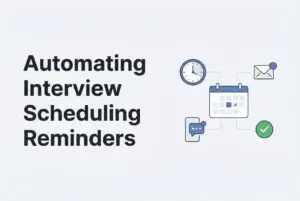
Here’s a recommended cadence for most teams:
| Timing | Purpose | Key Elements |
|---|---|---|
| At booking (instant) | Confirm everything | Full details: time, timezone, link, interviewer, duration, agenda |
| 48 hours before | Soft reminder + prep | Reiterate details + prep tip + reschedule link |
| 24 hours before | Main reminder | Short, clear, direct; same details + one-click reschedule |
| 2 hours before | Final nudge | Time, link, and a “can’t make it?” option |
For short scheduling windows (less than 48 hours), just compress the cadence: a booking confirmation, a morning-of reminder, and a nudge 1–2 hours before.
Every single reminder should include the time and timezone, meeting link, interviewer name(s), duration, agenda focus, and a reschedule or cancel path. That last one is important. Giving candidates an easy out actually reduces no-shows because it replaces ghosting with a real response.
Value-add ideas by role:
- Engineering candidates: Share repo access info, IDE setup details, and the problem type (e.g., “this will be a systems design discussion”).
- All candidates: Include parking/arrival instructions for on-site interviews or a tool install checklist for video calls.
Fatigue guardrails: Stop sending reminders once a candidate reschedules or cancels. Don’t send duplicate messages. For any single interview, more than four touchpoints is too many.
Reminder Wording Rules That Improve Attendance Without Sounding Robotic
Language matters. Here’s a quick checklist for your templates:
- Use clear verbs, not vague ones. “Confirm your spot” is much better than “please RSVP if you’re available.”
- Give three specific CTAs: Confirm / Reschedule / Cancel. Candidates shouldn’t have to guess what to do.
- Personalize what counts: Use their name, role title, and the interviewer’s name. Skip the forced personalization that just reads as filler.
- Be direct and warm, not formal. “We’re looking forward to talking with you. Here’s everything you need” works better than stiff corporate language.
Which Reminder Channels Should You Use, and How Do You Avoid “Spammy Automation”?
Your channel choice should follow candidate behavior, not just what’s easy for your team.
- Email is universal but easy to miss.
- SMS gets read much faster in many markets, but it requires consent and you have to be careful with frequency.
- WhatsApp and other messaging apps are popular in some regions, but their effectiveness depends on local norms.
The preference-first rule is simple: ask candidates early (at the application or invite stage) how they prefer to get updates. Then use that channel. Switching channels mid-process just creates confusion.
For your escalation approach: Start with their primary channel. If a scheduling invite goes unanswered after 24 hours, escalate once to a secondary channel. Don’t repeat escalations. That’s when you tip from helpful into pushy.
The anti-spam checklist for every message:
- [ ] Does this message tell the candidate what’s changed or what they need to do?
- [ ] Is the frequency reasonable for where they are in the process?
- [ ] Does it include opt-out language where required?
- [ ] Is the send time appropriate for the candidate’s timezone?
If a message fails that first check—if it’s just a “checking in” repeat with no new information—cut it.
How Do You Design Self-Scheduling and Self-Rescheduling So It Reduces Drop-Off, Not Creates Chaos?
Self-serve scheduling is great because it removes the awkwardness of asking for a change and gives the candidate a sense of control. But without guardrails, it creates havoc for your interviewers.
Here are some good defaults for SMBs:
- Reschedule cutoff: No later than 24 hours before the interview, except for genuine emergencies.
- Maximum reschedules allowed: One or two per role. Any more than that is a signal of disengagement.
- Slot buffer: Add 15-minute buffers before and after interviews to protect your team’s prep and overrun time.
- Auto-cancel rule: If a candidate hasn’t responded to three touchpoints, close the loop with a polite cancellation message.
Make the rules visible. Language like “You can reschedule once directly from this link, up to 24 hours before your interview” sets expectations without sounding punitive.
When a reschedule happens, automate this sequence:
- Update the calendar invite for all parties.
- Notify the interviewer immediately.
- Update the candidate’s pipeline stage.
- Trigger a fresh reminder cadence for the new time slot.
What If Candidates Keep Rescheduling or Ghost After Rescheduling?
Treat it as a signal, not a nuisance. If a candidate has rescheduled once and then gone quiet, send a short message asking them to reconfirm the new time.
If that doesn’t land, you could offer a shorter format (like a 15-minute call instead of a full screen) or move them to a structured video interview. If there’s still no response after reconfirmation, close the loop professionally. Send a short message that you’re removing the slot and invite them to re-engage when their schedule allows.
How Can SMB Teams Handle Panel Interviews, Multiple Interviewers, and Time Zones Without Breaking the Process?
Panels fail when no one owns the calendar. Here’s a playbook to keep them manageable:
- Minimize panel size at early stages. Reserve multi-interviewer panels for late-round or final interviews. One interviewer for an early screen is faster and easier to coordinate.
- Pre-collect availability weekly. Ask interviewers to block standing “interview hours” on their calendars, like Tuesday and Thursday afternoons. This eliminates the weekly chase.
- Assign a single scheduling owner. One person (a recruiter or coordinator) controls when slots are offered. Everyone else submits their constraints to that owner.
- Always display the candidate’s timezone. Never make a candidate do the math. Show their local time in every email and include a reliable “add to calendar” link.
- Build a swap list. If an interviewer drops out last minute, you need a named backup, not a scramble. Pre-designate one backup per role and have a message ready to send the candidate.
Time zone confusion is one of the most common causes of day-of no-shows. Fixing it is one of the cheapest, easiest wins you can get.
How Do You Reduce No-Shows by Fixing What Happens Before Scheduling: Screening and Speed?
The most underrated no-show prevention tactic is simply moving faster.
Lever 1: Prioritization. Too often, candidates are reviewed “first in, first out.” That’s slow. Instead, use AI resume screening and ranking to surface the best-fit profiles immediately. This way, your team can reach out to top candidates the same day, not three days later when they’ve already committed elsewhere.
Lever 2: Fewer live screens. I used to think every candidate needed a live recruiter screen first. But for many teams, that first call covers the same five questions every time and creates a scheduling bottleneck. By introducing a structured video interview—where candidates record responses on their own schedule—you can evaluate them without trying to align calendars. For engineering roles, this means fewer live slots are needed before the main technical round.
The result is you end up scheduling fewer interviews, but each one has higher intent from a more prepared candidate.
The psychology is simple. A candidate who applied, heard back the same day, completed a quick video screen, and is now booking a technical round is far more committed than one who waited a week for a generic call. Compressing the timeline builds momentum. Momentum reduces no-shows.
How Do You Measure What’s Working (and Prove ROI) in Your Automated Scheduling?
Track a small, meaningful set of KPIs and only change one variable at a time.
The five metrics that matter:
| Metric | What It Measures |
|---|---|
| Interview booking rate | % who received an invite and booked a slot |
| No-show rate | % who booked and actually attended |
| Time-to-schedule | Days from invite sent to slot booked |
| Time-to-interview | Days from application or shortlist to interview |
| Reschedule rate | Signals friction or low intent |
Try a simple two-week experiment loop:
- Pick one variable to change (like reminder timing or message copy).
- Run it for two weeks.
- Compare your booking rate and no-show rate against your baseline.
- Keep, adjust, or discard the change.
Recruitment analytics and exportable reports can track your progress. Pair that data with email open and click tracking to see if your reminders are actually being read or just delivered.
Directionally, “good” looks like fewer days from invite to booking, more candidates booking within 24 hours, and a no-show rate that drops measurably. You don’t need a sophisticated analytics setup for this; a simple export and a week-over-week comparison will get you there.
Frequently Asked Questions
Should we send reminders to every candidate or only finalists?
Every candidate with a confirmed interview slot, regardless of the stage. A recruiter screen deserves the same respect as a final round. From the candidate’s view, every interview is important, and skipping reminders for early stages is where no-shows tend to cluster.
What’s the best time to send a 24-hour reminder?
The morning of the day before is usually best. It catches candidates while they’re checking messages and gives them time to prepare or reschedule without panicking. Avoid sending reminders late in the evening.
How many reschedules should we allow before disqualifying a candidate?
One reschedule is standard; two is the outer limit for most roles. Beyond that, the pattern suggests low intent. Send a reconfirmation message after the second reschedule, and if you hear nothing back, close the loop professionally instead of holding the slot.
What should we include in an interview confirmation to reduce candidate anxiety?
The date, time, and timezone; the meeting link or address; the interviewer’s name and role; the duration; a brief agenda (e.g., “30-minute technical discussion, no live coding”); and a direct contact if something comes up. The more specific you are, the fewer “quick question” emails you’ll get.
How do we handle reminders for candidates in different time zones?
Always, always display the interview time in the candidate’s local timezone. Include an “add to calendar” link that auto-converts the time. If your AI Applicant Tracking System has the data, use it. Never assume they’ll do the conversion themselves.
What if candidates don’t respond to the scheduling link at all?
Send one follow-up 24–48 hours after the initial invite, using a different channel if you can. If you still hear nothing, send a polite closing message. Acknowledge their time, leave the door open, and move on. Chasing beyond two touchpoints rarely works and can damage your employer brand.
Can automated reminders hurt the candidate experience?
They can if they’re frequent, vague, or impersonal. The fix is simple: every message should be useful. Reminders that just say “your interview is coming up” feel like spam. Keep your messages direct, respectful, and genuinely helpful, and always include a clear “can’t make it” path so candidates feel in control, not chased.