When a hiring process is too slow, the first thing to automate is usually the gap between application received and first meaningful human action. In most lean teams, that is where queue time piles up: resume parsing, duplicate data entry, acknowledgment emails, recruiter triage, and handoffs to a hiring manager. After that, the next best targets are interview scheduling and feedback reminders. That is the practical heart of recruitment automation.
The mistake is trying to automate every stage at once. Measure where the waiting is, assign ownership, then automate the largest repeatable queue with the lowest decision risk. That is how you cut time to fill without turning recruiting into a black box.
Why time to fill keeps rising even when recruiters are busy
Time to fill gets longer when work is hidden inside queues. Recruiters are not usually slow because they are idle. They are slow because they are moving data, chasing approvals, resending emails, and waiting on other people to act.
The pattern shows up everywhere:
- Applications pile up faster than they can be reviewed.
- Candidate data gets copied between email, spreadsheets, ATS records, and calendars.
- Hiring managers see candidates without a visible deadline.
- Interview scheduling turns into a back-and-forth thread.
- Feedback arrives late or never.
- Candidates sit in silence and assume the process is disorganized.
The fix is not more activity. It is clearer workflow. Gem’s 2025 recruiting benchmarks show how lean teams are being stretched: average recruiter headcount fell, open requisitions per recruiter rose, applications per recruiter jumped, and time to hire increased from 33 days to 41 days. That is the shape of the problem. More volume, more coordination, more waiting.
Operational takeaway: if the team feels busy but time to fill keeps drifting upward, you are probably looking at queue time, not touch time.
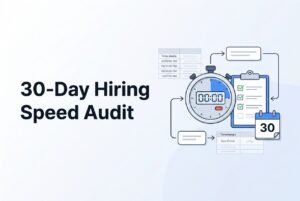
What is the FLOW-30 hiring speed audit?
FLOW-30 is a 30-day audit framework for finding the slowest part of the hiring process and automating it in the right order.
It stands for:
- F — Find the baseline
- L — Locate the lag
- O — Own the handoffs
- W — Wire the workflow
- 30 — Watch the outcome
The logic is simple. Measure first, then assign ownership, then automate the repeatable work. Do not start with AI decision-making. Start with the waiting.
FLOW-30 at a glance
| Stage | Meaning | Main question | Output |
|---|---|---|---|
| F | Find the baseline | How long does each stage actually take? | Timestamp inventory and baseline dashboard |
| L | Locate the lag | Where is the requisition waiting? | Bottleneck map and ranked delay list |
| O | Own the handoffs | Who owns the next action? | Ownership matrix, reminders, escalation rules |
| W | Wire the workflow | Which tasks are rules-based and repetitive? | First automation releases |
| 30 | Watch the outcome | Did speed improve without hurting quality? | 30-day readout and next-step backlog |
The point of FLOW-30 is not to modernize everything. It is to expose where the process is leaking time.
Operational takeaway: automation works best after the process is visible, owned, and measurable.
How do you measure every recruiting stage?
You measure recruiting speed by timestamps, not by memory. If the team cannot say exactly when a stage starts and ends, it cannot tell whether the delay is work or waiting.
Use these definitions:
| Metric | Recommended formula | Why it matters |
|---|---|---|
| Time to fill | Offer accepted date minus requisition-open date | Executive view of vacancy duration |
| Time to hire | Offer accepted date minus candidate-entered-funnel date | Candidate-level speed |
| Time in stage | Next-stage timestamp minus current-stage timestamp | Finds the specific queue |
| Queue time | Time waiting for the next person or system action | Strongest automation opportunity |
| Touch time | Time actively spent doing work | True administrative burden |
| Handoff latency | Next-owner action timestamp minus handoff timestamp | Exposes friction between people |
| Approval lag | Approval completed timestamp minus approval-request timestamp | Measures administrative waiting |
| Candidate response gap | Candidate communication timestamp minus employer response timestamp | Measures silence |
| SLA adherence | Events completed within target divided by total events | Shows operational control |
A useful rule: use calendar days for time to fill, but use business-day targets for operating SLAs like manager review or feedback. Keep raw timestamps and derived metrics together. Otherwise, you will end up arguing about definitions instead of fixing delays.
Operational takeaway: if you want to improve time to fill, first make the waiting visible in the data.
Where do hiring teams lose time?
Most teams lose time in the same few places: intake, handoffs, coordination, communication, and rediscovery. The trick is to find which one is your biggest queue before touching the workflow.
Stage-by-stage audit and automation playbook
| Stage | Audit question | What to measure | Best automation targets |
|---|---|---|---|
| Requisition intake and approval | How long does a requisition wait before recruiting work can begin? | Approval time, approval hops, incomplete-request rate | Required fields, routing, reminders, escalation, job creation |
| Job setup and distribution | How long does it take to publish a complete role? | Time to publish, channel count, posting errors | Template population, channel distribution, posting confirmation |
| Application intake and resume parsing | How long to convert an application into a searchable record? | Application-to-record time, manual entry rate, parsing failures | Resume parsing, profile creation, duplicate detection, acknowledgment |
| AI Resume Screening | How many recruiter hours go into deciding what to review first? | Review time, shortlist yield, percentage reviewed | Ranking, priority queue, evidence display, human review queue |
| Recruiter-to-hiring-manager handoff | How long does a qualified candidate wait for review? | Handoff-to-review time, reminders, rejected-without-reason rate | Shortlist packet, named owner, due-date notification, escalation |
| Candidate communication | How long does a candidate wait without knowing what happens next? | Acknowledgment rate, response time, no-response rate | Status updates, disposition messages, instructions, nurture messages |
| Interview scheduling | How many messages are exchanged before an interview is booked? | Invitation-to-booked time, scheduling messages, reschedules, no-shows | Availability collection, scheduling links, confirmations, reminders |
| Feedback and decision handoff | How long after an interview does the team have enough feedback? | Feedback time, missing feedback, decision delay | Structured forms, reminders, escalation, feedback consolidation |
| Offer administration and close | How much time passes before the candidate receives the next communication? | Decision-to-offer-request, approval time, offer-sent delay | Routing, reminders, status visibility, candidate communications |
A few stages deserve special attention. Resume parsing is not the same as screening. Parsing standardizes the data; AI Resume Screening prioritizes relevance. Interview scheduling is also a prime target because it is repetitive, rules-based, and easy to measure. And if the team is losing candidates after interviews, feedback collection is often the real bottleneck, not sourcing.
Operational takeaway: the best first automation is usually the biggest repeatable queue, not the loudest pain point.
Why existing approaches fail
A first-generation ATS often stores records without connecting the work around them. That is why it feels like a digital filing cabinet instead of a workflow system.
Typical failure modes include:
- Resumes live in the ATS, but screening happens in email or spreadsheets.
- Candidate stages are recorded without a due date or owner.
- Hiring-manager feedback is scattered across Slack, email, and interview notes.
- Scheduling still requires recruiter back-and-forth.
- Candidates never get a status update.
- Reporting shows final time to fill but not which stage caused the delay.
This is where many teams overcorrect. They add automation to a broken process and expect the process to fix itself. It does not. If a role has no agreed scorecard, no decision owner, and no interview sequence, automation just moves confusion faster.
A cleaner comparison makes the issue obvious:
| Manual / fragmented workflow | Measurable workflow |
|---|---|
| Candidate data in multiple places | One candidate record with timestamps |
| Unowned handoffs | Named owner and deadline |
| No acknowledgement | Stage-specific candidate messaging |
| Scheduling by email thread | Calendar-aware scheduling link |
| Feedback in free text | Structured feedback with reminders |
| Final metric only | Stage-time, queue-time, and SLA reporting |
Operational takeaway: if the process is undefined, recruitment automation only creates faster chaos.
How do you rank automation opportunities?
Rank automation by volume, waiting time, repeatability, and risk. Then let the data override your assumptions.
Use this simple internal score:
Priority score = affected volume × median waiting time × repeatability × feasibility, reduced by decision risk
Score each factor from 1 to 5. High-volume, repeatable, low-risk tasks rise to the top. Borderline judgment calls do not.
Typical first candidates:
- Application acknowledgment
- Resume parsing and profile creation
- Recruiter queue ranking
- Hiring-manager review reminders
- Interview scheduling
- Interview reminders
- Feedback reminders and escalation
- Candidate status updates
- Candidate rediscovery in the existing database
Tasks to keep human-led:
- Role scorecards
- Borderline background review
- Final selection
- Accommodation decisions
- Exception approvals
That balance matters. The safest automation is the kind that organizes work, routes it, and reminds people to act. It should not silently make irreversible employment decisions.
Operational takeaway: automate the queue, not the judgment.
What should the first 30 days look like?
Use a real calendar, not a vague “streamline recruiting” promise. The first month should reveal where the time is going, then pilot one workflow.
Days 1–3: define the audit
Pick a small but useful sample:
- Five to ten recently filled roles
- Five to ten open roles
- At least one high-volume role
- At least one hard-to-fill role
- At least one role with multiple interviewers or approval steps
Then freeze the vocabulary. Decide what each status actually means before exporting data. Your minimum event set should include requisition requested, requisition approved, job posted, candidate applied, resume parsed, screening completed, recruiter review completed, hiring-manager review requested and completed, interview scheduled and completed, feedback submitted, offer approved, offer sent, offer accepted or declined, and candidate dispositioned.
Days 4–7: build the baseline
Calculate median and 75th-percentile time in stage. Add two fields to every stage:
- Waiting reason
- Next-action owner
That gives you the difference between work time and queue time.
Days 8–10: map handoffs
Draw the actual workflow, not the intended one. Include email, spreadsheets, chat, calendars, interview docs, and approvals. The goal is visibility, ownership, and deadlines.
Days 11–14: rank the bottlenecks
Look for the longest delays, the most repeated handoffs, and the tasks that are easiest to automate without making a final decision. That is your first wave.
Days 15–18: set operating targets
These are recommendations, not benchmarks:
| Event | Starting target |
|---|---|
| Application acknowledgment | Same day |
| Initial application triage | Within one business day |
| Hiring-manager review of a complete shortlist | Within two business days |
| Feedback after an interview | By the next business day |
| First interview scheduling | Within two business days after candidate availability |
| Candidate status update after disposition | Same day |
| Escalation after missed owner deadline | Next business-day checkpoint |
Days 19–22: launch one automation wave
Start with one role family or one high-volume requisition. Good first releases include parsing, acknowledgment, ranking, scheduling links, reminders, escalation, and disposition messaging.
Days 23–26: test exceptions
Run the workflow in shadow mode or with human approval before it changes candidate status automatically. Watch for duplicate records, wrong routing, missing fields, bad links, contradictory messages, and candidates who need accommodation.
Days 27–30: compare results
Review speed, conversion, candidate response gaps, recruiter touches, exception rate, and fairness indicators where legally permitted. Keep the automation if it reduces waiting without damaging quality or experience. Remove it if it only makes a weak process move faster.
Operational takeaway: the first month should produce a baseline, a bottleneck map, and one controlled pilot.
How can CVViZ support the workflow?
CVViZ supports the workflow by connecting screening, routing, communication, scheduling, sourcing, and analytics in one system. It is useful when the team wants to reduce manual work without giving up human control.
The most relevant capabilities for FLOW-30 are:
- AI Resume Screening for contextual matching beyond keyword search
- Relative Resume Ranking to prioritize candidates in real time
- Workflow Automation for alerts, status changes, and candidate touchpoints
- Job Posting to Multiple Sites for broader distribution
- Automated Candidate Sourcing from web and social sources like LinkedIn, GitHub, and StackOverflow
- Search Anything Using Elastic Search for full-text, Boolean, and filtered search
- Email and communication tools for reminders, campaigns, and candidate history
- Recruitment Analytics for reporting on time to fill and sourcing channels
- Video interviewing and live code editor for technical hiring
CVViZ also supports a seven-day free trial without a credit card. Published pricing includes Starter at $99 per month, Basic at $199, Standard at $349, Pro at $499, plus an AI resume screening integration priced at $25 per job. Standalone parser pricing is also published for different credit volumes.
The important thing is this: software does not define the process. The team still has to decide stage ownership, review rules, and escalation paths.
Operational takeaway: use CVViZ to wire the workflow, not to invent the workflow.
How do you measure whether automation worked?
Measure speed, quality, candidate experience, and control. If one improves while another collapses, the automation did not really work.
Dashboard metrics that matter
Speed
- Time to fill
- Time to hire
- Time to first recruiter review
- Time from shortlist to hiring-manager review
- Time from interview completion to feedback
- Time from decision to offer sent
- Time in stage
- Queue time versus touch time
Workflow
- Handoff latency
- Number of reminders
- SLA adherence
- Escalation rate
- Missing-feedback rate
- Scheduling messages per booked interview
- Exception and correction rate
Funnel and quality
- Applications per requisition
- Application-to-screen conversion
- Screen-to-interview conversion
- Interview-to-offer conversion
- Offer acceptance
- Candidate rediscovery rate
- Hiring-manager satisfaction
Candidate response
- Acknowledgment rate
- Time to first employer response
- Status update rate
- Disposition rate
- Candidate follow-up rate
- Candidate withdrawal rate
A strong readout should answer three questions:
- Where did the calendar time go?
- Which owner or handoff caused it?
- Did automation reduce waiting without hurting experience or fairness?
Operational takeaway: a faster process is only better if it stays controlled.
What are the risks of AI screening?
AI screening should prioritize evidence, not replace judgment. The safest model is to use AI to rank and explain, then keep recruiters in charge of review and final selection.
The main controls are straightforward:
- Define job-related criteria first
- Separate minimum requirements from preferences
- Preserve the evidence used for a recommendation
- Keep a human-review queue for borderline cases
- Allow recruiters to override or escalate
- Monitor selection outcomes where legally permitted
- Track false negatives, not just strong matches
- Provide an alternative process for accommodation
- Maintain an audit trail of automated actions and human overrides
Resume parsing is especially helpful here because it standardizes data without deciding who gets hired. That distinction matters. Parsing reduces manual inconsistency. It does not guarantee fair hiring by itself.
Operational takeaway: use AI to organize and prioritize evidence, not to make opaque rejection decisions.
Practical examples
Example 1: 300 applications for a remote role
This is an illustrative scenario. A remote role receives 300 applications. The team reviews resumes manually, sends acknowledgments inconsistently, forwards a spreadsheet to the hiring manager, and schedules interviews by email.
The first fix is not mass rejection. It is to parse resumes, create searchable records, rank candidates against the role context, acknowledge every application, and route the shortlist to one named reviewer. Then add self-scheduling and reminders. Measure time to first review, response gaps, stage conversion, and exception rate.
Example 2: 40 open roles and a small recruiting team
Another illustrative scenario. The recruiters spend most of the week moving data between spreadsheets, the ATS, calendars, and email. The right move is to automate candidate record creation, duplicate detection, acknowledgment, ranking, manager reminders, scheduling, feedback reminders, and status updates.
Do one role family first. If the process is already quick before screening but stalls after interviews, scheduling and feedback should outrank resume screening.
Example 3: hard-to-fill technical role
For a technical role, compare inbound applicants, sourced profiles, referrals, internal candidates, and rediscovered candidates. CVViZ supports sourcing from platforms like LinkedIn, GitHub, and StackOverflow, plus search across the resume database. The real question is not how many profiles are in the pool. It is how many become qualified, contacted, responsive, interviewed, and hired.
Operational takeaway: practical examples should drive the workflow, not just the feature list.
FAQ
What should we automate first when the hiring process is too slow?
Start with the largest repeatable queue between application and first human action. In many teams that means parsing, acknowledgment, recruiter prioritization, and hiring-manager routing. If interviews are the bottleneck, start with scheduling and feedback instead.
Should we automate resume rejection?
Not first. Begin with parsing, ranking, evidence display, and a human-review queue. Auto-rejection needs documented criteria, monitoring, exceptions, and the right HR or legal review.
Is AI Resume Screening the same as resume parsing?
No. Resume parsing extracts structured data from a resume. AI Resume Screening evaluates relevance against role criteria. Parsing improves search and consistency. Screening prioritizes candidates.
What is the difference between time to fill and time to hire?
Time to fill runs from requisition opening to offer acceptance. Time to hire usually runs from a candidate entering the process to offer acceptance. The definitions must stay consistent inside your reports.
How do we find the real bottleneck?
Measure time in each stage, then separate queue time from touch time. Use the 75th percentile, not just the average. The real bottleneck is often the longest wait or most repeated handoff.
Can scheduling automation improve candidate experience?
Yes, if it reduces back-and-forth, respects time zones, confirms appointments, and offers a clean rescheduling path. It should not replace human help where a candidate needs clarification or accommodation.
Can an existing ATS be improved without replacing it?
Often, yes. First identify the authoritative system for candidate status, communications, calendars, and reporting. Then decide whether configuration, integration, parsing, or workflow automation can remove the queue.
Does recruitment automation replace recruiters?
No. The best use of automation is to remove repetitive admin so recruiters can spend more time sourcing, engaging, and closing. Humans still own criteria, context, accommodations, exceptions, and final decisions.
Operational takeaway: the right automation makes recruiters more useful, not less involved.