Executive summary
The right candidate sourcing software is not the one with the biggest database or the longest feature list. It is the one that closes the weakest part of your recruiting workflow without creating another disconnected candidate system.
Start with the path from discovery to outcome:
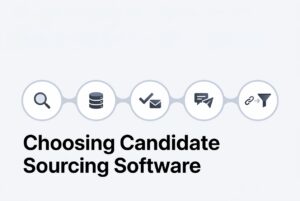
define the target, find or rediscover prospects, verify relevance and contact data, approve outreach, engage candidates, hand qualified people into the recruiting pipeline, and measure what happens next.
That order matters. If your team already gets enough qualified applicants, you may need screening, scheduling, or process discipline more than another sourcing tool. If the real problem is poor rediscovery, scattered history, weak outreach controls, or a broken ATS handoff, then sourcing software can help, but only if it fits the way your team actually works.
The practical question is simple: what capabilities should this team buy, given how it finds candidates, who does the work, and where candidate records must go next.
Who this guide is for
This guide is for founders, recruiting leaders, sourcers, and hiring teams that are trying to get control of hiring without adding unnecessary complexity. That includes small teams with one recruiter, specialist sourcing teams, agencies, and distributed recruiting groups.
Team size matters, but not in the lazy way people usually mean it. A small specialist team can need more sourcing control than a larger company that relies mostly on inbound applicants. What changes is coordination, ownership, and handoff discipline.
If you are mostly dealing with job-board volume, the tool needs to help with filtering and shortlisting. If you are mostly hunting passive candidates, it needs deeper prospecting and stronger contact data. If you are reusing old talent pools, rediscovery matters more than raw acquisition.
Definitions you should use before comparing tools
Before you compare platforms, get the language straight. Vendors blur these terms all the time.
- Candidate sourcing software: software used to identify, organize, and engage potential candidates, including search, rediscovery, enrichment, outreach, and handoff into the recruiting system.
- Sourcing tool: a narrower label that may refer to only one part of sourcing, such as search or profile capture.
- Prospecting: finding people who may fit a role before they have applied.
- Prospect: a person being considered or contacted who may not have applied.
- Applicant: a person who has entered an application process.
- Talent pool: an organized collection of potentially relevant people.
- Talent pipeline: people moving through stages toward a hiring outcome.
- Enrichment: adding information to an existing person record.
- Contact discovery: finding an email address or phone number.
- Identity matching: deciding whether an external record belongs to the right person.
- Email verification: checking whether an address can receive mail.
- Rediscovery: finding relevant people already in your database instead of starting over.
These definitions are not academic. They shape how you evaluate the product. If a platform calls imported profiles “applicants,” or treats a profile import as an application by default, your reporting and workflow will get muddy fast.
Why this buying decision matters
Most hiring teams do not feel “behind on sourcing software.” They feel the pain in more concrete ways: too many irrelevant resumes, too much manual screening, candidates spread across tools, slow replies, and hiring managers asking for updates no one can answer cleanly.
That is why this decision should not start with a vendor demo. It should start with the bottleneck.
Ask: where is the workflow breaking?
- If too many irrelevant resumes are the problem, the issue may be targeting or screening.
- If not enough suitable applicants are showing up, the issue may be sourcing reach or rediscovery.
- If candidates are scattered across inboxes and spreadsheets, the issue may be record ownership.
- If replies do not become interviews, the real bottleneck may be screening or scheduling, not sourcing.
- If source reporting is disputed, the problem may be attribution rules, not software volume.
A good sourcing platform should solve a documented failure. It should not add a second database and call that progress.

What type of solution fits your recruiting workflow?
There is no single best architecture. The right choice depends on how much of your sourcing motion already works.
Sourcing built into an ATS
This works well when the team wants fewer systems and the existing ATS already covers the needed workflow. The tradeoff is that external search and outreach can be narrower than a specialist sourcing setup.
Standalone sourcing layer connected to an ATS
This is useful when the ATS is fine, but discovery or outreach is weak. The tradeoff is another data store, another admin boundary, and more integration risk.
CRM-led sourcing and rediscovery
This fits teams that rely heavily on past relationships and repeat engagement. The tradeoff is that a CRM may not be strong enough for external discovery or application management on its own.
Modular stack
This works for teams with specialized needs and the capacity to manage them. The tradeoff is more contracts, more handoffs, and more failure points.
Lightweight capture and shared tracking
This is often enough for small or occasional hiring. The tradeoff is that manual controls can become fragile as volume grows.
The main rule is easy: keep a functioning ATS unless another requirement clearly justifies replacing it. An all-in-one setup is only simpler if the actual workflow works inside it.
What should you evaluate first: search, rediscovery, or outreach?
That depends on your sourcing model.
If you mostly hire from inbound applications
Prioritize search and rediscovery inside your existing records, plus clean source tracking. You may also need parsing and basic communication. A huge external contact database is less urgent.
If you do passive outbound recruiting
Prioritize relevant prospect discovery and reliable contact data. Controlled sequences and source-to-interview reporting matter more than broad job-ad distribution.
If you rely on old candidates
Prioritize searchable history, prior status, current contact details, and exclusions. Paying again for data you already have is wasteful.
If you hire for hard-to-fill technical roles
Prioritize evidence-based search beyond job-title matching. Skills synonyms, relevant profiles, and explainable matching matter more than rigid filters.
If you hire at high volume or for frontline roles
Prioritize acquisition channels and fast pipeline handoff. Passive professional-profile sourcing is usually not the main answer.
If you are an agency
Prioritize candidate ownership, account ownership, client access, submission tracking, and placement attribution. A candidate-only tool is not enough.
This is where many teams overbuy. They buy for “more sourcing” when the real issue is just one broken step in the workflow.
How do you evaluate prospecting and search quality?
Do not start with the search box. Start with a role rubric.
For each role you test, define:
- essential skills and the evidence of those skills
- acceptable synonyms and adjacent experience
- location and work arrangement requirements
- seniority expressed through responsibilities, not just title
- desirable criteria that should not become accidental exclusions
- explicit exclusions and why they exist
Then test actual search behavior. Boolean syntax varies across products, so do not assume compatibility just because a vendor says “Boolean search.”
Search evaluation checklist
| Capability | Why it matters | How to test it |
|---|---|---|
| Coverage of target populations | A large database may still miss the market you hire in | Search actual roles in the regions you need |
| Boolean and fielded search | Recruiters need direct control | Run a known query and inspect the exclusions |
| Semantic search | Helps surface relevant synonyms and nonstandard titles | Compare results against your role rubric |
| Search across existing records | Prevents unnecessary reacquisition | Test past applicants, notes, tags, and job history |
| Explanations and evidence | Lets recruiters challenge a match | Open the reasoning behind a ranking |
| Saved searches and alerts | Supports repeatable work | Save, share, edit, and rerun the search |
| Geographic and multilingual handling | Important in real hiring markets | Test with representative languages and locations |
| Exclusions and ownership | Prevents repeated or inappropriate contact | Search for already active or opted-out people |
Do not judge the tool by database size alone. What matters is precision, meaning the share of accepted relevant results in the results you review. Ask whether the platform can show you why a person was surfaced, not just that they were surfaced.
What enrichment and contact-data capabilities matter most?
This is where teams get sloppy. They assume enrichment means truth. It does not.
Treat enrichment as four separate questions:
- Is this the correct person?
- Is the information current enough?
- Is the contact method technically usable?
- Is it appropriate to use it here?
Those are different tests. A valid email is not the same thing as permission to contact. A current-looking profile is not proof of current employment. A contact record is not automatically the right contact record.
Enrichment fields and controls to check
- source or provenance where available
- date collected, date refreshed, and date independently verified
- current versus historical employer, role, and location
- personal versus business contact information
- match-confidence explanation
- email verification status and timestamp
- a correction process for recruiter-identified mistakes
- handling of missing fields
- credit use for no match, partial match, repeat access, and re-enrichment
- restrictions on export, retention, and reuse
Email verification labels need careful interpretation
Verification labels are provider-specific, but the practical meaning is usually along these lines:
- Valid: the address can receive email at that moment
- Accept-all: the domain may accept email broadly, but mailbox certainty is limited
- Invalid: do not use it
- Unknown or blocked: do not silently treat it as valid
- Disposable: treat it as temporary, not durable professional contact data
The key point is simple: unknown is not verified.
What good enrichment testing looks like
Use a sample that reflects your real roles and markets, including common names, changed employers, incomplete profiles, and people with multiple professional identities. Track identity matches, current employer accuracy, usable contact coverage, wrong-person results, hard bounces, and ambiguous records separately.
Do not collapse all of that into one glossy accuracy score. That tells you very little.
How should you evaluate outreach without buying a spam engine?
Outreach is not about sending more. It is about getting useful replies without creating a mess.
Minimum outreach controls
- email-account connection with clear permissions
- approved templates and human review
- candidate-specific communication history
- ownership warnings before sending
- timezone-aware scheduling where supported
- configurable follow-up count and timing
- stopping rules for replies, objections, unsubscribe requests, and invalid addresses
- shared suppression across users and tools
- visible ownership of every reply
- correct handling of out-of-office and returned mail
- clear separation of email, SMS, messaging-platform, and voice permissions
A sensible pilot sequence is no more than three messages: day 1, day 4, and day 8. That is a test configuration, not a universal rule. The first message should explain why the role fits, identify the recruiter, and give a low-friction way to decline. Follow-ups should add value, not just repeat the same ask.
One thing to avoid: generated personalization that invents familiarity. If the system says you “read” a project or “met” someone at an event when you did not, that is a problem, not a feature.
Also, open rate should not drive your decision. Privacy protections can trigger background content loading without real engagement, so open tracking is a weak signal. Judge outreach by replies, interest, handoffs, and interviews.
What must the ATS or CRM handoff preserve?
This is where many sourcing setups fall apart. A handoff should preserve meaning, not just name and email.
A person may have multiple job relationships. A prospect may exist without a completed application. Your system has to keep those distinctions intact.
Minimum handoff fields
| Data or behavior | What to specify |
|---|---|
| Person identity | Stable IDs, profile identifiers, email addresses, deduplication rules |
| Role relationship | Job or requisition ID, prospect versus applicant status, pipeline stage |
| Ownership | Sourcer, recruiter, team, handoff recipient |
| Source | Discovery source, campaign, import event, application-level source where relevant |
| Context | Resume, notes, tags, qualification rationale |
| Engagement | Message history or usable contact record |
| Preferences | Objections, unsubscribe status, permitted channels |
| Timing | Created, updated, contacted, replied, handed-off timestamps |
| Governance | Retention, access rules, privacy-notice records |
| Outcomes | Accepted handoff, rejection reason, interview, offer, hire |
Also ask how the ATS integration behaves when things go wrong. Record creation can be delayed. APIs can rate limit. Webhooks can fail or be disabled. A real integration must survive those conditions without duplicating records or losing people.
Handoff tests you should run
- a new prospect is created correctly
- an existing person updates rather than duplicates
- the same person can be considered for two jobs
- delayed record creation still resolves correctly
- rate limits recover cleanly
- repeated events do not repeat the business action
- a failed connection is visible and owned
- merged records preserve the right history
- deletion or anonymization requests propagate
- opt-outs stop future contact across systems
A connector logo is not an integration spec. Test the behavior.
How do duplicates, ownership, and collaboration work?
Duplicates are more complicated than they look. Two records with the same name are not necessarily the same person, and the same person may legitimately appear in multiple places.
Duplicate test set to use
Include:
- the same person imported twice with the same email
- the same person with a new email
- two different people with the same name
- a changed employer or surname
- one person linked to multiple jobs
- a candidate submitted by two agencies or sources
- a previously opted-out person re-imported later
Required controls
- explain why records were flagged
- allow review before merging
- define precedence for single-value fields
- preserve history and source relationships
- restrict destructive actions
- record who merged or reassigned records
- make reversal possible where supported, or clearly state if it is not
For agencies, separate candidate ownership, account ownership, job ownership, and commercial entitlement. Those are operational rules, not name-matching rules.
Which analytics show whether sourcing is working?
Before you compare dashboards, define your recruitment metrics. Otherwise every vendor will give you different numbers that sound comparable and are not.
Useful sourcing metrics
| Metric | Proposed definition |
|---|---|
| Search precision at k | Accepted relevant profiles among the first k reviewed results divided by k |
| Usable contact coverage | Unique in-scope people with a usable contact method divided by unique in-scope people tested |
| Hard-bounce rate | Hard-bounced messages divided by messages sent |
| Human reply rate | Unique contacted people giving a non-automated reply divided by unique contacted people in the cohort |
| Positive-interest rate | Unique contacted people expressing defined interest divided by unique contacted people in the cohort |
| Accepted-handoff rate | Prospects accepted by the receiving recruiter divided by prospects handed off |
| Source-to-qualified-interview conversion | Unique sourced people reaching a defined qualified interview divided by unique sourced people contacted |
| Time to first qualified slate | Time from approved role brief to a predefined number of accepted prospects |
| Recruiter effort per accepted prospect | Logged sourcing, verification, outreach, and administration time divided by accepted prospects |
| Cost per qualified, interested prospect | Relevant sourcing cost divided by prospects meeting both qualification and interest criteria |
Attribution matters as much as the metric itself. Original discovery, latest engagement, and application source are not the same thing. Decide in advance how rediscovered candidates are counted. Keep first-touch and last-touch reporting separate if both are available.
If the dashboard cannot be reconciled to underlying records, it is just decoration.
How should you compare pricing and total cost?
Do not compare sticker prices. Compare usage models.
Quote-normalization checklist
| Pricing unit or restriction | Questions to ask |
|---|---|
| Recruiter seat | Named or concurrent? Do hiring managers or clients need access? |
| Company size | What employee count determines the fee? |
| Active role or project | What counts as active? |
| Profile or contact credit | Is the charge for viewing, revealing, enriching, exporting, or matching? |
| Contact type | Are business emails, personal emails, and phone numbers priced differently? |
| Verification | Is it included or extra? |
| Reuse | Does repeat access consume credits? |
| Messaging | Are limits per user, mailbox, domain, channel, or organization? |
| Data retention and export | Are full exports available during the contract and after cancellation? |
| API or connector | Is it included in the tier? |
| Service or outcome | What counts as a completed deliverable? |
| Implementation | What do setup, migration, training, and support include? |
| Contract | Billing cadence, term, renewal, increases, overages, cancellation, taxes |
Total cost is not just software. It includes licenses, data credits, verification, messaging, setup, migration, training, internal admin, governance, and exit costs.
That internal work matters. Recruiter corrections, duplicate cleanup, and integration troubleshooting all have a cost, even if they never show up on the invoice.
What security, privacy, and platform-policy checks are purchase gates?
A strong search feature does not make up for bad data handling.
Privacy and data-use questions
- What purposes and lawful bases apply?
- Who is controller, processor, or independent controller?
- Where does sourced information come from?
- What privacy information is provided, by whom, and when?
- What rules apply to email, SMS, calls, and messaging platforms?
- How are access, correction, objection, deletion, and portability handled?
- Can retention differ by record type, country, or purpose?
- What happens to backups, logs, exports, and subprocessors after deletion?
- Can minimal suppression data be retained to avoid renewed contact?
- What happens when someone who opted out is imported again?
Public profiles are not blanket permission. Platform terms matter too. If a source does not allow a type of access or automation, do not treat it as fair game just because the data is visible.
Also, do not confuse compliance signals with proof that your specific use case is covered. Ask for the actual data-processing agreement, subprocessor list, security controls, and deletion behavior.
How should you run a practical pilot?
A pilot should test workflow, not theater.
A useful pilot is two to four weeks for workflow testing, followed by later checks for outcomes that need a longer hiring cycle. Start by freezing the decision criteria. Choose one primary outcome, such as accepted, interested prospects per recruiter hour, and set guardrails for privacy, duplicates, bounce handling, and integration completeness.
Practical pilot steps
- define the role rubric, metric definitions, costs, and pass/fail rules
- use representative roles and controlled records
- run the same end-to-end tasks
- measure recruiter effort, including workarounds
- make a conditional purchase decision
A small-team pilot can use up to three roles and 30 unique profiles per role, plus 10 deliberate repeat-import events to test duplicates. That is enough to expose workflow problems without pretending you ran a statistically perfect experiment.
Pilot test table
| Test | Good result | Bad result |
|---|---|---|
| Find relevant profiles | Relevant evidence and inspectable exclusions | Vendor-picked examples only |
| Rediscover known candidates | Historic records remain findable | Old records are invisible |
| Enrich identities | Correct matches with uncertainty visible | Wrong person enriched confidently |
| Apply outreach exclusions | Contact prevented or held for review | Suppressed candidate enters sequence |
| Run a permitted sequence | Stops and routes replies correctly | Follow-ups continue after objection |
| Transfer a prospect | Correct person, job relation, owner, source, context | Manual reconstruction is needed |
| Repeat the transfer | Existing record updates once | Duplicate is created |
| Simulate a failure | Alert, owner, retry, no silent loss | Missing data with no explanation |
| Process deletion or correction | Propagates across connected systems | Deleted person reappears later |
| Reconcile analytics | Counts match stated definitions | Dashboard and records disagree |
| Export and exit | Usable data with known omissions | Only a partial contact list is available |
What should a weighted evaluation scorecard look like?
Scorecarding only works after the non-negotiable gates pass.
Pass/fail gates
- required population or database is accessible on acceptable terms
- privacy, security, and accessibility requirements can be met
- exclusions and objections reliably block inappropriate outreach
- the handoff preserves essential fields and identity
- data can be exported and the service exited on acceptable terms
- the purchased package and total cost are explicit
Workflow-fit scorecard
| Category | Lean generalist team | Passive-sourcing specialist | Agency team | Larger distributed team |
|---|---|---|---|---|
| Prospecting and rediscovery | 20% | 25% | 20% | 15% |
| Enrichment and data quality | 10% | 20% | 15% | 15% |
| Outreach and engagement controls | 15% | 20% | 15% | 15% |
| ATS/CRM handoff and data integrity | 25% | 15% | 20% | 25% |
| Analytics and attribution | 10% | 10% | 10% | 15% |
| Usability, ownership, and collaboration | 10% | 5% | 15% | 5% |
| Total cost and commercial flexibility | 10% | 5% | 5% | 10% |
Simple scoring rubric
- 0: not demonstrated
- 1: sales promise only
- 2: partial support with heavy manual work
- 3: works in ordinary pilot cases with limitations
- 4: meets required pilot cases, including exceptions
- 5: repeatably meets requirements with clear evidence and recovery controls
Keep an evidence column beside every score. Do not let a high total hide a failed gate.
What questions should you ask every vendor?
Use questions that force the product into your actual workflow.
Prospecting and enrichment
- Show results for our actual roles and locations.
- Which fields are observed, inferred, or generated?
- What does your freshness date mean?
- How do you distinguish the correct person from a similar name?
- What do your contact verification labels mean?
- Which actions consume credits, including failures and repeat access?
Outreach and collaboration
- What stops a sequence after a reply, objection, unsubscribe, or invalid address?
- Can one recruiter see that another recruiter already contacted the person?
- How are channel-specific permissions and exclusions enforced?
- What access does the product obtain to email and calendars?
- Who owns replies, absences, and handoffs?
Integration and reporting
- Show the exact fields and objects exchanged with our system.
- What happens when an existing person is sourced for a second role?
- How do rate limits, failed events, merges, and deletions work?
- Who monitors and repairs the integration?
- How are original source, latest campaign, and application source distinguished?
- Can we reconcile dashboards to underlying records?
AI, security, and commercial terms
- What evidence supports matching quality for our use case?
- Can recruiters review explanations and override results?
- How are accessibility and accommodation routes supported?
- Is our data used to train models, and which providers receive it?
- What independent security evidence covers this service and period?
- What is excluded from the quoted tier?
- What can we export, and what happens when the contract ends?
What are the most common buying mistakes?
Here are the ones that show up again and again:
- Buying database size instead of relevant coverage
- Treating enrichment as verification
- Optimizing replies without separating interest
- Using open rate as proof of attention
- Assuming an integration is complete
- Importing every prospect as an applicant
- Allowing multiple sources of truth without precedence rules
- Ignoring suppression during reimport
- Using AI rank as a minimum-qualification decision
- Treating historical hiring patterns as automatically good training data
- Comparing subscription prices with different entitlements
- Ignoring internal administration
- Extrapolating short-pilot outcomes
- Buying sourcing to solve a screening or scheduling bottleneck
- Letting a vendor run every pilot task
A lot of teams get stuck because they start with the software category instead of the workflow gap. That is the wrong order.
Where does CVViZ fit in this decision?
Use CVViZ as an example of an integrated sourcing-to-recruiting workflow, not as a shortcut around evaluation.
CVViZ provides candidate sourcing and rediscovery, full-text and Boolean search, filters, tags, notes, structured resume data, profile ranking, enrichment with available business contact information, bulk resume and contact imports, parsing, source capture, duplicate detection, email campaigns and multi-step sequences, WhatsApp and SMS/Twilio connections, candidate records, hiring pipelines, job-relative AI screening, recruiter review, Google Workspace and Microsoft 365 email/calendar workflows, recruitment analytics, exportable reports, and agency CRM capabilities.
CVViZ also supports job posting to 20+ free job boards and distribution to 2000+ job boards worldwide, along with AI resume screening, relative resume ranking, recruitment workflow automation, resume parsing API access, and a Chrome extension for importing resumes and contacts from job boards with duplicate detection.
That does not mean every team needs it. It means teams that want sourcing, candidate records, outreach, and pipeline tracking in one environment can evaluate it as one possible fit.
The same rule still applies: run the role-based pilot, confirm plan limits, confirm the exact integration details, and test the handoff. Do not assume broad capability means the workflow works for your team without verification.
Frequently asked questions
Is candidate sourcing software the same as an ATS?
No. Sourcing focuses on finding and engaging potential candidates. An ATS manages applicant workflows, stages, and hiring records. Some products combine both.
Do we need a sourcing tool if we already have an ATS?
Only if there is an unmet need in discovery, rediscovery, enrichment, outreach, or reporting. First test the ATS you already have.
What matters more: database size or search quality?
Relevant coverage, correct identity, and usable contact data matter more than raw database size.
Does a verified email mean we can contact the candidate?
No. Verification is a technical signal. Permission, law, platform terms, and recipient expectations are separate.
How many follow-ups should a sourcing sequence contain?
There is no universal answer. A restrained sequence is safer, and you should stop promptly on replies or objections.
Can AI scores replace recruiter review?
No. Treat them as decision aids, not proof of suitability.
What should a small team prioritize first?
A clean candidate record, simple search, duplicate prevention, visible communication, and a reliable handoff into the hiring process.
What changes when several recruiters share the tool?
Ownership, collision warnings, shared suppression, permissions, and common reporting become more important.
Which sourcing metric should we start with?
Start with a bottleneck-linked outcome, such as accepted, interested prospects per recruiter hour.
How long should implementation take?
No standard duration was established. Ask for a scoped plan instead of accepting a category average.
Decision matrix
| If the priority is… | Focus evaluation on… | Require this proof before buying |
|---|---|---|
| Finding scarce candidates | Relevant coverage, query control, semantic search, evidence behind matches | Blind review of actual roles and markets |
| Reducing repeated manual research | Rediscovery, enrichment, parsing, reusable searches | Logged reduction in effort without more errors |
| Reaching passive candidates responsibly | Contact quality, approved messaging, suppression, reply handling | Permitted outreach test with correct stopping behavior |
| Keeping a small team organized | Shared records, ownership, duplicate detection, simple handoff | Recruiters complete the workflow without spreadsheets |
| Scaling a multi-recruiter team | Permissions, collaboration, automation controls, integration monitoring | Collision, failure, and exception tests |
| Improving source visibility | Clear attribution, person-to-job linkage, row-level reconciliation | Source-to-stage report reconciled to records |
| Re-engaging previous candidates | Searchable history, current contact data, prior outcomes, objections | Relevant past candidates found and exclusions respected |
| Supporting an agency | Candidate/client relationships, submissions, client access, account ownership | End-to-end assignment and submission demonstration |
| Preserving an existing ATS | Integration completeness, field precedence, asynchronous recovery | Correct create/update, merge, deletion, and source tests |
| Controlling cost | Usage-unit clarity, internal effort, export and renewal terms | Written total-cost model for the tested package |
| Reducing governance risk | Provenance, access controls, privacy processes, AI accountability | Evidence review and successful data-rights tests |
Final rule: choose the smallest workable configuration that closes the documented workflow gap, passes the non-negotiable controls, and produces enough qualified, interested candidates to justify its full operating cost.
Update log
October 29, 2026 — Initial research review: Built a workflow-based selection guide for candidate sourcing software, centered on search, rediscovery, enrichment, outreach, handoff, analytics, security, pricing, and pilot evaluation. Included qualified product examples and preserved the limits of the research dossier. Future updates should recheck product entitlements, pricing, source-platform permissions, sender policies, and the status of recruitment privacy guidance.