A startup usually does not decide to buy startup hiring software because it wants “an ATS.” It buys one because the hiring mess has gotten loud enough to hurt: resumes pile up, scheduling turns into email ping-pong, hiring managers want answers, and good candidates disappear while everyone is still comparing calendars. That is the real problem this ATS buyer guide is built to solve.
If you are a founder, first recruiter, or talent lead, the question is not whether an ATS has bells and whistles. It is whether it will help you screen faster, keep candidates moving, and give your team a hiring process that does not fall apart the moment volume increases. The right system should reduce manual work without adding a second job for whoever owns recruiting.
Who this guide is for
This guide is for three startup buyers.
If you are a founder or engineering leader doing hiring on the side, you need something that starts paying off in days, not months. You want fewer spreadsheets, less copy-paste, and a cleaner way to move candidates through the funnel.
If you are the first recruiter or People Ops hire, you need structure. Multiple hiring managers, scorecards, status updates, and reporting matter more once hiring becomes a repeat process instead of a scramble.
If you are running agency recruiting, the shape of the problem changes. You need a recruitment CRM, client collaboration, and high-volume submission handling, not just a basic candidate tracker.
This article is not for enterprise buyers comparing Workday, SuccessFactors, or Oracle Taleo. It is also not for payroll or broad HR stack replacement projects.
Definitions & glossary
What is an applicant tracking system?
An applicant tracking system is a software platform that centralizes job postings, candidate applications, interview workflows, recruiter and hiring-manager collaboration, compliance records, and hiring analytics in a single system. Modern ATS platforms increasingly layer in AI capabilities such as resume parsing, semantic candidate search, automated screening, workflow automation, and interview scheduling.
What is a recruitment CRM?
A recruitment CRM is a candidate-relationship management system used to nurture and re-engage passive or past candidates before they apply. It is different from a sales CRM or agency CRM used to manage client accounts and billable activity. However, modern AI recruiting platforms like CVViZ offers both a candidate CRM and a Client CRM, enabling recruitment agencies and staffing companies to manage their candidates, customers, and prospects.
What is a candidate CRM or talent CRM?
These are often used interchangeably. Both refer to a passive-candidate database with sourcing, segmentation, and email-campaign features. “Talent CRM” usually implies long-term nurturing. “Candidate CRM” usually implies shorter sourcing campaigns.
What is resume parsing?
Resume parsing is the process of extracting structured fields like name, email, skills, employers, dates, and education from unstructured resume files. In modern systems, this often powers faster screening and better search.
What is semantic search?
Semantic search understands intent and concept instead of only matching keywords. In an ATS, it helps a recruiter find candidates with related experience even when the exact words on the resume do not match the job description.
What is AI matching or AI screening?
AI matching scores or ranks candidates against a job description using NLP and machine learning. Parsing accuracy, match precision, and match recall are separate things, and they should not be confused. A system can parse well but still rank poorly, or rank well while missing some viable candidates.
What are knockout questions?
Knockout questions are required yes/no or multiple-choice questions in the application flow. They can auto-reject candidates who fail a compliance gate, but they are a poor substitute for actual skills screening.
What is workflow automation?
Workflow automation is the if-this-then-that logic inside an ATS. For example, when a candidate reaches a stage, the system can send an email, notify a hiring manager, or trigger the next step.
What is a talent pool?
A talent pool is a persistent database of applicants, sourced leads, past employees, and silver-medalists that you can search and re-engage later. For scaling teams, it is often one of the highest-leverage ATS features.
What is a candidate pipeline?
A candidate pipeline is the live set of candidates moving through active jobs, usually organized by stages such as Applied, Screen, Interview, Offer, and Hired.
What is a hiring workflow?
A hiring workflow is the full end-to-end process from intake to onboarding handoff. A good ATS lets you template and version-control this process by role, department, or location.
Why this buying decision matters
Hiring is getting more expensive in time and attention, even before you count bad hires. SHRM’s 2025 benchmarking data puts recruiting at roughly 26% of HR budgets on average. Screening and interviewing each take about 8 to 9 days of the hiring cycle. That is a lot of time spent just moving people forward.
The volume problem is real too. One benchmark set shows every hire can require more than 300 applications on average, with the average recruiter processing about 291 applications per hire. Another shows interview volume per hire has grown sharply in recent years, while time-to-hire has also stretched. In plain English: startups are not dealing with less hiring work. They are dealing with more of it.
That is why startup hiring software matters.
A decent ATS does not magically fix recruiting, but it does convert a big chunk of the repetitive work into automation. It also gives you a way to see what is actually happening in the funnel instead of guessing why good candidates keep slipping away.
Quality-of-hire is another problem hiding in plain sight. Only about 20% of organizations formally track it. So many teams buy an ATS without a baseline for whether it helped. That is a mistake. If you do not define success before implementation, you will not know whether you improved anything.
Types of solutions
Startup and SMB ATS
This is the category most fast-growing startups should start with. It includes tools like CVViZ, JazzHR, Workable Starter or Standard, Personio’s smaller tiers, BambooHR with ATS add-on, Ashby Foundations, and iSmartRecruit.
These tools usually work best when you need a system live quickly and do not want a long implementation.
Mid-market and growth ATS
This bucket includes CVViZ, Greenhouse, Lever, Ashby’s growth tiers, Workable Premier, Jobvite, SmartRecruiters, and related tools. These fit teams with multiple recruiters, more structured interviews, and stronger reporting needs.
Enterprise ATS
This is the Workday, iCIMS, SmartRecruiters, and similar world. It is out of scope for this guide, but useful as a reference point. These systems are built for governance, multi-region complexity, and large-scale compliance.
Agency ATS and recruitment CRM
Agency teams need different plumbing. They care about client portals, submissions, account management, and candidate communication. CVViZ’s Recruitment CRM module, Bullhorn, Recruit CRM, iSmartRecruit, and similar platforms fit that shape better.
Sourcing and layer-add tools
Some teams already have an ATS and just want better outbound sourcing or rediscovery. That is where tools like CVViZ, HireEZ, Gem, and Kula show up.
How do you evaluate an ATS?
Use a scorecard, not a gut feel. The mistake most buyers make is chasing one shiny feature while ignoring the rest of the workflow.
ATS evaluation scorecard
| Category | Weight |
|---|---|
| AI resume screening and ranking | 20% |
| Workflow automation | 15% |
| Integrations | 15% |
| Candidate experience | 10% |
| Reporting and analytics | 10% |
| Sourcing and talent pool | 10% |
| Pricing and total cost | 10% |
| Security and compliance | 5% |
| Support and implementation | 5% |
Adjust the weights to fit your situation. If you are an agency, candidate experience and sourcing matter more. If you are in a regulated market, compliance should get a bigger slice.
Score each vendor from 1 to 5 in every category.
- 5 means excellent
- 4 means strong
- 3 means adequate
- 2 means weak
- 1 means poor
The important point: a vendor that is solid across the board usually beats one that is brilliant in one area and painful everywhere else.
Must have, should have, could have
Must have
- Multi-channel job posting
- Centralized candidate database
- Resume parsing with structured extraction
- Workflow automation
- Email sync and templates
- GDPR data-subject rights tools
- SSO
- Activity tracking and notes
- Basic analytics
Should have
- AI resume ranking with explainability
- Interview self-scheduling
- Structured interview kits and scorecards
- Talent pool and rediscovery
- Bulk email and campaigns
- Funnel and source reporting
- Chrome extension for imports
- Public API and webhooks
Nice to have
- Live code editor
- AI interview transcription
- Candidate chatbot
- Recruitment CRM for agencies
- Advanced analytics
- Multilingual career pages
If a tool cannot show the must-haves clearly in a live demo, keep moving.
What ATS features matter most during vendor evaluation?
Resume parsing and AI screening
This is usually the first feature that matters when resume volume explodes. Manual screening becomes a burnout machine once the application count rises. Screening resumes using AI turns a long shortlist task into something much faster.
But you should evaluate it carefully. Modern parsing is strong on standard resumes and weaker on unusual or graphic-heavy formats. Matching is also not magic. It works best when skills are explicit and the job brief is clear. It is less reliable when recruiters expect it to infer too much.
That is why explainability matters. If the system cannot show why a candidate was ranked, it becomes a black box. And black boxes create distrust fast.
Job posting and distribution
The simplest way to widen your funnel is to post once and distribute broadly. Without this, recruiters end up copy-pasting jobs across boards one by one. Nobody enjoys that.
Look for inclusion of both free and paid board distribution, plus career page support with Google for Jobs indexing. Remember that more boards do not automatically mean better candidates. Volume is not the same thing as relevance.
Workflow automation
Automation is where a lot of recruiter time disappears. Stage-based triggers, time-based alerts, and score-based actions remove repetitive admin work. A good system should let you automate follow-ups, notifications, and simple handoffs.
The tradeoff is obvious: too much automation can make the process feel cold. So use templated human messages where it counts.
Interview self-scheduling and calendar integration
This is one of the fastest ways to cut cycle time. If screen and interview stages are each taking around a week or more, removing the scheduling back-and-forth matters.
Check for one-way and round-robin scheduling, multi-attendee coordination, time-zone handling, buffer rules, and Google or Microsoft calendar integration for interview scheduling.
Candidate experience
Candidates notice friction quickly. Mobile-first applications matter. So does transparency about where they are in the process. Completion rate is a practical signal here. If starts are not converting into submissions, your application may be too long or too confusing.
Personalized rejection messages and status visibility are not fluff. They shape how your company is remembered.
Reporting and analytics
If you cannot see source performance, time-in-stage, drop-off, and hiring-manager behavior, you are managing by instinct. That is fine for a tiny team. It is a problem once hiring starts scaling.
The best startup hiring software gives you enough reporting to answer basic questions without making you build a custom BI project.
Integrations and API
Without integrations, you create manual work between the ATS, HRIS, calendar, email, background check, and onboarding tools. Those steps add up fast.
At minimum, look for calendar, email, HRIS, assessment, background-check, API, and webhooks support. If you need custom workflows, ask how the ATS can act as an intelligent layer rather than a dead-end system.
Sourcing and talent pool
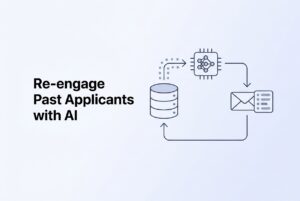
The cheapest candidates are often the ones you already know. Re-engaging silver-medalists and past applicants is usually far less expensive than starting from scratch.
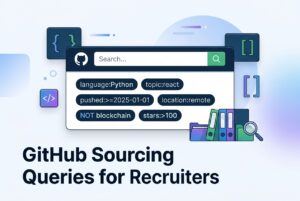
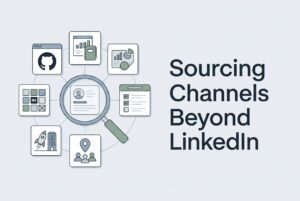
A useful ATS should support search, tagging, segmentation, saved searches, campaigns, and quick imports from places like LinkedIn, GitHub, and other sourcing channels.
What AI capabilities actually matter?
At startup scale, AI is useful when it removes repetitive work, not when it tries to replace judgment.
Where AI helps
- Ranking 200 or more applicants down to a manageable shortlist
- Semantic search across your candidate database
- Rediscovery of past applicants for a new role
- Interview notes or transcription
- Early-funnel candidate Q&A
- Drafting job descriptions from intake data
Where AI is risky or low value
- Fully automated rejection
- Personality inference from resumes
- Video-emotion analysis
- Black-box matching with no explanation
The big misconception is that AI means fewer interviews. In reality, interview volume has gone up, not down. AI usually helps teams handle more work better. For a startup, the right use of AI is usually assistive, not autonomous.
How much integrations should an ATS support?
Enough to remove manual work, not enough to impress someone in a demo.
At minimum, a startup ATS should connect to:
- Google Workspace or Microsoft 365
- Your HRIS, if you have one
- Your calendar
- At least one assessment tool
- At least one background-check provider
- SSO for secure access
If your team is constantly copying data between systems, the ATS is not doing its job. The fewer places recruiters have to update by hand, the better the process will hold up as volume increases.
What implementation timeline should you expect?
This is where buyers often get tripped up. “Implemented” does not mean “adopted.” Those are different milestones.
Self-serve startup ATS tools can often be live in days to about two weeks. Mid-market systems usually take several weeks. Enterprise projects can stretch for months. The real test is time to first hire, not just time to launch.
A sane implementation plan should include:
- Stakeholder buy-in
- Clear success metrics
- Process mapping
- ATS configuration
- Data migration
- Integrations
- Pilot rollout
- Recruiter and hiring manager training
- Reporting cadence
- 90-day review
Also, keep a parallel export or system for a short time after cutover. Legacy data is rarely as clean as vendors hope.
Pricing models
ATS pricing is messy because vendors charge in different ways.
Common pricing shapes
- Per active job
- Per employee
- Per recruiter seat
- Tiered subscription
- Custom enterprise quote
- AI usage metering
- Module-based add-ons
What the pricing usually means in practice
Per-job pricing looks cheap at first, but it can get expensive when hiring volume rises. Per-employee pricing can be fine early and then scale fast with headcount. Per-seat pricing is efficient for small recruiting teams but gets pricey when many hiring managers need access. Modular pricing is flexible but can pile on extra cost.
Implementation is usually separate from subscription. That is another thing to ask about before you sign.
Pricing comparison
| Vendor | Entry | Mid | Enterprise | Best for | Hidden trap |
|---|---|---|---|---|---|
| CVViZ | $99/mo | $199–$349/mo | $499/mo + $25/job for AI screening | Startups and SMBs wanting contextual AI screening and broad board distribution | AI screening is metered; resume parser is separate |
| JazzHR | $99/mo | $325/mo | $499/mo | Small businesses hiring a few roles at a time | 3-job cap on the starter plan |
| Workable | $99/job/mo | $299/mo | $599/mo | SMBs wanting simple setup | Per-job pricing and metered AI credits |
| Personio | from €7.60/employee/mo | custom | custom | EU SMB and mid-market | Per-employee pricing grows fast |
| BambooHR | $6/mo to $25/mo per employee | custom | custom | US-centric SMBs needing HRIS plus light ATS | ATS is an add-on, not a full ATS |
| Ashby | about $400/mo Foundations | seat-based above that | $15K to $250K+ | Data-driven startups | Premium pricing |
| Lever | custom, around $4K/year entry | $15K–$40K | $60K–$140K+ | Sourcing-heavy teams | Per-seat costs can climb |
| Greenhouse | custom low-thousands entry | $15K–$40K | $70K+ | Structured hiring | Renewal escalators |
| Jobvite | $4,800/year and up | custom | $60K+ | Upper mid-market and enterprise | Usually too much for smaller startups |
| SmartRecruiters | $14,995/year and up | $25K–$100K+ | $100K–$250K+ | Global high-volume hiring | SAP integration can add a lot |
| iCIMS | around $9K/year entry | $30K–$65K | $70K–$140K+ | Compliance-heavy enterprise | Modular pricing |
| HireVue | $25K–$40K/year | $40K–$100K | $100K–$145K+ | Video interviewing and AI screening | Not a full ATS |
| Workday | $35K/year plus HCM base | $70K–$150K | $200K–$500K+ | Companies already locked into Workday | Out of scope for this guide |
For startups, the real question is not “What is cheapest?” It is “What gives us the least friction at our current hiring volume, and what happens when we grow?”
What security and compliance should you check?
A startup does not need enterprise theater, but it does need basic discipline.
Security and compliance checklist
- SOC 2 Type II
- ISO 27001, especially for international operations
- GDPR data-subject rights tools
- CCPA and CPRA support
- EU AI Act readiness if you hire EU residents
- NYC Local Law 144 bias-audit support if you hire in New York City
- SSO
- Role-based access controls
- Audit logs
- Data residency options if needed
- Data processing agreement
Technical controls to ask for
- SAML or OIDC
- SCIM for enterprise use cases
- Least-privilege access
- Encryption at rest and in transit
- Retention policy for audit logs
- Pen test reports
- Disaster recovery posture
If you are hiring in the EU, the AI rules matter more than many startup buyers realize. Recruitment AI is treated as high risk, and the obligations tighten on a defined timeline. If you are hiring in New York City, AEDT bias-audit rules also matter. This is not the place to wing it.
What questions should you ask an ATS vendor?
Use these in demos. They save time.
Product and AI
- How accurate is your resume parsing on non-standard formats?
- How is your AI trained?
- Can we toggle AI on and off by workflow?
- Do you provide explanations or citations for scoring?
- What is the false-negative rate on real customer data?
- Do you support structured interviews and scorecards out of the box?
- Can workflows be customized by role, department, or business unit?
Integrations
- What pre-built integrations do you have for our HRIS, calendar, assessment, and SSO stack?
- Do you have a public API and webhooks?
- Can your system embed inside an existing ATS as an intelligent layer?
- How many job boards can we post to, and which are free versus paid?
Implementation and support
- What does implementation actually include?
- How is historical data migrated?
- What support SLAs do you offer?
- What is the average time to first hire after go-live?
Security and compliance
- What security certifications do you hold?
- Where is candidate data stored?
- Are you GDPR-compliant?
- How do you support the EU AI Act?
- Do you complete NYC Local Law 144 bias audits?
Pricing
- Is pricing per-seat, per-job, per-employee, or tiered?
- What are the renewal escalators?
- Which features are add-ons?
- Are AI features metered?
- What does off-boarding cost?
Operations
- What reporting is available?
- How do hiring managers adopt the system?
- How do you handle multi-language recruiting?
- What is your uptime and disaster-recovery posture?
- Can you share a reference customer at our stage?
What are the most common buying mistakes?
- Choosing based on price alone. Cheap can get expensive fast if the system cannot handle your volume.
- Ignoring integrations. A disconnected ATS creates more work, not less.
- Buying without recruiter input. The people using it every day should shape the decision.
- Not testing reporting. Demo dashboards are not the same as usable data.
- Ignoring implementation effort. A quick setup and a full rollout are not the same thing.
- Not thinking about future volume. A plan that works for five open roles may break at fifty.
- Ignoring security and compliance. This is risky if you hire in regulated markets.
- Picking AI without explainability. Black-box screening creates trust and compliance problems.
- Skipping baseline metrics. If you do not measure time-to-hire, cost-per-hire, and quality-of-hire, you cannot prove value.
- Skipping the pilot. A short structured pilot usually teaches more than a long sales process.
Evaluation scorecard
Use this as a fillable comparison tool for your shortlist.
| Category | Weight | Vendor A | Vendor B | Vendor C |
|---|---|---|---|---|
| AI resume screening and ranking | 20% | _ | _ | _ |
| Workflow automation | 15% | _ | _ | _ |
| Integrations | 15% | _ | _ | _ |
| Candidate experience | 10% | _ | _ | _ |
| Reporting and analytics | 10% | _ | _ | _ |
| Sourcing and talent pool | 10% | _ | _ | _ |
| Pricing and TCO | 10% | _ | _ | _ |
| Security and compliance | 5% | _ | _ | _ |
| Support and implementation | 5% | _ | _ | _ |
| Total | 100% | _ | _ | _ |
If you are an agency, boost sourcing and pricing. If you are in a regulated market, boost compliance and reporting.
Printable checklist
Core functionality
- [ ] Resume parsing
- [ ] AI resume screening with explainability
- [ ] Multi-channel job posting
- [ ] Career page builder
- [ ] Centralized candidate database
- [ ] Workflow automation
- [ ] Email sync, templates, bulk send, and tracking
- [ ] Calendar integration and self-scheduling
- [ ] Structured interview kits and scorecards
- [ ] Notes, collaboration, and activity tracking
- [ ] Analytics
- [ ] Public API and webhooks
Compliance and security
- [ ] SOC 2 Type II
- [ ] ISO 27001 or roadmap
- [ ] GDPR toolkit
- [ ] CCPA/CPRA support
- [ ] EU AI Act readiness
- [ ] NYC AEDT bias-audit support
- [ ] SSO
- [ ] RBAC
- [ ] Audit logs
- [ ] Data residency options
- [ ] DPA
Adoption and operations
- [ ] Mobile app for hiring managers
- [ ] Multilingual UI and career pages
- [ ] Chrome extension for sourcing
- [ ] Slack or Teams notifications
- [ ] Public roadmap or changelog
- [ ] Support SLAs
- [ ] Knowledge base
- [ ] Migration playbook
Frequently asked questions
How do I choose an ATS for a fast-growing startup?
Start with the problems you need to solve, not the features you think are cool. Score a short list of three vendors against your must-haves, run a two-week pilot, and pick the one with the best fit-to-cost ratio.
What ATS features matter most during evaluation?
The non-negotiables are AI screening with explainability, multi-channel posting, workflow automation, structured interviews, scheduling, reporting, security, and integrations with your HRIS and SSO.
Should resume screening be AI-powered?
Usually yes, with guardrails. It is most useful at high volume. It is less useful for low-volume or executive roles where context matters more. Never use it for fully automated rejection.
How important are integrations?
Critical. Without them, your team will recreate manual workflows across too many systems, and that gets messy quickly.
What implementation timeline should you expect?
Startup-friendly tools can be live in days to two weeks. Mid-market tools often take four to eight weeks. Enterprise projects can take months. Ask for time to first hire, not just time to launch.
How much does an ATS cost for a startup?
A realistic SMB starter budget is around $75 to $199 per month. Mid-tier systems often land in the low thousands per year, and growth-stage systems can move well beyond that depending on seats, jobs, and modules.
Is there a free ATS?
You may find free trials or limited tiers, but a free ATS in production is uncommon. Budget for a real system if hiring matters.
What is SOC 2 and why does it matter?
SOC 2 Type II is an audit of security controls. For any vendor handling candidate data, it is table stakes.
What is the difference between an ATS and a recruitment CRM?
An ATS handles active candidates for open jobs. A recruitment CRM handles passive and past candidates you want to nurture and re-engage. Many modern platforms bundle both.
Decision matrix
| If your priority is… | Focus on… | Typical vendor category |
|---|---|---|
| Faster hiring | AI screening, workflow automation, scheduling | CVViZ, Ashby, Workable, Lever |
| Better candidate quality | Semantic search, AI ranking with citations, structured interviews | CVViZ, Ashby, Greenhouse, Lever |
| High-volume recruiting | Multi-board posting, AI screening, bulk email | CVViZ, Workable, SmartRecruiters |
| Sourcing passive candidates | Talent pool, sourcing tools, email campaigns | CVViZ, Gem, HireEZ, Lever |
| Agency operations | Recruitment CRM, client portal, account management | CVViZ, Bullhorn, Recruit CRM, iSmartRecruit |
| Compliance | SOC 2, GDPR, EU AI Act readiness, audit logs | iCIMS, SmartRecruiters, Greenhouse Pro, Workday |
| Global hiring | Multi-language support, data residency, regional integrations | SmartRecruiters, iCIMS, Personio, Workday, CVViZ |
| Lowest TCO at startup stage | Predictable per-job or per-employee pricing | JazzHR, Workable Starter, CVViZ Starter |
| Analytics-first culture | BI connectors, custom dashboards, recruiter productivity | Ashby, Greenhouse, Lever |
| Tech hiring | GitHub and StackOverflow sourcing, live code editor | CVViZ, HireEZ, Gem |
Final recommendation
If you are under 100 employees and dealing with high application volume, shortlist CVViZ, Workable Standard, and Ashby Foundations or growth-tier options. If you are a growth-stage team that needs structured hiring, look closely at Greenhouse Core or Plus, Lever, and Ashby. If you are an agency, compare CVViZ’s CRM module, Bullhorn, Recruit CRM, and iSmartRecruit. If you are a founder who wants speed and value, CVViZ Basic or Standard, JazzHR Plus, Workable Starter or Standard, and BambooHR with ATS add-on are the practical starting points.
The right answer is not the biggest platform. It is the one that fits your hiring volume, your process, and your team’s tolerance for complexity. Use the scorecard, run the pilot, and choose the system that removes the most friction with the least overhead.
Update log
Last reviewed: July 2026
What changed: Pricing and product details were checked against the supplied 2025–2026 research set. AI capability benchmarks, compliance timing, and vendor positioning were aligned to the latest dossier inputs.