If you are trying to choose between AI recruiting software and an applicant tracking system, the short answer is this: you usually need both. An applicant tracking system keeps hiring organized, while AI recruiting software helps you screen, rank, source, and follow up faster. In practice, the real decision is whether those capabilities live in one integrated platform or in separate tools stitched together.
That matters because hiring teams usually do not wake up wanting “an ATS.” They want fewer irrelevant resumes, faster first-round screening, cleaner scheduling, and better visibility into the pipeline. That is exactly where the line between AI recruiting software vs ATS gets useful. One manages the process. The other adds intelligence to the process.
What is an applicant tracking system?
An applicant tracking system is the system of record for hiring. It stores candidate records, tracks applicants through stages, posts jobs, supports scheduling, and gives recruiters a structured workflow. For most teams, it is the place where hiring actually gets managed.
Traditional ATS platforms are built around keywords, Boolean search, and manual review. That works fine when volume is low. It gets messy when a job opens up and 200 to 300 applications land in the queue. At that point, the ATS is still useful, but it is mostly organizing the pile rather than helping you understand which candidates actually fit.
The core value of an ATS is structure. It centralizes candidate data, keeps the pipeline visible, and creates a repeatable hiring process. It also supports collaboration, communication, and reporting. For small teams, that alone can be enough. For growing teams, it is the foundation that everything else sits on.
Key takeaway: an ATS is not mainly about intelligence. It is about control, consistency, and recordkeeping.
What is AI recruiting software?
AI recruiting software applies NLP, machine learning, semantic search, and related models to recruiting tasks. Instead of treating a resume like a bag of keywords, it reads for context. That lets it match related experience, surface past applicants, rank candidates by fit, and automate parts of screening and outreach.
This is where AI recruiting software vs ATS starts to separate. A traditional ATS may find a resume because it contains the exact term “Senior Developer.” AI recruiting software can also recognize that “Sr. Software Engineer” may describe a similar background, even when the wording differs. Likewise, it can connect “managed P&L” with financial accountability instead of missing the match because the keywords are not identical.
In practical terms, AI recruiting software adds tools for:
- contextual resume screening vs the traditional keyword search
- candidate-job matching
- candidate rediscovery
- automated sourcing
- conversational engagement
- predictive analytics
That is why it often sits on top of an ATS or inside a modern one. It is not a replacement for the hiring system. It is a smarter layer on top of it.
Key takeaway: AI recruiting software helps you evaluate candidates and move faster. It does not replace the need for a hiring workflow.
Where do ATS and AI recruiting software overlap?
They overlap more than most buyers expect. Both can store candidate records, track pipeline stages, post jobs, schedule interviews, and support recruiting analytics. Both can also handle collaboration, notes, email templates, and bulk communication.
That overlap is why the market is blurry now. Many modern ATS platforms already include AI features, and many AI recruiting tools include ATS functions. So the question is rarely “Which one is better?” It is usually “How much of the stack do I want in one place?”
Here is the practical overlap:
| Capability | Traditional ATS | AI Recruiting Software |
|---|---|---|
| Candidate records | Yes | Yes |
| Pipeline tracking | Yes | Yes |
| Job posting | Yes | Yes |
| Interview scheduling | Yes | Yes, often more automated |
| Recruiting analytics | Basic | Advanced |
| Candidate communication | Yes | Yes |
| Workflow automation | Basic | More advanced |
| Resume parsing | Basic | NLP-driven |
| Candidate matching | Keyword-based | Contextual |
So yes, the categories overlap. But they do different jobs inside the same hiring flow.
Key takeaway: if a tool says it is “AI recruiting software,” it may still need ATS functions to be useful in day-to-day hiring.
Where do they differ in real hiring work?
The difference shows up in the moments that create recruiter pain. Legacy ATS tools are good at storing and sorting. AI recruiting software is better at interpreting and prioritizing.
Resume parsing
A legacy ATS usually extracts basic fields like name, email, and last role. AI resume parsing goes further by identifying skills, seniority, technologies, certifications, and languages in context.
Candidate search
Traditional ATS search is built around exact terms and Boolean logic. AI recruiting software (or AI ATS) uses semantic search for candidate search, so it can find candidates by meaning, not just by matching words.
Matching and ranking
An ATS may show candidates in application order or by manual sort. AI recruiting software can calculate fit and surface the strongest candidate matches first.
Screening and sourcing
ATS workflows typically depend on humans reviewing resumes one by one. AI recruiting software can screen, source, and rediscover candidates automatically, then hand the shortlist back to the recruiter.
That difference is why a growing team feels the pain fast. If recruiters spend more than 30% of their week on manual resume review, screening, or scheduling coordination, AI features usually pay back quickly.
Key takeaway: ATS software helps you manage the process. AI software helps you decide where to spend attention.
AI recruiting software vs ATS: function-by-function comparison
Here is the clearest way to compare them.
| Function | Traditional ATS | AI-Powered ATS / AI Recruiting Software |
|---|---|---|
| Resume parsing | Rule-based field extraction | NLP-based contextual extraction |
| Candidate search | Boolean keyword search | Semantic search |
| Candidate-job matching | Keyword overlap | Contextual fit score |
| Ranking | Manual or application order | Fit-based ranking |
| Candidate rediscovery | Limited | Automatic re-ranking of past candidates |
| Sourcing | Manual outreach | AI-augmented sourcing |
| Screening | Manual review | AI pre-screening |
| Engagement | Email templates, bulk sends | Conversational workflows, follow-ups |
| Interview scheduling | Calendar integration | More automation, self-service options |
| Analytics | Funnel reports | Funnel reports plus predictive insights |
| Workflow automation | Basic if-then rules | Multi-step triggers based on fit and stage |
This is the core answer to AI recruiting software vs ATS: one is built to run hiring, the other is built to make hiring decisions and actions smarter.
Key takeaway: if you only need recordkeeping and basic workflow, a traditional ATS may be enough. If screening and speed are the problem, AI features matter more.

Do you need an ATS, AI recruiting software, or both?
For most growing teams, the answer is both. The difference is whether you buy them together or separately.
Start with a simple ATS only if:
- you hire fewer than about 5 roles per year
- most hires come from referrals or one job board
- you do not have a recruiter or HR operations function
- your budget is very limited
You need AI recruiting software plus ATS functionality if:
- you hire 10 to 100+ roles per year
- you post across multiple job boards
- recruiters spend hours each week screening
- you need interview kits, scorecards, or structured evaluation
- you have compliance or audit requirements
You may need a full talent acquisition suite if:
- you hire 100+ roles per year across multiple business units
- you operate globally
- you need advanced analytics or workforce planning
- you already have TA operations and sourcing teams
So the question is not “Do I need AI recruiting software vs ATS?” The better question is “How much manual work can I tolerate before the system starts paying for itself?”
Key takeaway: low-volume teams can start simple. Growing teams usually need ATS structure plus AI automation.
What does this look like in practice?
Here is a simple hiring example. A recruiter posts a Senior Backend Engineer role. A traditional ATS stores the applicants and lets the recruiter search for “Go” or “Kubernetes.” That still leaves the human to review the pile.
An AI-powered platform does more:
- Parses the resume and extracts skills and experience in context.
- Ranks candidates against the job requirements.
- Surfaces the strongest matches first.
- Triggers workflow actions like alerts or follow-up emails.
- Helps the recruiter move faster without losing the trail.
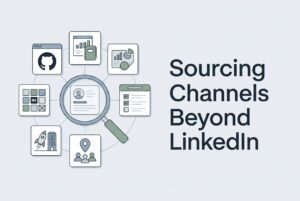
Now take sourcing. A team looking for a machine learning engineer with NLP experience can search external platforms and existing databases. AI candidate sourcing can pull from places like LinkedIn, GitHub, and StackOverflow, then use contextual matching to find relevant profiles even when the title does not match perfectly.
That is the practical value. It reduces the amount of work humans do before they can even start talking to candidates.
Key takeaway: AI adds speed and relevance where ATS tools usually add order.
How should hiring teams implement AI without creating chaos?
Do not rip out your process and hope for magic. Start with the bottleneck.
A sensible rollout looks like this:
- Map your current funnel.
- Define must-have and nice-to-have criteria for each role.
- Choose the AI feature that matches the problem.
- Pilot it on one role or team.
- Set guardrails for human review.
- Train recruiters to read the output correctly.
- Measure baseline metrics before launch.
- Adjust scoring and workflows after the pilot.
If your biggest pain is too many resumes, start with AI screening and ranking. If the problem is slow scheduling, focus on automation. If sourcing is weak, use AI sourcing. If compliance is the concern, prioritize auditability and bias controls.
That is usually how the strongest implementations work. Not all at once. Just on the part of the funnel that is currently breaking.
Key takeaway: the best AI rollout is narrow, measured, and tied to one hiring bottleneck.
What should you watch out for?
AI is useful, but it is not a substitute for judgment. That is the main caution.
A few common mistakes:
- treating AI as automatically fair
- skipping hiring bias audits
- choosing AI tools that do not connect to the existing ATS
- expecting perfect candidate matches
- deploying without baseline metrics
- relying only on AI rankings with no human review
Compliance matters too. Recruitment AI can fall under legal and policy requirements such as EEOC reporting, GDPR data rights, NYC bias audit rules, and the EU AI Act’s high-risk classification for recruitment use cases. So if your hiring process touches those areas, the system needs controls, not just speed.
Key takeaway: AI should reduce noise, not remove accountability.
FAQ
Is AI recruiting software the same as an ATS?
No. An ATS manages the hiring process and candidate records. AI recruiting software adds contextual screening, matching, sourcing, and automation. Many modern platforms combine both.
Can AI recruiting software replace an applicant tracking system?
Usually not. AI tools are strongest when they work with ATS functions like pipeline tracking, job posting, and communication. Most teams still need the ATS foundation.
How does AI improve resume screening?
It reads resumes in context instead of only looking for exact keywords. That helps it rank better-fit candidates, rediscover past applicants, and reduce manual sorting.
Is AI resume screening biased?
It can be if the model is trained or configured poorly. That is why human review, audit logs, and bias checks matter.
When is a simple ATS enough?
A simple ATS can be enough for very low-volume hiring, especially if most candidates come from referrals or one source and the team does not need much automation.
Key takeaways
- An applicant tracking system is the hiring system of record.
- AI recruiting software adds semantic search, contextual matching, screening, sourcing, and automation.
- The overlap is real, so most teams need both sets of capabilities.
- The main choice is integrated platform versus separate tools.
- If your team spends too much time screening, sourcing, or scheduling, AI features can remove a lot of manual work.
- If hiring is simple and low volume, a basic ATS may be enough for now.