Yes. CVViZ serves agency workflows that need both an ATS and a recruitment CRM, and that is the right way to think about it. For staffing teams, the value is not just storing resumes. It is keeping client companies, contacts, leads, deals, requisitions, candidate pipelines, submissions, and feedback in one connected workflow. That matters because agencies lose time when account management and delivery live in separate tools.
The practical question is not whether CVViZ can store records. It can. The real question is whether it gives your team enough control over client visibility, submissions, and screening to support how your agency actually works. CVViZ provides configurable client access, candidate submissions, client feedback, collaboration tools, and AI candidate screening, but buyers should still verify the exact portal behavior in a live trial. That is the difference between “sounds right” and “fits the agency.”
What makes CVViZ an ATS CRM for agencies?
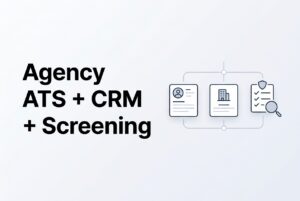
CVViZ is an ATS CRM for agencies because it connects client-side relationship work with candidate-side execution. In plain terms, your team can manage the client opportunity, the hiring requirement, and the candidate pipeline in one place instead of stitching them together from email, spreadsheets, and separate systems.
Here is the clean split:
| Function | What CVViZ supports | Why it matters for agencies |
|---|---|---|
| ATS | Jobs or requisitions, candidate profiles, applications, screening evidence, pipeline status, interviews | Helps recruiters deliver qualified candidates against a client requirement |
| Recruitment CRM | Companies, contacts, leads, deals, account ownership, conversations, follow-up | Helps the agency manage the relationship that creates the job order |
| Connected workflow | Requisition linked to client context, candidate screening, submissions, shared history | Lets account managers and recruiters work from the same record set |
That connected workflow is the point. A recruiter should not have to reconstruct the role from a CRM note and an inbox thread. Likewise, an account manager should not have to chase the recruiter for basic status. CVViZ is built to reduce that handoff friction.
For agencies, the biggest win is visibility. You can keep the client context, the candidate context, and the delivery status together. That makes it easier to manage multiple open roles without losing track of who owns what.
How the connected agency workflow works
CVViZ supports a simple agency sequence: record the client opportunity, capture the requirement, find candidates, screen them, coordinate outreach, and submit approved candidates. That is the core loop most agencies need.
First, you create or maintain the client company and contact records. You can assign ownership, track communication, and move leads or deals through visible stages. Next, you associate the requisition with that client. After that, the recruiter searches existing candidates before sourcing again, which helps reuse what is already in the database.
Then comes screening. CVViZ parses resumes, compares them with the role context, and ranks candidates for recruiter review. The recruiter still makes the decision. The AI provides evidence and prioritization, not a final client-facing judgment. Finally, approved candidates can be submitted, tracked, and followed through client feedback.
A simple example makes this clearer. An account manager records a logistics client’s plant-manager requirement. A recruiter searches the database, screens new applicants against that requirement, reviews the shortlist, and sends approved candidates to that client. That is the kind of agency flow CVViZ is designed to support.
The important caveat is control. You should verify exactly how client access, candidate submission, and feedback work in your setup. The public descriptions support the workflow, but they do not prove every portal field or permission is identical for every agency.
Clients, contacts, submissions, and collaboration
This is where CVViZ becomes useful for delivery teams. It supports company and contact records, decision-makers, account ownership, leads, deals, notes, documents, tasks, call logs, and shared activity history. In agency work, that means the commercial side and the delivery side can stay connected instead of drifting apart.
CVViZ also names candidate submissions and client feedback. That matters because agencies do not just place candidates. They manage a review loop. Someone submits the shortlist, someone on the client side responds, and someone on the recruiter side follows up. Keeping that loop in the same system reduces guesswork and makes the status easier to track.
The platform also describes configurable client access. An earlier agency page calls this a client portal and says agencies control which candidate information a client can see. Use that as evidence of controlled access, not as proof of every possible redaction rule or branded portal behavior. In other words, client visibility is supported, but you should validate the exact scope.
Internally, CVViZ supports tasks, @mentions, notes, reminders, recruiter handoffs, and communication history tied to jobs and candidates. That helps when one recruiter sources, another screens, and an account manager handles the client side. If your team works in handoffs, that is not a small detail. It is the job.
What AI candidate screening does and does not do
CVViZ uses AI candidate screening to parse resumes and compare them against the role context instead of relying only on exact keyword matches. It looks at skills, titles, years of experience, industry background, career progression, education, certifications, transferable skills, and overall role relevance. Then it ranks candidates relative to the requirement.
That relative ranking matters. A candidate can be a strong match for one role and only a moderate match for another. CVViZ does not treat every job the same, and recruiters should not either. The point is to help the team prioritize who to review first, not to replace judgment.
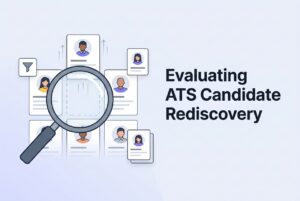
Recruiters can customize job requirements and screening criteria, weight factors such as qualifications, work experience, domain knowledge, skills, and job stability, and use prescreening questions as another evidence layer. CVViZ names knockout, multiple-choice, and open-text questions. It also supports candidate rediscovery when a new role is added to the database.
Just as important, CVViZ keeps the human boundary clear. Recruiters review the evidence, the prescreening answers, and the candidate history before advancing or rejecting someone. CVViZ also removes certain personal information, including names and locations, before AI evaluation. That is a useful practice, but it is not a guarantee of bias-free outcomes. Buyers should treat the screening layer as decision support, not automation that makes the hiring call for them.
How agencies can use communication and automation without adding noise
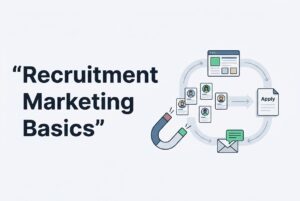
Agencies need fast communication, but they also need it to stay tied to the record. CVViZ supports email sync, templates, bulk emails, email campaigns, reminders, open and click tracking, and candidate history. It also supports supported outreach through email, WhatsApp, and SMS/Twilio, along with scheduling activity and communication history tied to recruiting records.
That helps when a recruiter needs to follow up on a shortlist, confirm an interview, or re-engage a past candidate. It also helps when an account manager needs to see what has already been sent to the client. Because the activity history stays connected to the candidate and job, the team spends less time asking, “Did someone already email them?”
Workflow automation adds another layer. CVViZ can trigger emails and notifications when a resume is received, a job is added, or a candidate changes stage. It also supports prescreening-question-based automation. For agencies, that means some repetitive steps can move on their own while recruiters stay focused on review and client delivery.
One practical note: communication tools only help if the team uses them consistently. If recruiters keep side threads in personal inboxes, visibility disappears fast. So the value is not just automation. It is disciplined recordkeeping with automation on top.
AI candidate screening, sourcing, and search in one stack
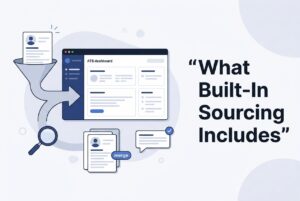
CVViZ does not stop at screening. It also supports sourcing and search, which matters for agencies that need to move fast across many roles. You can post jobs to more than 20 free job boards and distribute to 2,000+ job boards worldwide for free and paid ads. You can also source from platforms like LinkedIn, GitHub, and StackOverflow, then import profiles into a centralized pool.
That gives recruiters two useful options. First, they can search the existing candidate database before sourcing again. Second, they can widen reach when the job needs more supply. For agencies, that combination is important because not every role should start from zero.
CVViZ also provides full-text search, Boolean search, filters, and structured resume data. That makes rediscovery easier when a previous candidate becomes relevant to a new requisition. It also supports duplicate detection through the Chrome extension, which is useful when your team pulls candidates from multiple channels.
Still, reach and access are not the same thing. Some job-board placements may need sponsorship, and posting eligibility varies by board, geography, and account status. So the right question is not “Can CVViZ push the job out?” It is “Which boards will actually accept it under our setup?”
What to verify in a live trial
A live trial should prove the agency loop end to end. Do not just click around the dashboard. Make the product show you how the workflow behaves with real records.
Start with two client companies, two recruiters, one candidate considered for two roles, and one client user. Record the contact and lead, assign the account owner, convert the opportunity into a client-linked requirement, and import an applicant. Then check who can see what.
Next, set screening criteria, inspect the evidence behind the ranking, manually edit the shortlist, and test prescreening answers. Submit an approved candidate to one client and check the resulting status and feedback location. Then reuse the same candidate for the second role and confirm the submissions stay distinguishable.
After that, log in as the client. Test visibility of resumes, notes, contact details, and unrelated client records. Also verify what happens when a candidate is already submitted, withdrawn, or moved to another stage. Finish by tracing a client reply, a recruiter task, an interview update, and an exported report.
Those tests tell you more than any feature list can. They show whether the system supports your agency’s actual operating rhythm or just looks good in a demo.
FAQ: CVViZ for staffing agencies
Can CVViZ serve agency workflows that need both ATS and CRM?
Yes. CVViZ connects client and prospect management with requisitions, candidate pipelines, screening, and delivery. That is the core of agency recruiting work.
Can clients see candidates?
CVViZ supports configurable access to selected candidate information. The exact fields and permissions should be demonstrated in your trial.
Can clients provide feedback on submissions?
Yes. CVViZ names candidate submissions and client feedback, but you should confirm the exact screens and approval flow.
Does AI decide whom the agency sends to a client?
No. CVViZ uses AI ranking to support recruiter review. The recruiter still controls the shortlist and final submission.
Can an agency reuse past candidates?
Yes. CVViZ supports candidate database search and rediscovery when a new role is added. Still, check duplicate handling and permissions before reuse.
Does every plan include the agency CRM?
The pricing page does not establish that clearly. Starter says “All ATS Features,” while Basic and above say “All Features,” so confirm CRM entitlement in writing.
Is every job-board posting free?
No. Job-board eligibility varies, and some placements may require paid sponsorship.
For staffing teams, the answer is straightforward: CVViZ can support the connected workflow agencies need, including client records, requisitions, candidate screening, submissions, and collaboration. The right next step is not a broad software search. It is a trial that proves the client and recruiter experience end to end.