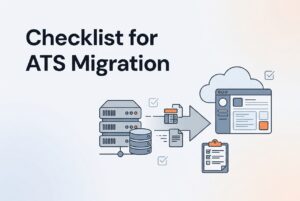
If you are switching ATS vendors, the real question is not “can the data move?” It is “what must be true before live recruiting can keep running without chaos?” That is the standard this ATS migration checklist uses.
For teams using legacy recruiting software, a safe switch depends on seven things: a documented business case, clean and mapped data, workflow decisions, assigned owners, tested integrations, trained users, and a cutover plan with rollback. If any of those pieces are missing, the new system is not ready to become the system of record.
What must be true before you switch ATS vendors?
Before you switch, the organization needs proof that the new ATS can support live recruiting without breaking candidate history, communications, reporting, or access controls. In practice, that means the migration is a business-change project, not a file transfer.
The clearest sign you are ready is simple: recruiters and hiring managers can use the new system end to end, and the team can still find candidate history, move requisitions, send messages, report on funnel health, and protect personal data. If the team still needs spreadsheets and email to finish core work, the migration is not done.
Use this as the basic readiness gate:
- the reason for changing systems is measurable
- one owner is accountable for the migration
- the full data estate has been inventoried
- duplicates have a defined cleanup rule
- fields and relationships are mapped
- workflows are redesigned, not copied blindly
- integrations and permissions are tested
- privacy, retention, and security decisions are documented
- users are trained by role
- cutover, rollback, and post-launch review are defined
That is the core of any serious ATS migration checklist. Everything else sits underneath it.
Why are you leaving the old system?
A migration should start with the business reason, not the vendor demo. If the team cannot explain why it is moving away from legacy recruiting software, it will probably recreate the same problems in a new interface.
Common reasons include too much manual screening, weak search, poor reporting, slow hiring-manager feedback, duplicate records, shallow integrations, or low adoption. The team should document the current baseline for time to fill, time to hire, conversion rates, recruiter admin time, hiring-manager response time, duplicate volume, report accuracy, and current adoption.
Then set goals in plain language. For example, the team may want fewer manual steps, faster feedback, cleaner candidate records, or better use of the existing talent pool. Do not promise a specific productivity jump unless the team has measured it first.
A useful test is this: if the new platform does not improve the bottleneck you named, why are you switching at all? That is the first answer this ATS migration checklist should force.
Who owns the migration?
One accountable owner is non-negotiable. Without that, the project turns into a group chat with a deadline.
The migration owner should coordinate recruiting, HR operations, IT, security, legal or privacy, finance or procurement, the new vendor, the legacy vendor, and representative hiring managers. Also name at least one recruiter and one hiring manager as power users. They catch the annoying edge cases that formal process docs often miss. Little things matter here, which is a phrase people say right before a lot of trouble starts.
| Workstream | Accountable owner | Required contributors | Approval evidence |
|---|---|---|---|
| Business case and success metrics | TA leader | Finance, executive sponsor | Approved goals and baseline |
| Data inventory and cleanup | Migration owner | Recruiters, HR operations | Signed data inventory |
| Field and workflow mapping | TA operations | Recruiters, hiring managers, vendor | Approved mapping workbook |
| Integrations and security | IT or HRIS owner | Security, vendors | Integration test results |
| Privacy and retention | Privacy or legal owner | HR, security, vendor | Retention and processing decisions |
| User acceptance testing | Super users | Recruiters, hiring managers | Completed test cases |
| Training and adoption | TA enablement owner | Vendor, team leads | Attendance and competency checks |
| Cutover and rollback | Migration owner | IT, vendors, TA leadership | Go-live approval |
This table is not paperwork for its own sake. It is how you prevent gaps in a move away from legacy recruiting software.
What data actually needs to move?
Do not assume the old ATS contains the full truth. Recruiting data usually lives in more places than the main database. The inventory should include the ATS, email inboxes, spreadsheets, shared drives, sourcing tools, job-board accounts, recruiter notes, consent records, reports, audit logs, and connected systems like HRIS, background checks, assessments, scheduling, and identity management.
Classify each record as active, historical, duplicate, incomplete, legally required, operationally useful, or disposable. Then decide whether it will be migrated, archived, anonymized, or securely deleted. Record the decision and the owner.
The new system should also be checked for what it can import: candidate profiles, applications, jobs, stage history, notes, attachments, source fields, communication history, consent records, and custom fields. If it only imports a flat candidate list, you may lose the relationships that make reporting and candidate history useful.
That is one of the biggest traps in switching ATS platforms. A database can look full while the story inside it disappears.
How should duplicate cleanup work?
Duplicate cleanup should happen in the legacy system whenever possible. That is safer because the team can compare records against the original structure before import. Standard cleanup includes merging duplicate profiles, fixing malformed contact details, normalizing names and dates, closing stale requisitions, removing test records, and resolving conflicting owner or source values.
Do not delete records just because they are old. First ask whether they are needed for an active process, a legal reason, a reporting need, or a documented retention period.
Define duplicate rules before merging. Exact email matches help, but they are not enough. The same person may appear under different emails, names, phone numbers, or applications. Use matching rules such as normalized email, phone, name-plus-employer, or name-plus-location. Then keep a review queue for uncertain matches.
Preserve the surviving record’s source, consent, application history, notes, attachments, and communication history. If the new ATS has duplicate detection, test it with near-duplicate records instead of trusting the default behavior. This part of the ATS migration checklist saves a lot of cleanup later.
What needs to be mapped, not just imported?
A migration workbook should map every legacy field to its new destination. More importantly, it should map relationships. Candidate records connect to jobs, applications, stages, interviews, scorecards, messages, recruiters, hiring managers, sources, and attachments. If you flatten those links, you may keep the data but lose the context.
At minimum, define the source field, destination field, data type, allowed values, transformation, required status, privacy class, owner, and validation method.
| Mapping item | Questions to answer |
|---|---|
| Legacy field | What is the source field and where is it used? |
| New field | Which destination field stores it? |
| Data type | Text, number, date, Boolean, dropdown, multi-select, file, or relationship? |
| Allowed values | Do old dropdown values match the new values? |
| Transformation | Must values be renamed, combined, split, normalized, or defaulted? |
| Required status | Is the field mandatory in the new ATS? |
| Privacy class | Does it contain personal, sensitive, or restricted information? |
| Owner | Who approves the mapping? |
| Validation method | How will the team prove that it imported correctly? |
Also review custom fields hard. Keep only the ones that support an active workflow, reporting need, or compliance need. A migration is the right time to remove the junk drawer, not rebuild it.
Should you copy the old workflow exactly?
No. Map the current process, then decide what to keep, simplify, redesign, automate, or remove. The point of moving off legacy recruiting software is not to preserve every workaround in a shinier box.
Document the real flow: requisition approval, job creation, sourcing, screening, recruiter review, hiring-manager review, interview scheduling, feedback, assessments, offer approval, rejection, talent-pool follow-up, HRIS handoff, and reporting closeout. For each stage, define the owner, entry condition, exit condition, required fields, automated action, notification, expected response time, and escalation path.
One workflow deserves special attention: hiring-manager feedback. In lean teams, that step often becomes the black hole. Make it explicit who responds, what they must submit, when reminders go out, and what happens when feedback is late.
The rule is simple: a new ATS should support the process you want, not protect the old process you tolerated.
What integrations and security checks are required?
Inventory integrations before you go live. Typical connections include HRIS, email, calendar, single sign-on, job boards, career pages, background checks, assessments, video interviewing, e-signature, analytics, recruitment marketing, APIs, webhooks, and custom apps.
For each one, document the owner, purpose, data direction, fields exchanged, frequency, authentication, error handling, retry behavior, retention, and support contact. Then test successful and failed transactions. A candidate update, stage change, job opening, interview event, and hire event should reach the right system exactly once.
Use least privilege access. The principle is straightforward: give each integration only the access it needs, and nothing more.
Unknowns still matter here. Ask the vendor about API limits, bulk-import limits, webhook behavior, attachment transfer limits, sandbox access, integration ownership, and whether custom integrations are included in implementation support. If you do not know those things, you do not really know the migration risk.
How should privacy and retention be handled?
Recruiting data is personal data. It can include candidate details, prospective candidate data, contractor records, referees, emergency contacts, dependants, and sensitive fields such as health, diversity, or criminal-conviction information. So the migration must treat it as governed data, not random business clutter.
Before moving anything, document controller or processor roles, lawful basis, purpose, minimization decisions, candidate notices, retention periods, deletion procedures, access roles, encryption, audit logging, backups, incident response, subprocessors, cross-border transfer implications, and request handling for access, correction, deletion, portability, and objection.
There is no single fixed retention period for all recruitment records. Retention should be based on purpose, legal obligations, business need, and claim periods. Also, do not migrate sensitive data by default. Ask whether each field is needed, visible only to the right people, and supported by the new system.
If a record is kept only for statistics, check whether it can be fully anonymized. If not, it is still personal information. That detail matters more than people think.
What should be tested before cutover?
Use a staging or test environment whenever possible. Then test three layers: Data validation, workflow behavior, and integrations.
Data validation means checking candidate counts, active jobs, application links, stage values, owners, dates, notes, attachments, consent fields, and duplicate outcomes against the source system.
Workflow testing means running realistic cases from requisition to hire, rejection, withdrawal, and re-engagement. Include messy examples too: missing data, duplicate candidates, late feedback, rescheduled interviews, reopened requisitions, internal candidates, and multi-application candidates.
Integration testing means confirming the data flows in and out correctly, with authentication, field transforms, notifications, retries, duplicate-event prevention, and permissions working as expected.
Create a test-case register with the scenario, expected result, actual result, owner, severity, evidence, and resolution. Power users should test the workflows they use most. This is how an ATS migration checklist turns into proof instead of hope.
Should you run the old and new systems in parallel?
Sometimes, yes. A parallel run can reduce risk, but it must be time-boxed and have a clear end date. One migration source describes a two-to-four-week parallel period as a practical example, not a universal standard.
Before cutover, choose a low-volume window, announce the freeze date, complete a final delta export, confirm active requisitions and assignments, verify access, turn on communications only in the intended system, and keep an auditable backup of the final legacy data.
Also define rollback before go-live. If validation fails, an integration breaks, communications duplicate, or users cannot complete a key workflow, the team should know who can pause the launch, how new records will be reconciled, how the old system will reopen, and what proof is needed before another attempt.
Do not decommission the old system immediately. Keep controlled access or an approved archive until reconciliation, privacy review, and operational validation are complete.
How do you get recruiters and hiring managers to adopt it?
Adoption is usually where migrations win or fail. SHRM has reported that nearly one in four organizations said new HR technology implementations failed to meet adoption expectations, and human behavior was a major challenge.
Define adoption before launch. Good signs include recruiters using the new ATS instead of spreadsheets, hiring managers giving feedback inside the system, required fields being completed at the right stage, search and reporting being used, and shadow workflows disappearing.
Train by role. Recruiters need search, parsing, screening, ranking, sourcing, communication, stage movement, duplicate review, and reporting. Hiring managers need candidate review, feedback, interview plans, and status visibility. Administrators need permissions, workflow changes, data quality, integrations, and audit controls.
Use sandbox exercises, short guides, office hours, and a clear escalation path. Make the old tracker unavailable only after the replacement workflow works in practice. A sleek tool no one uses is still a problem, just with nicer buttons.
What happens after go-live?
The first weeks after launch are stabilization, not victory lap time. Review failed imports, integration errors, duplicate creation, broken attachments, communication failures, stage and ownership mistakes, hiring-manager feedback completion, search accuracy, reporting accuracy, support tickets, candidate response delays, manual work, and privacy requests.
Hold a structured review with recruiters, hiring managers, IT, HRIS, privacy, and the vendor. Separate defects from configuration choices and training gaps. Fix the high-risk issues first.
Then return to the original reason for switching. If the goal was better search, better reporting, more automation, or less recruiter admin, measure those outcomes against the baseline. Do not call the project successful just because the import finished.
Where does CVViZ fit after the checklist?
CVViZ can fit after the readiness gate is clear. It offers AI resume screening, relative ranking, job posting to 20+ free job boards and 2000+ job boards worldwide, automated sourcing from platforms like LinkedIn and GitHub, workflow automation, email sync, recruitment analytics, a resume parser, elastic search, duplicate detection, role-based access controls, and a GDPR toolkit.
Those capabilities can help teams replace manual keyword filtering, reduce duplicate records, centralize a searchable talent pool, and make hiring more measurable. These capabilities can help teams replace manual keyword filtering, reduce duplicate records, centralize a searchable talent pool, and make hiring more measurable. CVViZ also supports API-based resume parsing and can work as an intelligent layer on top of an existing ATS.
Those capabilities can help teams replace manual keyword filtering, reduce duplicate records, centralize a searchable talent pool, and make hiring more measurable. CVViZ also supports API-based resume parsing and can work as an intelligent layer on top of an existing ATS.
Still, the buyer should verify exactly what migrates, how attachments and custom fields are handled, who owns implementation tasks, how validation works, and what rollback support exists. The software may be strong. The migration still has to be designed well.
FAQ
How long does an ATS migration take?
There is no reliable universal timeline. Duration depends on data quality, record volume, integrations, attachment handling, workflow complexity, vendor support, and internal availability. A two-to-four-week parallel run is one example, not a fixed rule.
Should we migrate every historical candidate?
No. Classify records by value, retention need, consent, and quality first. Migrate what the team can govern. Archive, anonymize, or delete the rest.
Can duplicate records be fixed after migration?
Sometimes, yes. But prevention is safer. Clean and merge duplicates in the legacy system where possible, define matching rules, and test near-duplicate cases before go-live.
Should we recreate the old workflow exactly?
No. Keep what works, but remove obsolete approvals, statuses, fields, and notifications. The new ATS should support the process you actually want.
Should the old ATS stay active after go-live?
Usually, yes, in controlled form. Keep access or archive support until reconciliation, privacy review, and operational validation are complete.
What is the clearest sign we are not ready to switch?
If you cannot explain what data will move, who owns each decision, how the workflow will work, how integrations will be tested, how users will be trained, or what happens if cutover fails, you are not ready yet.