If you are comparing AI recruiting software options because hiring has gotten messy, the real question is not “which tool has the most AI?” It is which platform solves your bottleneck fastest: screening too many resumes, sourcing too few candidates, automating first-round work, or replacing a fragile ATS with something easier to run.
That is why this guide is built around the workflows buyers actually feel day to day. The best AI recruiting tools do not all do the same job. Some replace your ATS. Some sit on top of it. Some are strong at sourcing but weak at interviews. Others are great for scheduling or assessments, but not for running the full hiring pipeline. If you pick the wrong category, you usually end up buying a second tool later.
For a growing SMB or mid-market team, the practical decision is usually this: do you need a modern ATS with built-in AI, or an overlay that improves the system you already have? CVViZ sits in the first camp as a replacement ATS with an optional API overlay model, which makes it useful as both a standalone system and an AI layer. The rest of the market splits by sourcing depth, screening quality, interview tooling, and analytics.
The comparison that matters: workflow fit, not feature noise
A useful AI recruiting software comparison starts with one question: what part of hiring is actually breaking? If the issue is resume overload, look first at screening and ranking. If the issue is thin pipelines, look at sourcing. If the issue is calendar chaos, look at scheduling and interview automation. If the issue is scattered data, look at ATS structure and analytics.
Here is the simplest way to segment the market:
| Vendor | Deployment | Best at | Weak spot |
|---|---|---|---|
| CVViZ | Replacement ATS + API overlay | Screening, sourcing, automation, interviews in one place | Smaller integration marketplace than the largest enterprise suites |
| Greenhouse | Replacement ATS | Structured hiring and reporting | Light native sourcing |
| Lever | Replacement ATS + CRM | ATS + nurture + analytics | Add-ons can raise cost quickly |
| iCIMS | Replacement ATS | Enterprise configurability and compliance | Total cost rises with modules and integrations |
| SmartRecruiters | Replacement ATS | Global hiring and scheduling | Sourcing depth is not as specialized as dedicated tools |
| Workday Recruiting | HCM-native ATS | Workday-native enterprise workflows | High cost and long implementation |
| Eightfold | Overlay | Deep semantic matching and internal mobility | Requires an existing ATS |
| HireVue | Overlay | Interviewing and assessments | No ATS or sourcing depth |
| Paradox | Overlay or ATS | Conversational screening and scheduling | Stronger for hourly hiring than white-collar workflows |
| Phenom | Overlay / suite | Career site, CRM, internal mobility | Best when paired with a major ATS |
| SeekOut | Overlay | Deep sourcing | Does not replace an ATS |
| hireEZ | Overlay | Lower-cost sourcing entry point | Less depth than SeekOut for highly technical roles |
| Gem | Overlay | Sourcing + CRM + analytics | Overlay only |
| Ashby | Replacement ATS | Analytics depth and modern workflow | Smaller integration marketplace than incumbents |
| Workable | Replacement ATS | SMB setup with AI sourcing add-on | Shallower AI than specialist tools |
The pattern is clear. Replacement ATS platforms are where you manage pipeline, communication, and workflow. Overlay tools are where you add power to a system that already exists. If you need one system to do most of the work, a replacement ATS usually wins. If your current ATS is still fine, overlays lower the risk.
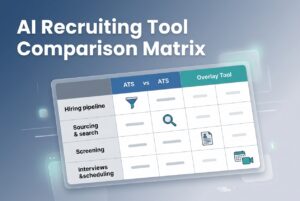
Vendor comparison matrix: ATS, sourcing, screening, interviews, and analytics
This matrix shows how the leading platforms differ on the workflow layer that matters most.
| Vendor | ATS replacement | Sourcing | AI screening / ranking | Workflow automation | Interview tools | Analytics |
|---|---|---|---|---|---|---|
| CVViZ | Yes | Yes | Yes | Yes | Yes | Yes |
| Greenhouse | Yes | Light | Yes | Yes | Partner-based | Yes |
| Lever | Yes | Moderate | Yes | Yes | Add-on | Yes |
| iCIMS | Yes | Moderate | Yes | Yes | Add-on | Yes |
| SmartRecruiters | Yes | Moderate | Yes | Yes | Add-on | Yes |
| Workday Recruiting | Yes | Limited | Yes | Yes | Yes | Yes |
| Eightfold | No | Yes | Yes | Limited | No | Yes |
| HireVue | No | No | Yes | Limited | Yes | Limited |
| Paradox | Sometimes | Limited | Yes | Yes | Add-on | Limited |
| Phenom | Partial | Moderate | Yes | Yes | Add-on | Yes |
| SeekOut | No | Yes | Yes | Limited | No | Some |
| hireEZ | No | Yes | Yes | Limited | No | Some |
| Gem | No | Yes | Yes | Yes | No | Yes |
| Ashby | Yes | Yes | Yes | Yes | Add-on | Yes |
| Workable | Yes | Moderate | Yes | Yes | Add-on | Yes |
| JazzHR | Yes | Light | Limited | Yes | Add-on | Limited |
| Teamtailor | Yes | Light | Limited | Yes | Add-on | Limited |
| Recruitee | Yes | Light | Add-on | Yes | Add-on | Limited |
| Textio | No | No | Writing only | Limited | No | Limited |
| Pymetrics | No | No | Yes | Limited | No | Limited |
The practical read: CVViZ, Ashby, Workable, Lever, and Greenhouse cover more of the hiring stack inside one product. SeekOut, hireEZ, Gem, Eightfold, Textio, Pymetrics, and HireVue are more specialized. That is not a flaw. It just means they solve narrower problems.
Resume screening and ranking: where AI actually helps
AI screening is the biggest time-saver in most hiring teams because it cuts through resume volume. In this market, there are three broad approaches: keyword search, semantic resume matching, and contextual ranking. Keyword search is basic. Semantic matching looks at meaning. Contextual ranking goes a step further and learns from how a recruiter hires over time.
CVViZ is built around contextual AI resume screening, relative ranking, and job-aware matching. Workable, Greenhouse, Lever, iCIMS, SmartRecruiters, and Workday all offer AI-assisted screening features, but the depth varies. Eightfold and SeekOut are especially strong on semantic matching and rediscovery. JazzHR, Recruitee, and Teamtailor are lighter here.
For a hiring manager, the difference shows up fast. A tool with deep AI screening does more than sort by keywords. It surfaces likely fits even when resumes use different titles or phrasing. That matters when a role gets a flood of applications, or when you need to find transferable skills instead of exact matches.
A simple benchmark helps frame the problem:
| Resume Screening Time | Rating |
|---|---|
| >72 hrs | Poor |
| 24–72 hrs | Average |
| 4–24 hrs | Good |
| <4 hrs | Excellent |
If your team is still spending days on screening, you are in the wrong workflow for a modern hiring stack. Tools like CVViZ, Ashby, and specialist sourcing platforms can compress that timeline, but only if your process is set up to use ranking well. The tool does not fix a vague job description.
If you want to reduce review time quickly, AI screening that cuts through resume volume can move a 4-hour manual review toward minutes — but you need to combine good job specs, screening rules, and reviewer calibration.
Sourcing: when you need more candidates, not just better filters
If the funnel is thin, screening software will not save you. You need sourcing depth. This is where specialist overlays like SeekOut, hireEZ, Gem, and Eightfold separate themselves from general ATS products.
SeekOut is designed for deep outbound search across public profiles. hireEZ focuses on AI sourcing and outreach at a lower entry point. Gem blends sourcing, outreach, and CRM. Eightfold uses a skills graph and candidate rediscovery. CVViZ also supports AI sourcing from LinkedIn, GitHub, Stack Overflow, and the open web, which makes it more useful than a standard ATS when you need to centralize inbound and outbound sourcing together.
This is the rule of thumb: if you hire technical, niche, or hard-to-fill roles, sourcing quality matters more than ATS polish. If you hire mostly from job boards and referrals, a strong ATS with good distribution may be enough.
A useful comparison:
| Sourcing need | Best fit type |
|---|---|
| Deep technical sourcing | SeekOut, hireEZ, Eightfold |
| Sourcing plus CRM nurture | Gem, Eightfold, Phenom |
| ATS plus sourcing in one system | CVViZ, Ashby, Workable, Lever |
| Enterprise rediscovery and internal mobility | Eightfold, Workday |
The key point is that sourcing overlays are not replacements for an ATS. They are multipliers. If your current system already tracks candidates well, an overlay can add a lot of value. If not, you may need to fix the core system first.
Interviews and scheduling: reduce back-and-forth, not just meeting links
Interview friction is usually underestimated. Once a candidate is shortlisted, the delay often shifts from sourcing to coordination. This is where self-serve scheduling, video interviewing, structured kits, and assessment tools matter.
HireVue is the most interview-focused option in this group. It offers asynchronous video interviews, live virtual interviews with an integrated code editor, and structured assessments. CVViZ includes built-in video interviewing and a live code editor, which is useful if you want interviews and evaluation inside the same ATS. Greenhouse, Lever, Ashby, and Workday support structured interview kits and scheduling, while Paradox is strong on conversational scheduling and candidate communication.
For high-volume hiring, this can be the difference between a clean funnel and a stalled one. For technical hiring, live code evaluation matters more than generic video tooling. For hourly roles, mobile scheduling and quick self-service often matter most.
Here is the practical benchmark:
| Time-to-Fill (days) | Rating |
|---|---|
| >60 | Poor |
| 30–60 | Average |
| 15–30 | Good |
| <15 | Excellent |
If scheduling is a recurring bottleneck, look for automation before you look for more recruiter headcount. A tool that cuts email back-and-forth often pays back faster than a larger sourcing stack.
Automation and candidate communication: the hidden productivity lever
Workflow automation is where many teams get their hours back. The basics are stage-change notifications, auto-emails on resume receipt, pre-screening question routing, reminders, and bulk candidate communication. Most modern platforms offer at least some of this, but depth varies.
CVViZ has rules and triggers for resumes received, job creation, and stage changes, plus email templates, campaigns, reminders, open and click tracking, and candidate history. Greenhouse, Ashby, and Lever also have strong automation patterns. SMB tools like JazzHR, Recruitee, and Teamtailor usually handle the essentials, but with less flexibility. Paradox leans into conversational automation. Phenom focuses more on candidate journeys and nurture.
The benefit is not just speed. Good automation reduces dropped candidates, stale pipelines, and inconsistent follow-up. That is a real candidate experience issue, not just an admin one.
For a decision-maker, the question is simple: can the platform automate the boring parts without making the process brittle? If the answer is yes, recruiters spend less time copying data between tools and more time actually hiring.
Analytics and reporting: what good looks like
Most teams say they want analytics. What they usually mean is they want answers without building spreadsheets every Friday. Good recruiting analytics should show source effectiveness, funnel conversion, recruiter productivity, and time-to-fill or time-to-hire.
CVViZ includes recruitment analytics and exportable reports. Ashby is known for analytics depth at its tier. Greenhouse and Workday are strong at the enterprise level. Lever adds pipeline and source-effectiveness reporting through its analytics suite. iCIMS and SmartRecruiters also cover reporting well, especially in larger deployments.
A quick way to think about performance is to compare your funnel to these benchmark bands:
| Applicant-to-Interview Ratio | Rating |
|---|---|
| <5% | Poor |
| 5–15% | Average |
| 15–25% | Good |
| >25% | Excellent |
| Cost-per-Hire | Rating |
|---|---|
| >$5,000 | Poor |
| $2,500–$5,000 | Average |
| $1,000–$2,500 | Good |
| <$1,000 | Excellent |
If you do not know these numbers today, that itself is useful. It means the tool is not the only gap. Process visibility is.
CVViZ versus the field: where it fits
CVViZ is a good fit when you want more than basic ATS tracking but do not want enterprise complexity. It combines AI screening, relative ranking, sourcing, workflow automation, built-in video interviewing, live code evaluation, email tools, analytics, and a recruitment CRM in one system. It also offers a 14-day free trial with no credit card required.
Compared with Greenhouse, CVViZ is more practical for smaller teams that want integrated AI screening and sourcing without enterprise overhead. Compared with Lever, it is more of a screening and sourcing-first ATS, while Lever leans harder into CRM and analytics. Compared with Workable, CVViZ has deeper AI screening and more built-in workflow breadth. Compared with Ashby, it may be less analytics-centric, but it is still strong on end-to-end hiring operations. Compared with specialist overlays like SeekOut or HireVue, CVViZ is broader because it includes the ATS layer too.
The fit is pretty straightforward:
- Use CVViZ if you need one system for ATS, AI screening, sourcing, scheduling, and candidate communication.
- Use an overlay if your ATS already works and you only need one specific capability.
- Use an enterprise suite if you have the scale, budget, and internal process maturity to support it.
How to choose the right platform
The best decision is usually the least glamorous one: start from the bottleneck. Here is a simple selection framework.
- If you have too many resumes: prioritize AI screening and ranking.
- If you have too few qualified candidates: prioritize sourcing depth.
- If coordination is slowing you down: prioritize scheduling and workflow automation.
- If your pipeline is scattered: prioritize a replacement ATS.
- If your ATS is fine already: consider an overlay.
Then map your integrations. You will usually need calendar sync, Slack or Teams, email, job boards, assessment tools, and maybe HRIS or background checks. A tool that does not fit your stack cleanly will create more work than it removes.
Finally, think about total cost, not just list price. Implementation, integrations, training, and support all matter. Enterprise tools often cost much more once fully loaded, especially when modules and integrations are added on.
Practical shortlist by use case
| Use case | Best-fit vendors |
|---|---|
| All-in-one SMB or mid-market hiring | CVViZ, Workable, Ashby |
| Structured enterprise hiring | Greenhouse, iCIMS, Workday |
| Sourcing-first recruiting | SeekOut, hireEZ, Gem, Eightfold |
| Interview-heavy hiring | HireVue, CVViZ, Paradox |
| Employer brand and career site focus | Phenom, Teamtailor |
| SMB simplicity | JazzHR, Recruitee, Workable |
What good hiring performance looks like
Benchmarking only matters if you know what “good” means. These ranges give you a practical starting point.
| Metric | Poor | Average | Good | Excellent |
|---|---|---|---|---|
| Resume screening time | >72 hrs | 24–72 hrs | 4–24 hrs | <4 hrs |
| Applicant-to-interview ratio | <5% | 5–15% | 15–25% | >25% |
| Cost-per-hire | >$5,000 | $2,500–$5,000 | $1,000–$2,500 | <$1,000 |
| Time-to-fill | >60 days | 30–60 days | 15–30 days | <15 days |
| Interview-to-hire ratio | >5 | 3–5 | 2–3 | 1–2 |
| Offer acceptance rate | <70% | 70–80% | 80–90% | >90% |
These are not magic numbers. They are a way to tell whether your workflow is healthy or drifting. If screening is slow and your applicant-to-interview ratio is weak, the problem is usually not “more recruiters.” It is usually process, tooling, or both.
FAQ
What is AI resume screening?
AI resume screening uses NLP and machine learning to evaluate resumes against job requirements. Instead of matching only exact keywords, it looks at context, synonyms, and transferable skills to rank candidates by relevance. That helps teams reduce manual review time and identify stronger fits faster.
What is the difference between an ATS and a Recruitment CRM?
An ATS tracks active candidates through the hiring pipeline. A Recruitment CRM manages relationships with passive candidates and talent pools over time. In practice, ATS tools handle the process you are running now, while CRM tools help you re-engage people for future roles.
How does semantic search improve recruiting?
Semantic search matches by meaning, not just exact words. A search for “Python developer” can still surface candidates who mention Django or Flask, even if those terms do not appear in the job title. That is useful when resumes are inconsistent or job titles vary across companies.
Can AI replace recruiters?
No. AI can automate screening, scheduling, ranking, and other repetitive tasks, but recruiters still handle judgment, relationship-building, candidate experience, and final decisions. The best systems make recruiters faster and more consistent. They do not remove the need for human judgment.
What is candidate rediscovery?
Candidate rediscovery is when AI searches your existing ATS or CRM database to find past applicants or silver-medalist candidates who fit a new role. It reduces the need to start sourcing from scratch and can shorten time-to-fill for repeat hiring patterns.
What is resume parsing?
Resume parsing extracts structured data from unstructured resume files. It turns names, skills, experience, and education into searchable fields, which makes matching, filtering, and reporting much easier. Some systems also infer skills from job titles and context, not just listed keywords.
Is AI resume screening biased?
It can be. Bias risk depends on training data, feature design, and how the system is used. Vendors reduce risk through skills-based matching, bias audits, demographic-blind ranking, and human review. Compliance requirements can also apply under NYC Local Law 144 and the EU AI Act.
Bottom line
The right AI recruiting tools are the ones that solve your bottleneck without creating another one. If you need one platform to handle ATS, screening, sourcing, automation, interviews, and analytics, CVViZ is built for that middle-market reality. If you only need one slice of the workflow, a specialist overlay may be enough. If you are deep in enterprise territory, a larger suite may be the better fit.
The mistake is buying for feature count instead of workflow fit. Hiring gets easier when the tool matches the problem.