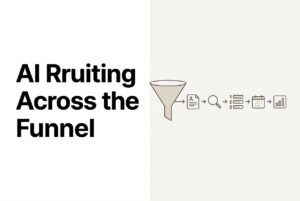
Let’s get one thing straight: AI candidate matching isn’t about hunting for exact words. It’s about interpreting the meaning behind a resume. It’s the difference between asking “does this resume say Python?” and “does this person have the right kind of experience?” That shift changes everything about who ends up on your shortlist.
If you’re drowning in irrelevant applications or burning hours on screening calls, I’m willing to bet keyword filters are part of your problem. This article breaks down how this AI matching actually works, where it falls short, and how you can roll it out without your team losing control.
Here’s the game plan:
- Why keyword searches are creating noisy shortlists
- How AI builds a candidate profile and scores their fit
- Where AI matching gets it wrong (and how to stop it)
- How to keep your team in the loop while still moving faster
- A simple rollout plan that actually works for growing teams
Why do keyword filters fail in real hiring workflows?
Keyword search is simple: the resume contains the magic word or it doesn’t. That sounds clean until you realize how many different ways people describe the exact same experience.
Anyone who’s spent an hour screening candidates has seen these three failures firsthand:
- Synonym and title variance: “Software Engineer,” “Backend Developer,” and “Java Engineer” might all describe the same person. A keyword filter sees them as totally different.
- Implied skills: A candidate who built distributed payment systems at a fintech startup definitely has microservices experience, even if they never used that specific term on their resume. Keyword search is blind to this.
- Transferable experience: Career changers and veterans often use different language to describe relevant skills. A keyword search will miss them every single time.
The result is a double-sided headache. You filter out great candidates before a human even sees them (false negatives). At the same time, candidates who just spammed keywords into their resume float to the top (false positives).
A human recruiter would catch most of this. We read for intent, we know which roles are equivalent, and we can infer skills from the context of a project. AI candidate matching tries to do that same kind of thinking, just systematically and at a much larger scale.
What “false negatives” and “false positives” look like in resume screening
A false negative is a great candidate your system totally misses. For example, a project manager with deep logistics ops experience applies for your supply chain role but never wrote the exact phrase “supply chain management” on their resume. Poof. They’re gone.
A false positive is a weak candidate who looks great on paper because their resume is a near-perfect mirror of your job description, but their actual experience is thin.
Both problems are a massive waste of time. Semantic matching helps reduce both (though it can’t eliminate them entirely) by looking at meaning instead of exact text.
What does “AI reads resumes like a human” actually mean?
It means the system is built to compare meaning, not just words. Think about how search engines have changed. If you search for “best running shoes for knee pain,” Google gives you results about joint support and cushioning, not just pages that repeat your exact search phrase. That’s semantic search. Similarly, semantic search is incorporated for finding relevant candidates.
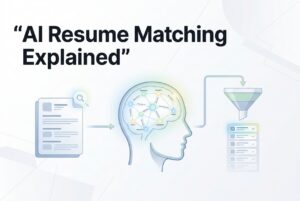
AI candidate matching runs on the same principle. It maps both resumes and job descriptions into a shared space where similar ideas are grouped together, no matter the exact wording. This means “led cross-functional product launches” and “managed go-to-market execution” are seen as related experiences.
In practice, this means:
- Equivalent titles are recognized as being related.
- Skill adjacency is understood (knowing React usually implies you know JavaScript).
- Context shapes interpretation, so the same skill at a startup is understood differently than at a 5,000-person company.
Now, let’s be clear about what this doesn’t mean. The AI is not a mind reader. It’s not guessing personality, predicting culture fit, or guaranteeing someone will be a top performer. It is simply modeling the similarity between a candidate’s profile and your definition of a role. That’s incredibly useful, but it’s also genuinely limited.
The next logical question is: what actually happens between a resume coming in and a ranked shortlist appearing?
How does AI candidate matching work step by step?
Think of AI matching as a factory assembly line. Each stage has a specific job, and understanding them helps you know where to look when the results seem off.
- Ingest: Resumes show up from job boards, emails, direct uploads, or imported profiles.
- Parse: The system extracts structured information like job titles, skills, dates, education, and tenure.
- Normalize: It maps titles and skills to a consistent internal library and recognizes signals for seniority.
- Represent meaning: Profiles and job requirements are converted into a format where they can be compared semantically.
- Score fit: Weighted signals (like skills match, experience depth, and recency) are applied.
- Rank: Candidates are ordered relative to each other for that specific role.
- Learn: The system refines its rankings over time based on who gets interviewed, offered a job, and retained.
Parsing is the bedrock of this whole process. An AI resume parser is designed to extract and standardize candidate data from different formats (PDFs, Word docs, LinkedIn profiles) so the rest of the pipeline gets clean data. If you have messy data at step two, every other step will suffer. And remember, parsing just standardizes what people wrote. It doesn’t check if they were telling the truth. That’s still your job.
Keyword filter vs. AI matching pipeline
| Dimension | Keyword Filter | AI Matching Pipeline |
|---|---|---|
| Input | Raw resume text | Parsed, structured profile |
| Logic | Literal word match | Meaning similarity score |
| Output | A binary list (present/absent) | A ranked shortlist |
| Learning | None | Improves with feedback |
Bottom line: Keyword search is for finding documents. AI matching is for ranking people. It helps you decide who deserves your attention first.
What signals can AI use to judge “fit” beyond keywords?
This is where it gets interesting. Good AI matching combines multiple signals instead of relying on just one. A well-configured system evaluates things like:
- Skills overlap: This includes both explicit skills (what’s listed) and inferred skills (what’s implied by their job context).
- Experience depth: It’s not just about years, but whether a skill shows up repeatedly across different roles and scopes of work.
- Recency: A skill used actively last year is weighted more heavily than one from eight years ago.
- Career trajectory: Does it look like this person is growing into the requirements of the role, not just meeting them on paper?
- Domain adjacency: It can recognize experience in a related industry or with similar types of problems.
This is what makes AI resume screening and relative resume ranking so useful. Instead of a binary yes/no filter, you get a ranked list of who to talk to first, based on a much richer picture of their experience. When you have 200 applications for one role, that’s a game-changer.
A quick word of warning: stay away from “cultural fit” as a catch-all scoring signal. It’s vague, indefensible, and a recipe for bias. If you care about specific behaviors, define them as competencies tied to the role and score against those.
And remember, AI applies your criteria consistently at scale. But that only helps if your criteria are solid in the first place. Garbage in, garbage out.
Where does AI candidate matching get it wrong, and how do you prevent it?
Look, any tool can fail. AI matching is no different. The good news is that the failures are usually predictable and, more importantly, fixable because they trace back to your initial setup.
Common pitfalls to watch for:
- Vague job descriptions: If you don’t separate your must-haves and nice-to-haves, the model will weigh them equally. You’ll get a shortlist optimized for the wrong things.
- Historical bias in outcomes: If your past hires all came from a certain background, a model trained on that data might just keep suggesting more of the same.
- Over-tight thresholds: Setting your match score requirements too high at the beginning is a great way to miss good people before you’ve even calibrated what “good” means for this role.
- Resume format noise: Super-creative resumes with unusual formatting, tables, or graphics can confuse the parser, leading to missing data that unfairly hurts a candidate’s score.
How to prevent them:
- Explicitly separate must-haves from nice-to-haves and weight them.
- Start with broader match thresholds and only tighten them after you’ve reviewed the first batch of results.
- Spot-check the top and the borderline candidates every week. Don’t just blindly trust the top 10.
- Run periodic audits comparing shortlisted, interviewed, and hired candidates to check for fairness.
This all boils down to one simple rule: AI recommends, you decide. This tool is a copilot, not the pilot. It’s here to make your judgment faster and more consistent, not replace it.
How do you keep humans in control while still moving faster?
The goal isn’t to have an AI screen everyone and a human just rubber-stamp the results. The best approach is a clear operating model where everyone knows their role.
Here’s a practical four-step model:
- AI produces a tiered shortlist (think A, B, and C tiers) and explains the top signals for each ranking.
- The recruiter reviews all “A” candidates plus a sample of the “B”s. That “B” sample is your safety net for catching false negatives.
- The hiring manager reviews a curated group using a standard rubric, not just their gut feeling.
- Outcomes feed back into the system. Data on interview pass rates, offers, and retention helps the AI improve its rankings over time.
Beyond the workflow, you should insist on having these specific control knobs. Don’t settle for a black box.
- Adjustable weights for criteria and score thresholds.
- The ability to override a ranking at any stage without a hassle.
- An audit trail that shows who changed what criteria and when.
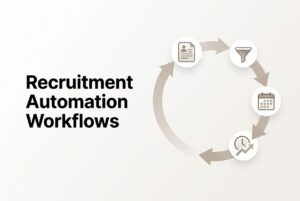
This is where recruitment workflow automation comes in handy. Not to replace decisions, but to kill the dead time between them. When a candidate hits the “A” tier, automation can send them a set of screening questions or flag a recruiter to take action. The speed comes from removing administrative gaps, not from removing humans.
How can you explain why someone was shortlisted?
Sooner or later, your hiring manager is going to point to a name on a shortlist and ask, “Why this person?” If you can’t answer that question, trust in the whole system evaporates.
“Good enough” explanations look like this:
- “They matched 8 of our 10 required skills.”
- “They have three years of recent experience in this specific domain.”
- “Their role scope and tenure pattern align with our mid-level requirements.”
These aren’t perfect explanations, but they are transparent. And that’s what you need.
For your internal team:
- Share a one-page scoring rubric that maps directly to the job’s must-haves.
- Before you go live, calibrate the system with your hiring manager using 5–10 candidates they already know (like past hires or strong applicants).
Read more – Framework to improve quality of hire
For candidates:
- You don’t need to show them your scoring algorithm. A simple disclosure is enough: “We review applications using a combination of automation and human review.”
- State your evaluation criteria clearly in the job description so people know what you’re looking for.
On the legal side, keep it simple: get consent, set data retention limits, and only evaluate candidates on job-relevant attributes. Document everything.
What’s the simplest way to roll out AI candidate matching in a growing company?
Don’t try to boil the ocean. Start with one role. And not your hardest-to-fill role, either. Pick one with clear requirements and enough application volume to give you useful data (aim for at least 50 applications over 2–4 weeks).
Here’s the pilot plan:
- Define success upfront: What are you trying to improve? Time-to-shortlist? Interview-to-offer rate?
- Set a weekly calibration session with the hiring manager. Review the top 10 ranked candidates together and talk through any disagreements.
- Keep process changes minimal. Just replace the manual resume review step with the new ranked shortlist. Don’t overhaul everything at once.
On the sourcing side: remember that matching only works if you have a decent pool of candidates. Spreading your job posting across 20+ free job boards gives your system a broader pool to rank. More relevant candidates in means a more useful shortlist out.
Expansion path:
- Week 5–8: Add a second role from the same department or skill family.
- Week 9+: Roll it out to a second department with a completely different profile.
Resist the urge to automate everything in the first week. Get the baseline right, build trust in the output, and then start layering in more automation.
Frequently Asked Questions
Is AI candidate matching the same as an ATS?
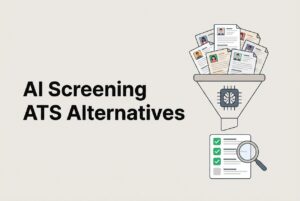
Not quite. An Applicant Tracking System (ATS) manages your workflow: pipeline stages, candidate records, communication. AI candidate matching is a feature within some modern ATS platforms that adds contextual screening and ranking. Many traditional ATS tools just use basic keyword filters.
Will AI matching replace recruiters?
No, but it will change the job. It gets rid of the repetitive screening work so recruiters can spend their time on things that require human judgment, like talking to candidates, aligning with hiring managers, and negotiating offers. The role shifts; it doesn’t disappear.
Can AI match candidates with nontraditional backgrounds—career changers, veterans?
Yes, it’s much better at this than keyword filters. Because semantic matching looks at meaning and adjacency instead of exact titles, it’s more likely to surface transferable skills. But you still need to write your job descriptions with those transferable skills in mind.
How do we reduce bias risk when using AI screening?
Use defined, job-relevant criteria. Audit your shortlist composition regularly. Avoid using proxies for quality like specific school names or previous employers unless they are directly relevant to the job. And always treat the AI’s output as one input, not the final word.
Do candidates dislike being screened by AI?
Candidates hate silence more than they hate automation. Research shows they’re more accepting of the process when it’s transparent and fast. Tell them you use automation, communicate clearly at each stage, and don’t leave people hanging for weeks. The candidate experience is what matters.
What should we measure to know if AI matching is working?
Track your time-to-shortlist, interview-to-offer rate, and the number of hours your recruiters spend on screening. After 60–90 days, compare the quality-of-hire for AI-shortlisted candidates against your historical baseline. That data will tell you if the tool is earning its keep.