You posted a role last Tuesday. By Thursday, you have piles of applications, a dozen emails asking “did you get my resume?”, a hiring manager waiting on feedback, and two candidates who already accepted offers somewhere else because you were too slow.
Sound familiar?
For most founders and lean teams, recruiting doesn’t fail at the decision stage. It fails in the logistics between decisions. The resumes pile up. The scheduling thread goes three rounds. The scorecard sits empty because nobody sent a reminder.
ATS workflow automation is the fix for the logistics layer. This isn’t about automating judgment—you still decide who to hire. This is about automating everything around those decisions: the acknowledgments, the routing, the reminders, and the status updates. A small set of recruiting rules and triggers running in the background can save you four to six hours a week, with zero impact on candidate quality.
I’ll show you how to build that system: what recruitment automation actually means in an ATS, the first triggers you should set up, a full funnel playbook, how to use AI scoring without getting burned, how to cut your screening time, and how to know if it’s working.
What Is ATS Workflow Automation, and What Problem Does It Actually Solve?
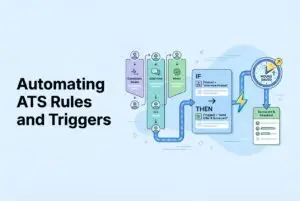
Let’s be clear: ATS workflow automation is just “if-this-then-that” for your recruiting pipeline. An event happens (like a resume received or a candidate moved to the interview stage), a rule checks if certain conditions are met (like role type or location), and an action executes automatically (like sending an email or creating a task).
That’s it. No magic. Just simple logic applied consistently.
The founder pain this solves is fragmentation. Right now, resumes are coming in from multiple job boards. Follow-ups live in three different inboxes. Hiring managers get updates on Slack, sometimes. Candidates wait days for a response that someone forgot to send. The result is a messy pipeline, lost candidates, and a recruiter (who is probably you) spending hours on work that doesn’t need a human.
Here’s a simple example: An application arrives. A trigger automatically sends an acknowledgment, fires off three pre-screening questions, and routes the application to the right reviewer based on the role. No manual steps. No candidate wondering if their application vanished into the void.
The principle to hold onto is this: automate administration after a decision, not the decision itself. You decide who makes the shortlist. The ATS handles the busywork before and after that call.
Which Parts of Recruiting Should You Automate First If You’re a Lean Team?
Don’t try to automate everything at once. That’s a rookie mistake. Pick three to five triggers that fire often, cut down on your context-switching, and shorten your hiring cycle time. Map your biggest bottleneck to your first automation.
If slow communication is your pain:
- Auto-send application acknowledgments the second a resume lands.
- Trigger status update emails when a candidate moves between stages.
- Set up automated decline emails at clear decision points (more on how to word these below).
If feedback collection is your pain:
- Auto-create scorecard tasks for interviewers the moment an interview is scheduled.
- Send reminders if a scorecard isn’t submitted within 24 hours.
- Escalate to the hiring manager if it’s still empty after 48 hours.
If your pipeline is stagnating:
- Set alerts for stalled candidates (“this person has been in the interview stage for 7+ days”).
- Trigger a recruiter nudge when there’s been zero activity on a candidate for 5 days.
- Add a cleanup rule for candidates who ghost you for 14 days.
Start with one role type, like your engineering hires, before you roll these triggers out across the company. This lets you catch any bad logic before it annoys a thousand candidates.
And set this guardrail from day one: every automation needs an owner and an override path. Someone has to be able to pause or edit a trigger in two clicks. Automations that nobody can stop are how candidates get stuck in purgatory.
What Are the Highest-Leverage ATS Triggers Across the Funnel?
This is the trigger library you actually need. Think of it as your playbook. Each one follows the same format: Trigger → Action → Why it saves you time.
Application Intake
- Resume received → Send acknowledgment email + deliver 3 pre-screen questions → Eliminates “did you get it?” emails and collects useful data from the start.
- Duplicate detected → Flag for review + route to deduplication queue → Keeps your pipeline clean and prevents your team from contacting the same person twice.
Screening and Triage
- Pre-screen answers submitted → Route to “shortlist review” or “needs review” bucket based on knockout criteria → Gets applications to the right person without manual sorting.
- Candidate below threshold → Move to “Review later” with a human override flag → Keeps decisions human-supervised. No blind auto-rejections.
Scheduling
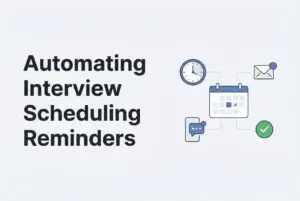
- Candidate moves to Interview stage → Send scheduling link or propose available slots → Kills the back-and-forth email thread for good.
- Interview confirmed → Send 24-hour reminders to both the candidate and interviewer → Reduces no-shows with zero effort.
Interview and Feedback
- Interview scheduled → Auto-create scorecard task for each interviewer → Nobody forgets to submit feedback because they don’t have to remember in the first place.
- Scorecard not submitted in 24 hours → Send reminder; escalate to hiring manager at 48 hours → Stops feedback from becoming your bottleneck.
Pipeline Hygiene
- Candidate in stage > 7 days with no activity → Alert recruiter or hiring manager → Catches stalled candidates before they go cold.
- No activity for 5 days → Prompt recruiter to send a quick update → Keeps the candidate experience positive without needing calendar reminders.
Offer Stage
- Offer sent → Create internal reference/background check task + set decision deadline reminder → Ensures nothing falls through the cracks after the offer is out.
Respectful Declines
- Candidate archived at any clear decision point → Send timely, professional decline email → Ghosting is a choice. This makes it easy not to.
How Do You Use AI Scoring and Auto-Actions Without Tanking Quality or Fairness?
AI ranking is useful. It isn’t magic, and it is not neutral by default. Here’s how to use it without causing a mess.
The core distinction to remember is this: AI sorts, humans decide. When you get 150 applications for one role, AI resume screening helps you see who’s worth reviewing first based on your job requirements and hiring patterns. It does not make the hire. That’s still your job.
How to set thresholds safely:
- Start conservatively. Don’t create a hard “reject” bucket right away. Make a “Review later” bucket and check it once a week.
- Test it. Pull 20–50 applicants you’ve actually shortlisted in the past and see where the AI ranked them. If your best people are landing in the wrong bucket, it’s time to recalibrate.
- Adjust thresholds for each role. The signals for a great sales hire are not the same as for a backend engineer.
A word on bias:
Define job-relevant criteria explicitly—skills, specific experience, role-specific indicators—and avoid proxy variables that don’t actually predict job performance. Where it’s legal and ethical, monitor pass-through rates across different candidate groups. And every so often, spot-check the bottom of your ranked lists. Good candidates sometimes get mis-scored.
Always keep an appeal path open. If a recruiter or hiring manager sees a strong profile sitting in “Review later,” they need to be able to pull it into the active pipeline without a complicated workaround.
As for candidate experience, if you automate declines, send them fast and make them respectful. A decline that arrives in two days is always better than silence that lasts two weeks.
One more thing: AI-generated resumes and fraudulent applications are on the rise. Structured evaluation like pre-screens and async video adds a layer of consistency that makes it harder for someone to game the process. Don’t over-trust any single signal, especially not the resume alone.
How Can Founders Reduce Level 1 Screening Time Without Endless Repetitive Calls?
Ah, the L1 screening call. It’s the first thing founders complain about. You’re asking the same six questions over and over to candidates who might not even make it to the next round. This is fixable.
Replace the repetitive call with these:
- Pre-screen questions at application: As soon as an application arrives, automatically trigger knockout questions (your non-negotiables) plus two or three role-specific questions. You get your answers before you’ve spent a single minute of your own time.
- Asynchronous video for culture and communication: Ask candidates to record short, time-boxed video responses (2-3 minutes max) to a few prompts. This gives you a real sense of their communication style and presence without you having to schedule a thing.
For engineering roles specifically:
A short, relevant coding task in a live environment gives you an early signal on fundamentals without a full technical interview. Keep it to one focused problem. This is enough to separate the candidates who can code from those who just talk about coding. Review their work on your own time, and only bring people to a live interview once you’ve seen enough to justify the time.
A couple of rules to make this work: set a 48-hour SLA for reviewing these submissions. The signal goes cold fast, and candidates lose interest. Use a simple, shared rubric so your team scores consistently. No more “I just liked their vibe.”
What Does Automation + Candidate Experience Look Like in Practice?
In the early stages, candidates want two things: speed and consistency. Good automation delivers both.
Automate these:
- Application acknowledgments (within minutes).
- Clear “here’s what happens next” updates at each stage.
- Interview reminders for both you and the candidate.
- Timely, respectful declines once a decision is made.
- Scheduling links the moment a candidate advances.
Keep these human:
- Conversations about culture and values.
- Salary negotiations.
- Late-stage rejections, especially after multiple interviews.
- Any situation where context matters and a template would feel cold.
One more thing: AI-generated resumes and fraudulent applications are on the rise. Structured evaluation like pre-screens and async video adds a layer of consistency that makes it harder for someone to game the process. Don’t over-trust any single signal, especially not the resume alone.
Track these metrics to see how you’re doing: response time to an initial application, average time in each stage, interview no-show rate, and drop-off rate between stages. If drop-offs spike after you add an automation, check your email copy. The trigger is probably fine, but the message might be sending the wrong signal.
How Do You Measure ROI From ATS Automation in a Way Founders Can Defend?
Before you expand your automation, prove it’s working. The method is simple: get a baseline, implement your changes, and then compare the results.
Before (capture these numbers):
- Time-to-fill for each role
- Hours spent per week on screening and scheduling
- Number of candidates reaching each stage
- Drop-off rate between stages
After (run the numbers again 2–4 weeks later): Compare the two sets of data.
Example ROI math:
- Let’s say you and your recruiter were spending 8 hours a week on screening and scheduling. If you reduce recruiter admin work with ats automation and get that down to 3 hours, you’ve saved 5 hours a week.
- At a loaded cost of $75/hour, that’s $375 a week or about $1,500 a month. That’s before you even account for filling roles faster and the revenue that brings in.
Your ATS should have recruitment analytics built-in to track this stuff. Export the reports, run the comparison, and you’ll have a defensible case for expanding the system.
Let the data tell you what to fix next:
- High drop-off rate? Improve your communication triggers and email copy.
- Slow interview loop? Tighten your feedback reminders and escalation rules.
- Poor-quality shortlists? Revisit your pre-screen questions and AI ranking.
What’s a Simple 7-Day Plan for Setting Up Your First Automation Rules?
You don’t need a full HR department to do this. Here’s a realistic one-week sprint to get your first system up and running.
Day 1: Map your actual hiring stages on a whiteboard (application → shortlist → interview → offer). Identify your single biggest bottleneck. Your first trigger goes there.
Day 2: Write three email templates: application acknowledgment, interview scheduling, and a respectful decline. Keep each under 100 words. Clear and warm beats thorough and robotic every time.
Day 3: Add pre-screen knockout questions. Set up a routing rule that moves candidates into the right bucket based on their answers.
Day 4: Set up your scheduling trigger (send a link when a candidate moves to the interview stage) and the 24-hour reminders for both parties.
Day 5: Add the scorecard task trigger (fires when an interview is scheduled) and the overdue reminder (fires if not submitted in 24 hours).
Day 6: Add a stalled-stage alert for any candidate sitting in one stage for more than 7 days. Block off 30 minutes for a pipeline review, same time every week.
Day 7: Record your baseline KPIs. Then set up your failsafes: who checks the automated actions weekly, who can pause a trigger, and who gets the call when something misfires.
That’s your system. Seven days, five to seven triggers, and you’ve started your recruitment workflow automation journey, turning the most repetitive parts of hiring into a process that runs without you.
CVViZ offers an AI ATS that enables workflow automation for most of the scenarios. It makes recruiters and hiring managers job easy and helps them progress through the hiring process quickly.