When you start scaling up for the first time, you probably are not sure how to go about it. Scaling up means trying to hire many candidates in a short period of time. You post a job. You may buy a subscription for Indeed or LinkedIn. You may reach out to recruitment agencies. Depends on your urgency and budget.
As you start, you soon realize your recruitment process is all over the place.
You’re screening resumes in Gmail, tracking candidates in an out-of-date spreadsheet, and scheduling interviews through endless email chains and phone calls. All while trying to hire for three roles and, you know, ship product.
AI automation can help. But not how most tools pitch it. AI doesn’t fix a broken process; it just makes the mess happen faster.
The right way to scale from 10 to 50 employees is to first standardize how you define roles, evaluate candidates, and move people through a pipeline. Then you can use AI to automate the repetitive work like triage, scheduling, and first-round screens.
This guide walks through that exact sequence. We’ll cover what to standardize first, where to deploy automation, and how to handle a flood of applications without losing the great people. And we’ll get it done in about 30 days, without you having to hire a full-time recruiter.
What changes in hiring when you grow from 10 to 50 employees?
Hiring your first 10 people runs on gut feel and hustle. You know every candidate, you’re the only decision-maker, and the process is fast because it’s totally informal.
Then, things shift. Somewhere around 15 or 20 employees, the inbound volume of applications starts to outpace your ability to keep it all straight. By employee 30, you’re running three or four searches at once with multiple interviewers, and the informal approach starts to produce inconsistent results.
Here’s what starts to creak and then snap:
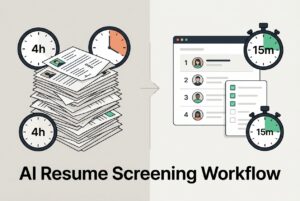
- Inbound volume spikes. One well-placed job post can easily generate over 150 applications. You can’t screen them all by hand without losing a full day.
- Too many sources, no central view. Candidates are coming from Indeed, LinkedIn, an agency, and two employee referrals, all tracked in different places. Someone always falls through the cracks.
- More interviewers, less alignment. You and your engineering lead have different ideas about what “strong problem-solver” actually means. Without a shared rubric, decisions grind to a halt.
- Coordination kills speed. Scheduling a three-round interview with four busy people can take a week. The best candidates won’t wait that long.
The hidden costs here are brutal. Think about the engineering time pulled into screening calls, the $20K agency fee for a role you could have filled yourself, or the great candidate who dropped out because nobody got back to them for nine days.
Quick signal check: Are you re-asking the same screening questions on every call? Can you answer “where is this candidate right now?” without opening two spreadsheets? Are you hiring for more than one role at a time with zero written process? If you’re nodding along, you’ve hit the wall. It’s time for some structure.
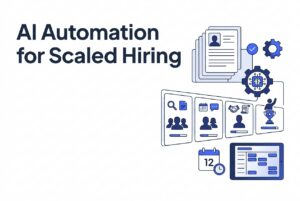
What should you standardize before you automate anything with AI?
An AI CV screening tool is only as smart as the instructions you give it. If your job descriptions are vague and no two interviewers are scoring against the same standard, automating your intake will just give you a neatly ranked list of the wrong people.
Fix the foundation first. This is the order that works.
1. Role clarity. For every open position, write a one-page role brief. It needs to include core responsibilities, must-have versus nice-to-have requirements, and concrete proof signals (like a portfolio, specific systems they’ve built, or quota history). Add a 30/60/90-day outcome statement so everyone knows what success in the role actually looks like.
2. One pipeline definition. As part of the recruitment workflow automation setup, pick hiring stages and stick to them. For example: Applied → Screen → Hiring Manager Interview → Exercise → Final → Offer. Of course, this could change if you are hiring for different roles or different experience stages. Define what has to be true for a candidate to move from one stage to the next. “The hiring manager liked them” is not an exit criterion.
3. Structured scorecards. List 4 to 6 key competencies for the role and create a simple 1-4 scoring guide with behavioral examples. Scorecards force you away from “gut feel” and make debriefs faster because everyone is answering the same questions.
4. A calibration ritual. Spend 15 minutes once a week with the hiring team to review three recent candidate scorecards. Do you all agree on the scores? If not, why? This is how you maintain a consistent quality bar when multiple people are involved.
What’s the minimum viable hiring system for a founder-led team?
You don’t need a hundred-page binder to get started. The minimum viable system is simple. You need a one-page role brief, a scorecard, defined pipeline stages, a few email templates (application received, scheduling, rejection, offer), and one central place to track everyone. Your inbox doesn’t count.
For roles, you need someone to own inbound triage (reviewing applications), someone to own scheduling, one person to make the final call, and one person to handle the offer. On a small team, two people can split this work, but you have to be explicit about who owns what.
Build this before you buy any recruiting software.
Where can AI automation save the most time in a lean 10–50 team?
Once you’ve defined the process, an AI recruiting platform can take over the high-volume, repetitive work. And the time savings are real. The trick is targeting the right bottlenecks in the recruitment process instead of trying to boil the ocean.
| Workflow Step | Pain | AI Assist | Human Check |
|---|---|---|---|
| Resume triage | 150 apps, 4 hours to screen | Contextual ranking and shortlist | You review top 15–20 |
| Candidate sourcing | Limited to job boards you know | Web/social profile discovery | You validate and engage |
| Past applicant rediscovery | “We hired for this six months ago” | AI match against existing database | You reach out personally |
| Interview scheduling | 6-email chains per candidate | Self-serve scheduling, reminders | Confirm with hiring manager |
| Status updates | Candidates asking “where am I?” | Trigger-based automated follow-ups | Personal comms at key stages |
What should you always keep human-led? The final shortlist decision (AI ranks, you decide), the actual interview conversations, and everything related to closing the deal. No automation handles negotiation or relationship-building well.
Quick-start ROI: which bottleneck should you automate first?
Don’t try to automate everything at once. Pick one pain and solve it.
- Drowning in resumes? Start with triage and ranking. Getting your review list from 150 resumes down to 20 prioritized candidates is the single fastest time-saver. AI resume screening can do that instantly.
- Candidates dropping off? Start with scheduling and follow-up automation. The friction of back-and-forth scheduling kills momentum faster than most founders realize.
- Hiring managers burned out on screening calls? Build a structured Level 1 screen. A short, async video round can work wonders before you escalate candidates to a live call.
Fixing one bottleneck is worth more than deploying five tools poorly.
How do you handle too many irrelevant applications without missing great candidates?
Volume isn’t the problem; unstructured volume is. The goal isn’t to reject people faster. It’s to prioritize smarter while having guardrails to prevent mistakes.
Here’s a practical triage ladder that works for founder-led teams:
- Knockout questions. Add two or three simple, binary questions to your application (e.g., right-to-work status, specific certification, location). Anyone who doesn’t meet these is automatically filtered out. No manual review needed.
- AI contextual ranking. This is a game-changer. Instead of just filtering for keywords (which is a great way to miss good people), contextual AI screening matches resumes against the job requirements and your own hiring history. It then ranks the applicants so you can start with the most promising ones. You still review them, but you’re starting from a ranked list rather than a random pile.
- Short structured screen. A 10 to 15-minute call where you ask every candidate the same four questions and score them against your rubric. This quick human check validates the AI’s ranking.
- Work sample or exercise. Only for finalists. Make it role-specific, time-boxed, and evaluate it against the 30/60/90-day outcomes you defined earlier.
To prevent false negatives, make a habit of spot-checking 10 or 15 candidates the AI ranked low. If you’re finding good people there, your must-have criteria are probably too strict.
And centralize your intake. When applications are coming from five different places, good candidates get lost. A single intake pipeline where everything gets screened and tracked in one system solves that problem instantly.
One more thing: a fast “no” is always better than silence. Set up an automatic acknowledgment email with a realistic timeline. Candidates will remember how you treated them.
How can AI improve candidate experience (and why it matters more at 10–50)?
At 50 employees, your brand isn’t famous enough to make up for a bad hiring experience. A candidate who waits 12 days for a response doesn’t think, “They must be busy.” They think, “This company is disorganized,” and they tell their friends.
At this stage, speed and clarity are the candidate experience. This is the real promise of good Hiring Process Automation, by the way. It’s not just about moving faster, it’s about giving candidates a clear, professional journey, even when you’re swamped.
Here are the automations that move the needle:
- Immediate confirmation and timeline. When someone applies, they get an auto-reply confirming you got their application and telling them what to expect next.
- Self-serve interview scheduling. Let candidates pick a time from your calendar. This simple change removes two to four days of back-and-forth emails.
- Stage-change notifications. When a candidate moves forward (or doesn’t), they get a message automatically. Nobody has to remember to send it.
- Consistent rejection notes. Keep them short, respectful, and timely. You don’t owe every applicant detailed feedback, but a clear “we’ve moved forward with other candidates” is just basic courtesy.
Workflow automations (standard in tools like CVViZ) let you set triggers that fire these messages automatically based on pipeline events. Using email templates keeps the tone consistent, even when four different people are involved in the process. For a founder deep in a product sprint, this is a lifesaver. It prevents accidental ghosting and keeps your best candidates engaged.
How do you scale quality of hire while moving faster (especially for technical roles)?
Speed and quality are not opposites. Inconsistency is the enemy of both. When every candidate gets a different interview with different questions, you don’t actually know who’s better. You just know who impressed whoever interviewed them that day.
The solution is to use phased hurdles: a series of smaller evaluation gates instead of one big, exhausting interview day. Each gate adds more signal without burning out your team.
Here’s a practical technical funnel:
- Knockouts. Right-to-work, time zone, maybe salary range. This is automated.
- Short structured screen. Same questions, same rubric for everyone. 15–20 minutes.
- Live coding or guided exercise. A pairing session or a structured problem with a clear rubric. This is where features like video interviewing and a live code editor become useful. You can run consistent technical screens without pulling every engineer into first-round calls. Candidates get a structured environment to show their work, and your team reviews the output on their own time. (Many platforms, including CVViZ, bundle these tools together).
- System design or deeper interview. This is for finalists only, with your senior engineers.
The goal is to reduce the load on your interviewers. Save your best technical people for the final stages, where their judgment really matters.
One discipline worth enforcing in your debriefs: have everyone score independently before you discuss the candidate as a team. This prevents one strong opinion from anchoring everyone else’s assessment. Score first, discuss second. You’ll get much more honest feedback.
What’s a realistic 30-day implementation plan for founders (and what should you measure)?
You can do this in four weeks. No dedicated recruiter required.
Week 1 — Foundation. Write the role briefs and scorecards for your open positions. Define your pipeline stages and create your email templates. Decide who on the team owns what.
Week 2 — Centralize and triage. Set up your single intake pipeline. Add knockout questions to your job postings. Turn on AI screening and ranking to get a prioritized review queue.
Week 3 — Automate comms and scheduling. Configure your workflow triggers for confirmations and notifications. Add self-serve scheduling links. Set up your rejection templates.
Week 4 — Add evaluation structure. Run your first structured Level 1 screen. Hold your first debrief using scorecards. Build a simple dashboard to track progress.
Keep the metrics you track simple at this stage:
- Time to first response: Are candidates hearing back in 48 hours?
- Time-in-stage: Where are candidates getting stuck? That’s your bottleneck.
- Time to fill: The big one, but mostly useful for tracking your own improvement.
- Source effectiveness: Which channels are sending you candidates who actually make the shortlist?
- Drop-off rate between stages: A big drop after the technical exercise usually means it’s too long or poorly explained.
Analytics dashboards in tools like CVViZ can track most of this for you, so you’re not stuck building another spreadsheet.
A quick note on fractional recruiting: if you’re hiring heavily, a fractional recruiter can compress your timelines. The key words here are inside your process. A fractional recruiter using your scorecards, your pipeline, and your central system can be a huge accelerator. A fractional recruiter running their own process is just outsourced chaos. Don’t do it.
What are the risks and guardrails of using AI in hiring at a small company?
AI tools are inputs, not decisions. That’s the frame to hold in your head.
Overreliance risk. An AI ranking is a signal for prioritization, not a final verdict. If your team stops looking at candidates ranked 8 through 15 because the AI didn’t put them in the top tier, you will miss good people. Build a monthly spot-check into your process where you review a sample of low-ranked candidates.
Bias and fairness. AI screening can inherit bias from your criteria. The most common pitfall is using proxies for quality, like specific job titles or company names, when what you really need is a skill. Define your criteria based on the job itself, use scorecards to evaluate candidates, and calibrate your team’s scoring regularly.
Data and privacy basics. You’re collecting personal data. Have a clear policy for how long you keep resumes, who has access, and how you handle deletion requests. Most modern platforms give you tools for this. CVViZ, for example, has a GDPR compliance toolkit. But the tool can’t set the policy for you. You have to decide.
Change management. Even in a 20-person company, you have to manage change. That might just mean explaining the new process to three people. But it has to happen. Decide who owns the hiring process and who trains new hiring managers. If nobody owns it, it will drift back to spreadsheets within three months.
The goal isn’t AI-run hiring. It’s AI-assisted hiring, with humans staying accountable for every judgment call that matters.