You post a role, the applications flood in, and suddenly three people are drowning in resumes while a hiring manager Slacks you asking “where are we on this?” Scheduling emails bounce back and forth for a week. You finally get a shortlist, but it’s a mess because everyone applied their own gut instincts to the same pile of candidates.
That’s not a volume problem. It’s a scalability problem. And just adding another tool to your stack is not the fix.
This article gives you five criteria to figure out if a hiring platform will actually scale with you. I’m not talking about just handling more applications, but maintaining your speed, consistency, and visibility as you grow your team, headcount, and locations. Each criterion comes with demo tests you can run and red flags to watch for. You don’t need a six-month project to use this framework; you can put it to work in a one-week trial of automated hiring.
The five criteria are workflow standardization, automation of low-judgment work, multi-channel sourcing without tool sprawl, hiring manager coordination, and finally, AI trustworthiness plus pricing predictability.
What does “scalable hiring” actually mean for a mid-market team?
Scalability in hiring has nothing to do with a long feature list. It’s about maintaining throughput and decision quality as volume increases, without having to add more people or complexity just to keep up.
Here’s a simple definition: a scalable hiring setup lets you fill roles faster, keeps decisions consistent across teams, and doesn’t demand heroic manual effort to coordinate. The second any of those three things starts to degrade at a higher volume, you’ve hit your scaling ceiling.
Watch out for these common “false scalability” signals:
- More features, but also more clicks per task. The tool adds capability but kills your speed.
- Automation that just creates a new list of exceptions you have to handle by hand.
- Candidate data that’s scattered across email, spreadsheets, and three different portals.
- Reports that exist on paper but don’t reflect how decisions actually got made.
If any of this sounds familiar, you’ve outgrown your current setup:
- Recruiters spend more than 40% of their time on resume triage and scheduling.
- Hiring managers have to ping a recruiter to get a simple status update on a candidate.
- Two managers filling the same type of role use completely different criteria.
- You can’t answer “how long does it take to get from application to offer?” without building a spreadsheet.
Think of the five criteria below as a filter. They don’t test if a platform has a feature. They test if the feature actually removes friction where your hiring process is already breaking down.
Criterion #1: Can you standardize the workflow without losing flexibility?
The goal here isn’t uniformity just for the sake of it. It’s about having one core pipeline that works consistently for all roles, while still letting you account for the real differences between hiring a high-volume customer support agent and a senior engineer.
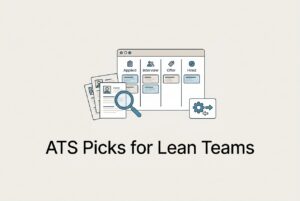
In practice, a “standardized yet flexible” system means you have common stages (Applied, Screened, Interview, Offer, Hired) with configurable variations on top. An ops role might skip a technical screen. An engineering role might add a take-home project. The key is that both use the same reporting backbone, the same scorecard logic, and the same communication templates.
This matters because when every role is a one-off workflow, your data becomes useless. You can’t benchmark time-to-fill across teams. You can’t spot where candidates are dropping off. And when something breaks, you don’t know if it’s a process problem or a platform problem.
What to test in a demo:
- Build two workflows, one for a high-volume role and one for a specialized role. See how much you can reuse versus how much you have to rebuild from scratch.
- Test the role-based permissions. Can a hiring manager see candidate feedback without getting access to the full admin dashboard?
- Make a change mid-process, like adding a stage or updating a scorecard. See if an admin can do it in under five minutes without needing a support ticket.
Red flags: If the platform makes you call the vendor to change a simple stage, that’s a dependency you’ll feel every time your business shifts. If every role ends up with its own custom pipeline, you’ve just moved your spreadsheet chaos into a new tool.
Criterion #2: Does it automate the low-judgment work, especially Level 1 screening?
The first bottleneck for almost every mid-market hiring team is the same: too many resumes, not enough time to review them all consistently. Before a recruiter can make a real decision, they spend hours on work that shouldn’t require human judgment at all, like parsing for basic qualifications, sending acknowledgment emails, and flagging duplicates.
Low-judgment tasks that should be automated:
- Initial resume triage and basic qualification filtering.
- Duplicate detection when candidates apply from multiple sources.
- Stage-change notifications and follow-up reminders.
- Acknowledgment emails and disposition messages.
- Basic routing, like automatically dispositioning a candidate who fails a knockout question.
Level 1 screening, in particular, deserves more attention than most platforms give it. Good L1 screening isn’t just filtering. It’s producing a ranked, contextualized shortlist so fast that your best candidates don’t go cold while you’re still reading.
Good screening means applying consistent criteria to every role, giving candidates a fast first response so they know they’re in the running, using structured knockout questions to route applicants automatically, and having documented reasoning you can audit later.
A platform like CVViZ uses AI resume screening with NLP-based contextual matching. Instead of just filtering on keyword hits, it ranks candidates based on how well their actual experience fits the role you’re hiring for. The rankings update in real time as you tweak the job requirements, and workflow automation handles the routing: apply → acknowledgment; fail knockout → disposition; pass → invite to next step. That’s the kind of triage that frees up a recruiter to focus on conversations that matter, not on pile management.
Demo tests to run:
- Upload a sample batch of resumes and ask the platform to explain why Candidate A ranks above Candidate B. You want to see contextual reasoning, not just a keyword count.
- Change a job requirement and watch if the rankings update immediately.
- Build a workflow automation rule for your recruitment process from scratch and time how long it takes.
Red flags: Scoring you can’t interpret, automation that creates more exceptions than it solves, or a system that ranks candidates but can’t tell you why.
A simple “Level-1 throughput” scorecard for your trials
Track four numbers before and during your trial:
- Time-to-shortlist: The hours from posting a job to getting a qualified shortlist in front of the hiring manager.
- % of applicants auto-triaged: What share of applicants moved through L1 without a recruiter touching them?
- Recruiter touches per candidate: How many individual actions a recruiter took for each application.
- Candidate first-response time: How quickly applicants got an acknowledgment or a next step.
The goal isn’t a perfect score. It’s proof that you dropped the cognitive load and sped up progression. “AI is on” isn’t a metric. These four numbers are.
Criterion #3: Can it expand sourcing and job posting without adding more tools?
The typical mid-market sourcing problem isn’t a lack of reach; it’s fragmentation. You’re posting on LinkedIn, Indeed, and a niche board, but applicants are landing in three different inboxes, duplicates are piling up, and source tracking is basically nonexistent. By the time you try to figure out which channel sent you your last good hire, the data is gone.
Multi-channel sourcing only scales when every candidate, no matter where they came from, lands in one system of record with their source attached.
What to evaluate:
- Posting breadth and management: Can you post to free and paid boards in one action and manage them centrally without logging into each portal?
- Source tracking: Can you see which channels produce qualified candidates, not just a high volume of applications? Volume without quality is just noise.
- Talent pool reuse: Can you quickly re-engage past applicants (like silver medalists from three months ago) without rebuilding your search from scratch?
CVViZ’s job posting reaches over 20 free job boards with one click and connects to more than 2,000 paid boards. The Chrome extension and “Find On Web” sourcing tool let you pull profiles from platforms like LinkedIn, GitHub, and StackOverflow directly into a central candidate pool, with duplicate detection to stop the record rot that makes databases useless.
Demo tests:
- Post a job to multiple boards in a sandbox environment. Trace how each applicant lands in the same pipeline with their source automatically tagged.
- Import a profile from a web source and check if the system correctly flags it as a duplicate if it already exists.
Red flags: If you need a separate posting tool that has to sync back to the ATS, you’ve just added a seam, and seams always break. If your source data disappears after a certain point, you can’t make good decisions about where to spend your time and money.
Criterion #4: Does it make hiring manager coordination easier (not harder)?
Scalability doesn’t live in the recruiter’s inbox. It lives in the handoff. The most common place mid-market hiring breaks is the gap between “shortlist ready” and “feedback received.” Managers are busy. They will not log into a tool that slows them down. And if they don’t, recruiters are right back to chasing status updates over Slack and email.
What real coordination requires:
- A shared, real-time view of the candidate pipeline, not a static report.
- A full activity timeline: emails, stage changes, notes, and interview feedback, all in one place.
- Role-based access that gives managers what they need without dumping the entire admin interface on them.
- Lightweight collaboration features like comments, structured feedback, and reminders.
CVViZ centralizes the candidate communication history, stage changes, and team notes. A hiring manager who logs in at 9 PM can see exactly where a candidate stands without having to ping the recruiter. Workflow triggers can also send reminders when feedback is overdue, which cuts down on the “following up on the follow-up” cycle that eats up a recruiter’s day.
One practical note here: no tool can solve this on its own. You have to define simple SLAs before you launch. “Feedback within 48 hours” needs to be an agreed-upon expectation, reinforced by dashboards and reminders, not just assumed. The platform can prompt and remind; the accountability is still human.
Red flags: Feedback trapped in email threads, managers who avoid the platform because it takes too many clicks, or no clear ownership when a candidate gets stuck in a stage.
Criterion #5: Is the AI trustworthy (and the pricing predictable) as you grow?
Let’s talk about two things vendors don’t always want to talk about: how the AI actually works, and what the platform will really cost you.
AI governance: what to actually ask
“Explainability” in AI screening means you can see, in plain language, why a candidate ranked where they did. It’s not a confidence score or a percentage match. It’s a reason. That matters for two things: recruiter trust (they’ll override a ranking they understand but ignore one they can’t) and compliance (opaque scoring creates audit risks, especially in places with hiring bias laws).
Questions to ask any vendor:
- “Show me why Candidate A ranks above Candidate B for this role.”
- “How do you monitor for bias or drift in screening recommendations over time?”
- “What does a hiring bias audit look like, and who runs it?”
A black-box scoring system doesn’t get safer just because the marketing copy says “fair AI.” If they can’t show you the reasoning, treat it as a risk, not a feature.
Pricing: ask for the full picture
Here are the common traps in mid-market ATS pricing:
- Per-seat costs that spike when you add hiring managers as collaborators.
- AI features, integrations, or reporting modules sold as expensive add-ons.
- Implementation and migration fees that show up after you’ve signed the contract.
- Data portability limits that make it hard to leave.
How to compare honestly: Ask for an all-in quote based on your actual hiring plan for the next 12–18 months. Include every person who will touch the system, every integration you need, and every module you’d use. Then compare that number across vendors, not the tempting starting price.
Additional checklist questions:
- “What’s included in the base plan versus what’s an add-on?”
- “Which integrations are included, and how are they maintained when a third-party API changes?”
- “What does migration include, and what happens to our historical candidate data if we leave?”
How do you pressure-test a platform in 14 days?
You don’t need a massive “ATS replacement project” to know if a platform will work. A focused two-week trial on one real role will tell you almost everything.
Day 1–2: Pick one high-volume or high-pain role, the one that’s burning the most recruiter time right now. Before you start, write down three success metrics: time-to-shortlist, candidate first-response time, and stage conversion rate.
Day 3–7: Post the role to multiple channels through the platform and watch how applicants flow into the pipeline. Set up your automation rules for acknowledgments, knockout routing, and stage triggers. Test the screening output against your own manual review of the same batch.
Day 8–12: Run first-round interviews. Measure the scheduling friction. How many back-and-forth messages did it take to confirm each one? Have at least one hiring manager use the tool to leave feedback and see how long it takes them.
Day 13–14: Pull your reports. Where did candidates stall? Which channel produced the most qualified applicants? Export the data and see if it’s clean enough to be useful.
A quick calibration: don’t try to model every edge case in a trial. Just prove the 80% workflow first, the core path most of your hires will follow. If that breaks, nothing else matters. If it works, you can solve the edge cases.
What should you do next if hiring is already breaking?
Match your biggest pain to the criterion most likely to fix it, and start there.
- “We’re getting too many irrelevant resumes.” → Prioritize contextual AI screening, relative ranking, and structured knockout questions. Get to a clean shortlist faster before you solve anything else.
- “Scheduling is a constant back-and-forth.” → Prioritize calendar-connected interview scheduling and automated communications. This is often the fastest win you can get.
- “Our managers aren’t aligned on candidates.” → Prioritize shared pipeline visibility, feedback capture, and SLAs. The tool can support it, but the SLA still has to be defined by you.
- “We need more candidates, fast.” → Prioritize multi-channel posting and talent pool reuse. Silver medalists from past roles are often your fastest source of qualified candidates.
- “We’re hiring developers remotely and it’s slow.” → Prioritize video interviewing with structured evaluation. CVViZ includes built-in video interviews and a live code editor for developer screening, which reduces the logistical headache of coordinating separate tools.
One final reminder that’s easy to lose in a platform evaluation: a great scalable hiring platform will reduce your admin overhead and increase consistency. It will not replace clear roles, defined rubrics, and human accountability. The platform is the infrastructure. You still have to build the process.
FAQ
Do I need to replace my ATS, or can I just add an AI layer on top?
Not always. Some AI recruiting tools, including CVViZ, can work as an intelligent layer on top of an existing system, handling screening and ranking while your ATS manages the workflow. That said, if your current ATS is the source of your coordination and workflow problems, adding AI won’t fix the underlying fragmentation. Figure out if your bottleneck is screening or the broader pipeline first.
What’s the difference between an ATS and a “hiring platform” for mid-sized businesses?
Traditional ATS tools track applications and manage compliance records. A hiring platform adds sourcing, screening intelligence, automation, collaboration, and analytics on top of that. For an ATS for mid-sized businesses, the practical difference is whether the system helps you make faster decisions or just document the ones you already made manually.
How should I think about compliance (like GDPR) when using AI screening?
AI screening brings up two compliance issues: data privacy (how long data is stored, if candidates can request deletion) and bias (if your screening criteria create a disparate impact). For GDPR, look for platforms with tools for access, rectification, erasure, and data portability. For AI fairness, ask vendors directly how they monitor for bias and if audit logs are available.
What KPIs should I track to prove the platform is working?
Focus on four: time-to-shortlist (speed), stage conversion rates (pipeline quality), source-of-hire by qualified candidate (channel efficiency), and recruiter hours per hire (admin load). Together, these tell you if the platform is delivering speed, consistency, and efficiency, not just activity.
How do I keep the candidate experience strong while increasing automation?
The risk with automation is radio silence. The fix is simple: automate the timing of your communication, not the absence of it. Set up instant acknowledgment emails, clear status updates at each stage change, and timely rejection messages for candidates who don’t move forward. Candidates handle rejection far better than they handle silence. Automation makes fast communication possible, but it’s on you to make sure those messages still feel human.