An AI ATS is affordable when its total cost of ownership is lower than the value it creates in the hiring workflow. That means the monthly sticker price is only the starting point. You still need to account for usage charges, active-job caps, user limits, implementation, migration, integrations, support, job-board spend, and the internal admin work your team will still do.
For a mid-market TA team, that distinction matters fast. CVViZ’s public pricing page lists plans from $99 to $499 per month, with unlimited users on the four main ATS plans and active-job limits of 5, 10, 20, and 100. So the real question is not “Which plan is cheapest?” It is “Which plan matches my peak requisition load and workflow volume without surprise costs?”
What does AI ATS pricing include?
AI ATS pricing is rarely just one number. In practice, it can include a subscription, usage credits, job posting fees, parser credits, implementation, migration, support tiers, and internal admin time. So a cheap plan can still become expensive if it forces your recruiters back into spreadsheets and manual cleanup.
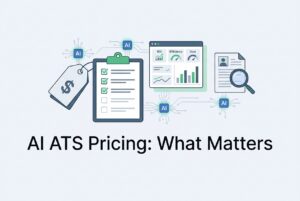
A good buying model starts with total cost of ownership, not the monthly quote. Use this simple formula:
Annual TCO = subscription + usage credits + job-board or communication charges + add-ons + implementation and migration amortized over time + integration and support fees + internal administration cost.
That last line is the one people forget. If your team still has to export data, fix duplicates, chase hiring-manager feedback, or reconcile records after every workflow step, the “low-cost” system is not actually low-cost. It is just deferring labor back to your team.
A useful test is to compare cost against four outputs: cost per active requisition-month, cost per screened applicant, cost per hire, and payback period. Once you do that, AI ATS pricing becomes a business question, not a feature brochure question.
Which ATS features are worth paying for?
Not every feature deserves budget on day one. The best ATS features remove real bottlenecks, while the rest are only worth paying for if the team uses them often enough to replace another cost.
| Capability | Pay first when… | Value test | Common red flag |
|---|---|---|---|
| AI Resume Screening and Relative Resume Ranking | Application volume overwhelms recruiters or strong candidates are getting missed | Test historical resumes against recruiter decisions and inspect why candidates rank where they do | “AI” is just keyword filtering with no explanation |
| Resume Parsing and data normalization | Resumes arrive in many formats or through email and bulk imports | Check extraction fields, duplicate handling, export behavior, and credit use | “Unlimited” parsing hides credit limits or overage |
| Workflow Automation | Recruiters spend time on status changes, reminders, scheduling, and follow-up | Count how many manual trigger-to-action steps disappear | Messages send, but records do not update |
| Search and Candidate Rediscovery | You have a growing talent database or silver-medalist pool | Search past candidates by role, skills, and history | Keyword hits with no context or duplicate control |
| Recruitment Analytics | Leadership wants source, funnel, and productivity reporting | Reproduce a weekly report without spreadsheet cleanup | Pretty dashboards with weak export or no audit trail |
| Integrations and API | You already run an ATS, HRIS, calendar, or email workflow | Test real data flow, including failures and duplicates | An “integration” is really just a link or CSV upload |
The core idea is simple. Pay first for features that remove work, improve speed, or reduce missed candidates. Pay later for features that are nice to have but do not change the workflow much.
How does AI Resume Screening create value?
AI Resume Screening is worth paying for when it reduces the time recruiters spend sorting noise and helps them surface relevant candidates faster. It is not the same as parsing, and it is not the same as a simple keyword filter. Parsing extracts data. Screening and Relative Resume Ranking decide what looks most relevant to the role.
CVViZ’s public page says its AI assesses candidate skills, experience, and job relevance, then ranks and shortlists applicants using contextual analysis beyond simple keyword matching. That supports a screening and ranking use case, but it does not justify a guaranteed accuracy rate or a fixed shortlist outcome. Recruiters still need to review, override, and validate.
A practical way to test value is to run historical resumes through the system and compare the rank order with actual recruiter decisions. Look at false negatives, shortlisting quality, and whether the system can explain why a candidate was ranked where they were. If you cannot inspect the logic at a useful level, the feature is more of a black box than a hiring tool.
For your team, the real benefit is not “AI” by itself. It is fewer hours spent on manual review, fewer missed candidates, and a cleaner path from application to first review.
Which ATS features matter for high-volume hiring?
When hiring volume rises, the value shifts toward features that reduce friction across the whole workflow. That usually means Workflow Automation, Candidate Rediscovery, Recruitment Analytics, search, sourcing, and integration support.
CVViZ’s public pages describe automated resume screening, interview scheduling, email reminders, task assignment, candidate status updates, and custom triggers and rules. That is useful when your team is drowning in follow-ups and handoffs. It also describes Elasticsearch-based full-text search, Boolean search, and filtering across the resume database, which supports faster Candidate Rediscovery.
The sourcing side matters too. CVViZ says it can post jobs to 2,000+ job boards and source from platforms like LinkedIn and GitHub. That reach helps with distribution, but reach is not quality. A large channel count does not guarantee strong applicants. Compare qualified applicants, interview rate, and hire rate by source instead.
Recruitment Analytics is the final piece. If leadership wants cleaner reporting on funnel health, source effectiveness, and time-to-fill, then dashboards and exportable reports are not fluff. Just make sure the report definitions match your own metrics.
How do you test an AI ATS before buying?
Start with a historical ranking test. Give the vendor a privacy-safe set of old resumes and job descriptions, then ask the system to rank candidates without showing the original outcomes. Measure how well the top candidates match real recruiter decisions, how many qualified people were missed, and how stable the ranking is when resume formatting changes.
Next, run an automated hiring workflow test. Import a resume, parse it, detect a duplicate, rank it, move the candidate through a few stages, trigger a message, schedule an interview, assign feedback, and export the record. If the system breaks on routine steps, the feature set is not ready for real use.
Then check governance. Ask who can edit criteria, override recommendations, see explanations, inspect audit trails, export or delete data, and approve automated messages. If recruiters and hiring managers do not trust the process, adoption will suffer. And if adoption suffers, even a lower-priced system becomes a waste.
Finally, pilot against a control group. Compare time to first review, qualified candidates reviewed, interviews per hire, time to fill, recruiter hours, manager response time, candidate response rate, and agency spend. Keep human review in place while the pilot runs. That is the cleanest way to see whether the software is helping or just looking busy.
What hidden costs should buyers check?
This is where a lot of AI ATS pricing stories fall apart. The hidden costs are often the real costs.
Ask every vendor to spell out these items line by line:
- Subscription price and annual increase cap
- Billing unit: user, employee, active job, applicant, parse, screen, API call, or AI credit
- Peak active jobs and how paused or reopened roles count
- Applicant, storage, email, SMS, campaign, video, assessment, and API limits
- Job-board fees and whether “free” means free to the ATS or free to the board
- Implementation, migration, configuration, sandbox, and launch support
- Data cleanup, duplicate resolution, and import/export charges
- Integration setup, custom field mapping, and error handling
- Training, premium support, and response-time tiers
- SSO, multi-domain, audit-log, security, and compliance add-ons
- Parser credit definitions, expiry, and overage rules
- Contract minimums, renewal terms, and price-change terms
- Data retention, deletion, portability, subprocessors, and hosting location
The biggest hidden cost is often internal admin. If your recruiters still spend time reconciling data and chasing status updates, you are paying twice: once for software and once for the work the software failed to remove.
How should buyers assess AI hiring risk?
AI hiring risk is mostly about governance, explainability, privacy, and legal context. It is not enough for a vendor to say the tool is AI-powered. You need to know what it does, who reviews it, and how errors are handled.
NIST’s AI Risk Management Framework is voluntary, but the structure is useful. It emphasizes ownership, boundaries, measurement, monitoring, and human review. That maps well to an Applicant Tracking System purchase. So does New York City’s Local Law 144 guidance, which requires a hiring bias audit before use for covered automated employment decision tools and notice rules for employers and agencies. The EU AI Act also treats employment and recruitment uses as high-risk use cases.
CVViZ’s public privacy material says it supports GDPR rights like access, rectification, erasure, and portability, and that it acts as a data processor. It also says it does not sell personal data. But the public material does not fully establish retention periods, subprocessors, hosting region, model-training use of customer data, or deletion timing. Those are still diligence questions, not assumptions.
So before you buy, ask for the current DPA, security documentation, subprocessor list, retention terms, and a clear answer on whether customer resumes are used to train shared models. Compliance is not automatic just because a product has an AI label.
What is AI ATS pricing?
AI ATS pricing is the commercial structure for an Applicant Tracking System that includes AI for screening, matching, ranking, parsing, sourcing, or workflow help. It can be billed per user, employee, active job, job post, applicant, parse, AI credit, API call, or as a quote-based subscription.
What is an affordable ATS with AI?
An affordable ATS with AI is one whose total annual cost is lower than the measurable value of the workflow it improves. The monthly price alone does not tell you that. You need to compare cost per active requisition, cost per screened applicant, and cost per hire.
Does CVViZ charge per user?
The four main ATS plans list unlimited users. However, that does not mean every other usage type is unlimited. Applicants, parser credits, API calls, and other charges still need confirmation.
Is resume parsing the same as AI screening?
No. Resume Parsing extracts and standardizes resume data. AI Resume Screening and Relative Resume Ranking compare that data against the job and prioritize candidates. A strong parser can still sit next to weak screening logic, so test both separately.
Are 2,000+ job boards the same as 2,000+ good sources?
No. Distribution count is reach, not quality. A large board list can widen exposure, but it does not guarantee qualified applicants or lower cost. Measure source quality by interview rate, hire rate, and candidate response.
Is AI screening worth paying for?
Yes, when it saves enough recruiter time or reduces enough missed candidates to beat its total cost. But the system must also show why it ranked candidates and allow human review. A black-box score is not enough.
Which features should a small recruiting team buy first?
Start with AI Resume Screening, Resume Parsing, Workflow Automation, searchable candidate history, Recruitment Analytics, and the integrations you actually use. Add CRM-style campaigns, broader sourcing, video interviewing, live coding, SSO, or multi-domain access only when the workflow or risk profile justifies them.