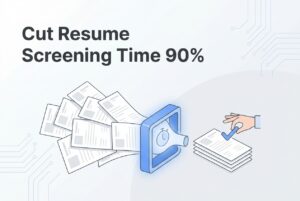
You’ve got 200 resumes in your inbox for one open role. Half aren’t even remotely qualified. Your hiring manager is texting you for the third time this week asking for a status update. And you just burned 45 minutes on back-and-forth emails to schedule a single phone screen.
This is the breaking point. It’s the exact moment a company decides to buy its first ATS, and it’s when the pressure to just pick something is highest. That urgency is where the most expensive mistakes are made.
The real cost of a bad first ATS isn’t the monthly subscription. It’s the six weeks of slow onboarding before you realize the tool doesn’t fit how your team actually works. It’s paying for seats and modules nobody touches. It’s the migration headache nine months from now, after you’ve already lost good candidates to a clunky process.
This guide covers the five costliest mistakes I see first-time ATS buyers make, and how to sidestep them. Each section gives you a practical way to validate a tool before you commit, so you’re choosing based on reality, not a slick sales demo.
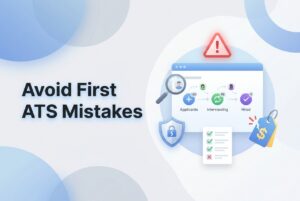
Why Is “Buying Too Fast” Your First Expensive ATS Mistake?
There are hundreds of applicant tracking systems on the market. That isn’t an exaggeration; it’s the core of the problem. When you’re in pain and pressed for time, decision fatigue kicks in almost immediately. You watch a couple of demos, the second one has a clean UI, the sales rep is confident, and suddenly you’re signing a contract.
Buying too fast usually means one of three things: picking the big brand name you’ve heard of, choosing based on a single feature that solves your most immediate pain, or grabbing the lowest sticker price without reading the fine print.
The fallout is worse than a wasted subscription fee. Teams often get six to eight weeks in before realizing the tool doesn’t match how they actually hire. By then, they’ve already pushed candidates through it, trained a few hiring managers, and built up some inertia. Starting over costs you momentum and, often, good candidates who get lost in the shuffle.
Before you look at a single demo, define:
- Your top 3 bottlenecks (Is it screening volume? Scheduling chaos? No visibility into your pipeline? Be honest.)
- Your top 3 constraints (Hard budget ceiling, mandatory integrations, a specific go-live date.)
- What “working” looks like in 30 days (One clean pipeline for your main role, half the emails you’re sending now, a faster screening process.)
Then, commit to evaluating 3–5 tools using the same simple workflow. Your real workflow, not their canned demo. There’s a short checklist to choose ATS at the end of this article to help you compare them consistently.
What Hidden Costs Should SMBs Look for Beyond the Monthly License?
The ATS subscription price is the first number a vendor shows you. It is rarely what you’ll actually pay.
Your real ATS cost has several layers that most first-time buyers don’t see coming.
| Cost Category | What to Watch For |
|---|---|
| Per-seat pricing | Minimums can force you to pay for seats you don’t need. |
| Add-on modules | Reporting, automation, and career pages often cost extra. |
| Implementation time | Weeks of setup means weeks of delayed hiring results. |
| Renewal escalations | Pricing often jumps as your headcount or job volume grows. |
| Internal admin burden | Don’t forget time spent on training and ongoing maintenance. |
But the sneakiest cost is the complexity tax. A cheap tool that requires constant workarounds like manual exports, copy-pasting updates between systems, or weekly “how do I do this again?” Slack messages can easily cost you more in wasted time than a slightly pricier tool that just works.
Ask every vendor these three questions before you sign:
- What, specifically, is included in the base plan versus what’s an add-on?
- Are there any limits on jobs, candidates, emails, or automations?
- For a team our size (say, three people), what does it really take to go live?
The pricing model itself matters, too. If you hire in bursts with a heavy first quarter and a quiet third, you don’t want to be locked into enterprise seat minimums all year. Look for pricing that scales with your actual hiring activity, so you aren’t paying peak rates during a lull.
How Do You Avoid Choosing an ATS That Doesn’t Match Your Real Workflow?
Most small and mid-sized businesses don’t have a formal, documented hiring process. Hiring happens in the cracks: the founder handles the first look at resumes, a hiring manager does final calls, someone updates a shared spreadsheet, and feedback gets buried in a Slack thread.
That’s not a criticism. It’s just reality. The problem is, if you pick an ATS before mapping your actual steps, you’ll set it up for the process you think you have, not the one you’re actually running.
Before you evaluate any tool, sketch out your real pipeline:
- Stages: Applied → Screen → HM Review → Interview → Offer → Hired/Rejected. What are yours?
- Ownership: Who owns each stage? More importantly, who actually has time to do the work?
- Sources: How do candidates get in? Job boards, referrals, LinkedIn, agency emails?
- Decisions: Where do decisions happen and how is feedback captured today?
Then, you can watch for red flags during demos. “You can customize anything!” sounds great, but it often means a full day of configuration work just to post your first job. Too many required fields, confusing permission settings, and clunky navigation are all signs a tool was built for a dedicated HR ops team, not a founder wearing six hats.
The best test you can run is what I call a day-in-the-life test: post a real job, move 10 actual candidates through your pipeline, send three email templates, and schedule two interviews. Time every step. If a tool slows you down during a free trial, it will not magically speed you up once you’re paying for it.
Why Is Ignoring Screening Automation a Costly Mistake for Lean Teams?
Here’s the thing about moving from spreadsheets to an ATS: if the new tool doesn’t meaningfully cut your screening time, you’ve just bought a fancier, more expensive spreadsheet. Your inbox might be cleaner, but you still start your morning with 80 resumes to skim.
Slow and inconsistent screening is a huge bottleneck. It looks like keyword filters that miss great people, manual skimming with no set criteria, and decisions that change based on who’s reviewing resumes that day. It doesn’t scale.
What to prioritize in a first ATS for screening:
- Structured resume parsing so you’re not squinting at raw PDFs.
- Contextual matching and ranking, which means judging relevance to the whole job, not just finding keywords.
- Pre-screening questions that can filter out unqualified applicants automatically.
- Fast search across your entire candidate database so you can find silver medalists from past searches.
Tools like CVViZ are built to solve this exact problem. Its AI resume screening uses NLP and machine learning to evaluate candidates contextually. It ranks them based on how well they match the role, giving you a clear list of who to look at first. This is incredibly useful when you have 150 applicants and only 90 minutes.
To be clear, automated candidate screening is there to prioritize your shortlist. It doesn’t replace your judgment. You still make the call. But if the top-ranked profiles consistently match who your hiring manager would have picked anyway, you’ve just saved hours of manual work on every single role.
Validation test: Take the last 50 resumes you received for an active job and run them through the tool. Do the top 10 ranked candidates align with the shortlist you or your hiring manager built manually? If the alignment is good, the tool is saving you real time.
How Does Poor Candidate Experience Silently Increase Your Cost-Per-Hire?
SMBs often think they’re fast. Internally, maybe you are. You make decisions quickly and aren’t waiting on a dozen approvals. But from a candidate’s perspective, your version of “fast” often feels like three days of silence after applying, followed by a scheduling chain that takes another two days.
That gap is where your best candidates accept other offers.
Friction points to kill with your ATS:
- Clunky application forms that aren’t mobile-friendly (people will just give up).
- Inconsistent communication where some candidates get updates and others hear nothing.
- No internal visibility, which leads to candidates falling through the cracks when someone is out of office.
- Interview scheduling that still takes five back-and-forth emails to lock in a time.
For early-stage screening, the coordination is a massive time sink. Repetitive phone screens where you ask the same five questions are a prime target for automation. For instance, CVViZ’s video interviewing lets candidates complete a structured interview on their own time, right inside the ATS. For technical roles, the built-in live code editor lets you run assessments in the same place, no extra tools needed.
This doesn’t remove human judgment. It just means that by the time you’re scheduling a live conversation, you’ve already seen something meaningful from the candidate and know they’re worth the time.
A simple SLA for small teams: Acknowledge every application the same day it comes in. Communicate the next step to qualified candidates within 48 hours. Your ATS should make this easy with templates and automated reminders, not heroic daily effort.
Practical check: Apply to one of your own jobs from your phone. Count the steps. If you get annoyed and would abandon the process halfway through, your candidates are doing exactly that.
What Integration and Sourcing Mistakes Cause Tool Sprawl and Lost Candidates?
Does this chaos pattern sound familiar? You post on Indeed manually, then post on LinkedIn separately. Agency submissions arrive by email. Referrals are tracked in a spreadsheet. Then you try to merge it all into one “master list” of candidates. Duplicates pile up. One person gets interviewed twice; another gets missed entirely.
An ATS that can’t centralize your sourcing doesn’t solve this problem. It just adds one more place to check.
The questions to ask any vendor about sourcing and integrations:
- Can it post to the job boards where you actually get hires, not just a generic list?
- Can it cleanly parse resumes forwarded from email or sourced from the web?
- Does it sync with your email and calendar so you’re not constantly switching tabs?
- Does it catch duplicate candidates automatically?
A good system handles this in one action. For example, CVViZ offers one-click posting to over 20 free job boards and integrates with thousands more. Combined with features like “Find On Web,” which sources candidates from LinkedIn, GitHub, and Stack Overflow, it centralizes what currently lives across five different places.
Before vs. after a well-integrated ATS:
| Before | After |
|---|---|
| Post manually to 3–4 boards | One post pushes to 20+ boards |
| Agency submissions live in email | Imported directly into your pipeline |
| Referrals are tracked in a spreadsheet | Added to a single candidate pool |
| Calendar invites sent separately | Synced directly through the ATS |
Validation: Run one job posting end-to-end. Confirm where it appears and check that applicants from different channels all flow into the same pipeline without you having to lift a finger.
How Do You Avoid Reporting Overload and Still Prove ROI in the First 30–60 Days?
Buying an ATS with 40 pre-built dashboards sounds impressive. In practice, when teams face that many options, they look at none of them consistently. Then they can’t answer the one question that actually matters: Is hiring faster now?
The trap is buying “advanced analytics” for some future need, then watching it go unused while your real bottleneck (like slow interview scheduling) remains invisible.
For the first 30–60 days, track these starter metrics and nothing more:
- Time to fill / time to hire: Pick one definition and stick with it.
- Stage conversion rates: Applied → Screened → Interviewed. Where are you losing people?
- Source effectiveness: Which channels produce candidates who get to the interview stage, not just apply?
- Response time to qualified candidates: Are you meeting your internal SLA?
CVViZ’s recruitment analytics tracks these directly: time to fill, source effectiveness, and pipeline velocity. It lets you export simple reports without needing to become a data analyst. For a lean team, the goal is a 15-minute weekly review that answers one question: where’s our bottleneck this week?
When evaluating any ATS, the right question isn’t “How many reports does it have?” It’s: “Can I simplify the dashboard so my team actually looks at it?” Simpler gets used.
What’s the Simplest Way to Trial an ATS and Validate Vendor Claims Before Committing?
Demos are clean. Your hiring process is messy. The only way to know if a tool actually works for you is to run it on a real job, with real people, under real-world pressure.
A 7–14 day pilot plan:
- Pick one active role, ideally a high-volume one or a recent pain point. See if this job gets automatically posted to job boards like LinkedIn, Indeed, etc.
- Upload 20–50 actual candidates (not fake test data). Also, check if you get inbound candidates from the automated job posting from step 1.
- Have 2–3 real users work in it: the main recruiter or founder, plus at least one hiring manager.
Then score each tool using the same simple scorecard to compare them fairly.
| Scorecard Category | Rating (1–5) |
|---|---|
| Setup time to first job posted | |
| Screening speed (time to shortlist) | |
| Scheduling friction (emails per interview) | |
| Collaboration (ease of sharing notes/feedback) | |
| Source tracking clarity | |
| Admin burden (number of workarounds needed) |
Here’s a rule that cuts through all the noise: if the tool doesn’t save you time in week one, it won’t magically save you time later. The best ATS for a lean team is the one your team uses consistently, not the one with the longest feature list.
Choose the system that removes your biggest bottleneck today, fits how your team already works, and gives you a clear way to measure improvement. Everything else is a distraction.