You know the scene. A pile of 300 applications for two open roles, three hiring managers pinging you for updates, and a calendar that looks like a game of Tetris gone wrong. The question isn’t if you should use AI in recruiting. It’s where automation actually helps, and where it just makes things more complicated.
So, what’s the move? Hire another recruiter, or automate the bottlenecks? The right answer is different for a 30-person startup than it is for a 300-person company. It all depends on where you’re actually stuck.
Here’s the short version: AI crushes the repetitive, high-volume work (think screening, scheduling, and follow-ups). Humans are still your go-to for judgment, influence, and when things inevitably go off the rails. The best model isn’t AI or a person; it’s a hybrid. Let the machines accelerate throughput so your recruiters can do the work that actually requires a human touch.
This is a playbook. We’ll cover where each wins, a real-world cost model (including the costs everyone forgets), and a checklist for evaluating tools so you don’t get sold a demo dressed up as a strategy.
What exactly are you comparing when you say “AI recruiter vs. human recruiter”?
“AI vs. human” is the wrong way to frame it. The useful comparison is about specific tasks and who (or what) can handle them best.
A human recruiter can mean a few different things:
- In-house recruiter/TA specialist: Owns the end-to-end process, from managing relationships to closing offers.
- Sourcer: Finds and engages passive candidates.
- Coordinator: The hero of scheduling, logistics, and communication.
- External agency: A different beast with a different cost structure (usually 15–25% of first-year salary).
An AI recruiter isn’t a robot that interviews candidates. It’s shorthand for the automation that handles repeatable tasks: screening, scheduling, communicating, and reporting. It’s a system that handles the grunt work so your team doesn’t have to.
The goal isn’t to replace recruiters. It’s to reallocate their time. Let AI handle the admin-heavy work so recruiters can focus on building trust, calibrating with managers, and closing candidates. That’s where the real ROI is.
Which recruiting steps are repeatable vs. judgment-heavy?
Repeatable (good for AI):
- Resume intake, parsing, and deduplication
- Screening and shortlisting against clear criteria
- Interview scheduling and coordination
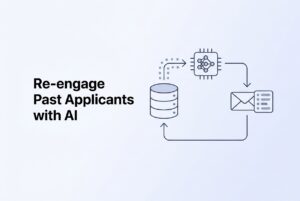
- Status updates and candidate follow-ups
- Pipeline reporting and sourcing analytics
Judgment-heavy (needs a human):
- Calibrating role requirements with hiring managers
- Nuanced evaluation of a candidate with a weird career path
- Assessing cultural fit and team dynamics
- Managing stakeholder expectations (a full-time job in itself)
- Offer negotiation and closing
- Handling all the exceptions when the process breaks
Where does AI reliably beat humans on time (and where doesn’t it)?
AI wins on volume and repetition. Humans win on judgment and relationships. The biggest gains from AI come when the real bottleneck is just waiting for a person to get to the next task in a long queue.
Resume screening: A recruiter reviewing 200 resumes by hand might take days to create a shortlist. AI screening does it in minutes, applying the same criteria to every resume without getting tired. This isn’t a small tweak; it completely changes your response time during an application surge.
Scheduling: The average interview involves three to five emails and a couple of days of back-and-forth per candidate. Automation makes that coordination time disappear.
Candidate engagement: Slow (or no) acknowledgment is the fastest way to lose good people. Automated triggers send instant confirmations and updates without a recruiter having to touch each one, reducing drop-off from great candidates who assume you’re not interested.
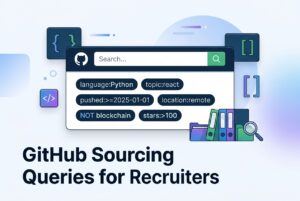
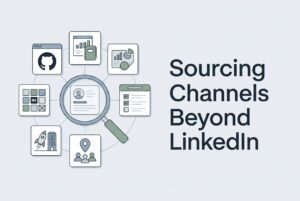
Sourcing reach: A recruiter manually posting to a few job boards has a limited ceiling. AI-assisted sourcing can push a role to dozens of boards at once and pull candidates from platforms like GitHub or StackOverflow that most recruiters don’t have time to work manually.
This is where a platform like CVViZ comes in. It’s not a replacement for your recruiter, but a layer that handles the contextual screening, job distribution, and workflow automation. The recruiter still runs the show; the system just handles the volume.
Where AI falls short: Unique or senior roles with a small candidate pool. Messy job requirements that change halfway through the search. Offers that require delicate negotiation. For these, automation creates more friction than efficiency.
The practical rule: if your bottleneck is your inbox and your calendar, AI delivers huge gains. If your bottleneck is closing candidates who have competing offers, a skilled recruiter is the better investment.
A simple “time-to-fill bottleneck” diagnostic
You’re admin-bottlenecked if:
- Resumes sit unreviewed for more than two business days.
- It takes more than 48 hours to get an interview scheduled.
- Candidates go a week without hearing anything from you.
You’re decision/closing-bottlenecked if:
- Shortlists sit with hiring managers for a week with no feedback.
- Good candidates keep dropping out or ghosting you mid-process.
- Your offer acceptance rate is below 70%.
You have to fix the right problem. Most teams are admin-bottlenecked and don’t even realize it.
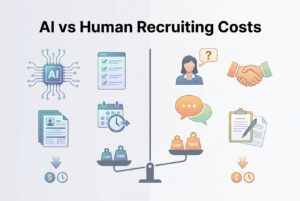
What does “cost” really mean in recruiting (beyond salary or tool price)?
Comparing a recruiter’s salary to a software subscription is a rookie mistake. It misses most of what a hire actually costs. You need to look at the total cost to get someone in the door, not just line items on a budget.
Direct costs: This is the easy stuff. Recruiter salary and benefits, any agency fees you paid, job board ads, and tool subscriptions.
Indirect costs: This is where the real money hides. Think of the hours your hiring managers spend sifting through resumes. The time your recruiters spend on admin. The qualified candidates who ghost you because your process was too slow.
Opportunity cost: This one hurts. Every week a role stays open, you’re losing something. A sales role open for an extra month isn’t an HR problem; it’s a missed quota. An engineering role delayed by three weeks can push back a product launch.
Quality cost: The cost of a bad hire is brutal, easily 1-2x their annual salary once you factor in re-hiring, lost productivity, and team disruption. And what’s a primary cause of bad hires? Rushed, inconsistent screening from an overloaded team.
The real ROI of AI isn’t just about saving money on a salary. It’s about cutting the waste, delays, and mistakes that make hiring so expensive in the first place.
How do you calculate AI vs. human recruiter ROI for SMB, mid-market, and enterprise?
Start with this simple formula:
ROI = (Net business value from hires – Total recruiting cost) ÷ Total recruiting cost
The KPIs that matter here are:
- Time-to-fill and time-to-hire
- Cost-per-hire (all in)
- Offer acceptance rate
- Early attrition rate (a good proxy for hire quality)
- Source effectiveness
- Funnel conversion rates
AI recruitment automation creates value by improving these KPIs: faster time-to-fill, lower cost-per-hire, and better conversion because fewer candidates fall through the cracks. Good tools like CVViZ give you the analytics to actually track this, so the ROI is measurable, not just a guess.
SMB (under 100 employees): Your biggest pain is raw capacity. The founder is probably the lead recruiter. Here, the ROI shows up almost immediately because automation frees up time for people who have zero slack.
Mid-market (100–1,000 employees): Your problem is complexity. You have multiple roles, inconsistent processes, and little visibility. The ROI depends on standardizing your workflow. Expect a couple of months to get everyone on board and see the full value.
Enterprise (1,000+ employees): Your biggest hurdles are governance, integration, and change management. A large-scale rollout can take months before it pays off. The ROI numbers are huge because of the volume, but it’s not a day-one win. Be realistic: the first month is all about configuration and getting people to use the thing.
A plug-and-play worksheet (your homework)
Before you can model ROI, you need these numbers:
- Volume: How many people do you hire a month? How many applicants per opening?
- Time: How many hours are spent screening per role? What’s your scheduling lag time? How many candidates drop off?
- Cost: What did you pay in agency fees last year? What’s your monthly job ad spend?
- Quality: What’s your 90-day attrition rate? How many roles did you have to re-hire for?
The gap between these numbers and what they could be with automation is where you’ll find your ROI.
When is a human recruiter the better spend than AI (and what should stay human anyway)?
Not everything should be automated. Some parts of hiring get worse when you take the person out of the equation.
Scenarios where human recruiters win:
- Executive hiring, where discretion and relationships are everything.
- Super niche technical roles, where you have to persuade the handful of qualified people to even talk to you.
- Heavy negotiations between the candidate, the hiring manager, and competing internal priorities.
- Complex compensation, equity discussions, or sensitive internal moves.
- Any hire where the recruiting process itself is a signal of your company’s culture.
The hybrid model is the standard for a reason. AI handles the top-of-funnel volume, and recruiters focus on high-judgment work: calibrating with managers, building trust with candidates, and closing offers. This isn’t a compromise; it’s the optimal structure.
A word of warning: don’t blindly trust AI rankings. If a recruiter just passes along an AI-generated shortlist without checking the edge cases, you’ll miss great people. Human oversight isn’t an optional extra; it’s how you use these tools responsibly.
What risks should you plan for with AI recruiting (privacy, compliance, bias, and over-automation)?
AI recruiting has risks. The question isn’t if there are risks, but which controls you need to put in place.
Candidate privacy: Collect what you need, store it securely, and have a clear deletion policy. If you hire from the EU, GDPR applies. Even if you don’t, its principles are just good practice.
Compliance and audit trails: You must be able to explain your hiring decisions. If a candidate asks why they were rejected, “the computer said no” is not an acceptable answer. Every automated step needs to be explainable.
Hiring Bias and fairness: AI can reduce human bias by applying criteria consistently. It can also bake in historical biases if you’re not careful. The fix? Use structured, explicit criteria, audit your shortlists, and let humans review and override the machine’s suggestions.
Over-automation: A fully automated process feels impersonal and drives away good candidates who have other options. Be transparent. Tell candidates when a machine is screening their application and give them a way to talk to a person.
For larger companies, add a vendor security review and a change management plan to this list. Platforms like CVViZ offer GDPR compliance toolkits and role-based access, which are a good start for your own security review.
How do you evaluate AI recruiting software without getting fooled by “AI theater”?
Every demo looks great. Your job is to figure out if the tool actually works for your team, with your process, after the sales rep is gone.
- Workflow: Does this tool fit into our process, or does it add another step? Can we configure screening criteria for different roles?
- Control: Can my recruiters override the AI without filing a support ticket? Who manages the rules, us or the vendor?
- Data & Compliance: Does it support data privacy rights like GDPR? Can we control who sees sensitive data? How does data deletion work?
- Integration: Does it sync with our email and calendars? Can it pull from the job boards we actually use?
- Total Cost: What’s not included in the price? Are there usage limits? What’s the real implementation timeline?
- Proof: Ask for case studies from companies our size. Show me the reporting. What can we export?
CVViZ is a good benchmark here. It provides contextual screening, one-click distribution to thousands of job boards, sourcing from places like LinkedIn and GitHub, and built-in analytics. It can also integrate with existing systems via API, which is a big deal for companies that aren’t looking to rip and replace their entire setup.
Use that as your map. Measure every vendor against it.
Match tool capability to your bottleneck
- “Too many irrelevant resumes” → You need contextual resume screening that understands what a role requires, not just keyword matching.
- “Not enough qualified candidates” → You need broader job distribution and tools to source from niche platforms where developers or other specialists hang out.
- “Process chaos and no visibility” → You need a central pipeline, automated communications, and analytics to show you where things are breaking down.
What’s the most practical way to roll this out (SMB → enterprise) without disrupting hiring?
The biggest mistake is trying to automate everything at once. Start small, prove the value, and then scale.
Phase 1 – Pilot (2–4 weeks):
Pick one or two types of roles. Define your screening criteria clearly. Set up basic ATS automation for acknowledging applications and scheduling. Measure your baseline for things like screening hours and time-to-fill before you start.
Phase 2 – Scale:
Add more sourcing channels. Automate more of the communication pipeline. Build templates. Most importantly, train your hiring managers to give feedback faster. AI can’t help if decisions are still stuck waiting for a person.
Phase 3 – Governance (for mid-market/enterprise):
Formalize who can do what in the system. Define access controls and data handling rules. Integrate with your other HR systems via API. Create a real change management plan, because adoption is what makes or breaks these projects at scale.
Track these metrics from day one:
- Time spent on manual screening
- Scheduling lag time
- Candidate drop-off rates
- Time-to-fill vs. your baseline
The goal isn’t a perfect rollout. It’s a fast, measurable one. See the ROI, fix what’s broken, and scale what works.